

Quick Summary
Cybersecurity is more important than ever as cybercriminals use AI-powered scams, ransomware, phishing, and identity theft to target individuals and businesses. This guide explains today’s biggest cybersecurity threats, how they work, and the practical steps you can take to protect your personal information, devices, and online accounts.
What are the biggest cybersecurity threats, and how can you stay safe online?
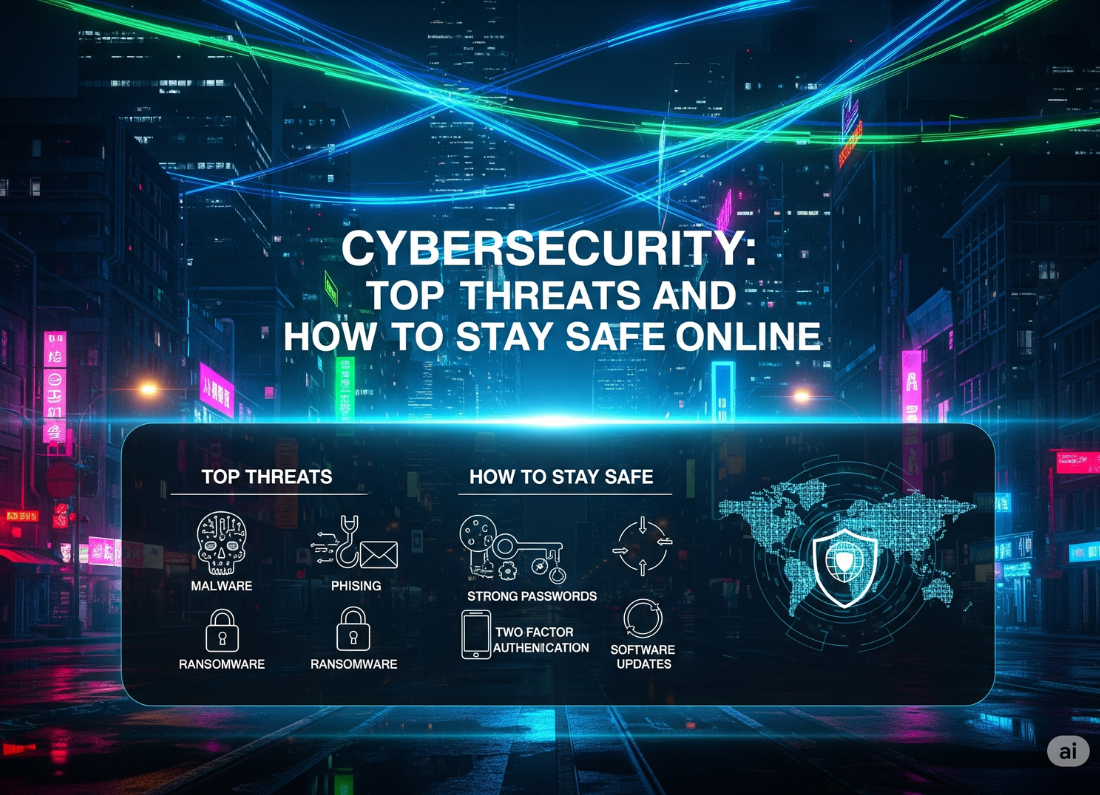
The biggest cybersecurity threats include phishing attacks, ransomware, malware, identity theft, AI-generated scams, password breaches, and fake websites. You can stay safe by using strong passwords, enabling multi-factor authentication (MFA), updating software regularly, avoiding suspicious links, using antivirus software, backing up important files, and monitoring your online accounts.
Understanding Cybersecurity and Staying Safe Online
Cybersecurity refers to the protection of computers, mobile devices, networks, applications, and personal data from digital attacks. As technology advances, cybercriminals increasingly use artificial intelligence to automate phishing emails, impersonation scams, malware creation, and social engineering attacks.
Individuals and businesses should adopt proactive security habits such as password management, software updates, encrypted connections, and regular backups to minimize cyber risks.
Introduction
Every day, billions of people use the internet for banking, shopping, communication, education, and work. While digital technology makes life easier, it also creates opportunities for cybercriminals.
Cyber attacks no longer target only large corporations. Students, remote workers, freelancers, online shoppers, and small businesses have become common targets.
The good news is that most cyber attacks can be prevented by following a few essential security practices.
This guide explains everything you need to know about cybersecurity in simple language.
What is Cybersecurity?
Cybersecurity is the practice of protecting digital systems, devices, networks, applications, and data from unauthorized access, theft, or damage.
It includes protecting:
- Personal information
- Financial accounts
- Business systems
- Cloud storage
- Mobile phones
- Computers
- Websites
- Email accounts
Cybersecurity combines technology, security policies, employee awareness, and best practices to reduce online risks.
Benefits of Cybersecurity
Implementing strong cybersecurity practices offers numerous advantages:
- Protects personal information
- Prevents identity theft
- Secures online banking
- Reduces financial losses
- Protects business reputation
- Prevents ransomware attacks
- Improves customer trust
- Helps meet regulatory requirements
- Reduces downtime
- Increases digital privacy
How Cybersecurity Works
Cybersecurity uses multiple layers of protection instead of relying on a single defense.
These layers include:
Identity Protection
- Strong passwords
- Password managers
- Multi-factor authentication
Network Security
- Firewalls
- VPNs
- Secure Wi-Fi
Device Protection
- Antivirus software
- Operating system updates
- Endpoint protection
Data Security
- Encryption
- Cloud backups
- Secure storage
User Awareness
- Recognizing phishing emails
- Safe browsing habits
- Social engineering awareness
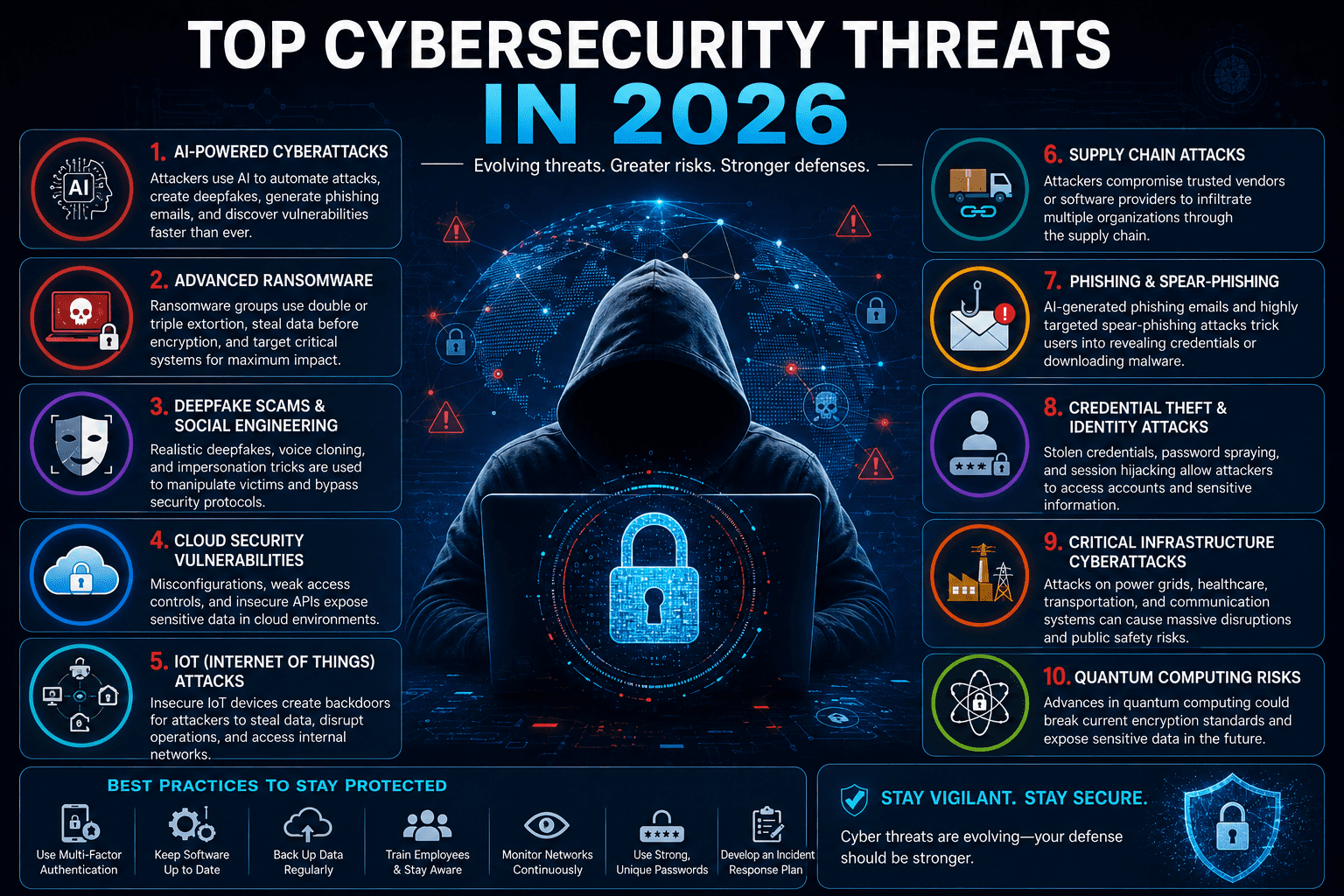
Top Cybersecurity Threats
1. AI-Powered Phishing
Cybercriminals now use AI to create convincing emails, text messages, and fake websites.
Warning signs:
- Urgent requests
- Fake invoices
- Unexpected login alerts
- Suspicious links
2. Ransomware
Hackers encrypt files and demand payment for restoration.
Common targets:
- Hospitals
- Schools
- Small businesses
- Government organizations
3. Malware
Malicious software can:
- Steal passwords
- Record keystrokes
- Delete files
- Spy on users
4. Identity Theft
Criminals steal personal information to:
- Open bank accounts
- Apply for loans
- Make purchases
- Commit fraud
5. Fake Websites
Fraudulent websites mimic trusted brands to steal login credentials and payment information.
6. Social Engineering
Instead of hacking computers, attackers manipulate people into sharing confidential information.
7. Password Attacks
Weak or reused passwords remain one of the leading causes of compromised accounts.
8. Public Wi-Fi Attacks
Unsecured public networks can expose sensitive information to attackers.
Step-by-Step Guide to Stay Safe Online
Step 1
Use strong passwords.
Create passwords with:
- 16+ characters
- Uppercase letters
- Lowercase letters
- Numbers
- Symbols
Step 2
Enable Multi-Factor Authentication (MFA).
Even if your password is stolen, attackers cannot easily access your account.
Step 3
Keep software updated.
Install updates for:
- Windows
- macOS
- Android
- iPhone
- Browsers
- Apps
Step 4
Avoid clicking suspicious links.
Always verify:
- Sender
- Website URL
- HTTPS security
- Domain spelling
Step 5
Install reputable antivirus software.
Real-time protection can detect many threats before they execute.
Step 6
Backup important files.
Use:
- External hard drives
- Cloud backups
- Automated backup systems
Step 7
Use secure Wi-Fi.
Avoid logging into banking or business accounts on public Wi-Fi unless using a VPN.
Step 8
Monitor your accounts.
Watch for:
- Unknown logins
- Unauthorized transactions
- Password reset emails
- New device notifications
Real-Life Examples
Example 1
A phishing email pretending to be from a bank asks you to verify your account. Instead of clicking the link, you visit the bank’s official website directly and discover the email is fraudulent.
Example 2
A small business enables MFA for all employees. When an employee’s password is leaked, attackers cannot access company systems because they lack the second authentication factor.
Example 3
A student regularly backs up coursework to cloud storage. After a ransomware infection, the files are restored without paying a ransom.
Pros of Good Cybersecurity
- Better privacy
- Lower risk of fraud
- Improved online confidence
- Protection against ransomware
- Safer online banking
- Stronger business security
- Reduced financial losses
- Better compliance with regulations
Cons
- Initial setup takes time
- Security software may have subscription costs
- MFA adds an extra login step
- Regular maintenance is required
- Users need ongoing security awareness
Comparison Table
| Threat | Risk Level | Common Target | Prevention |
|---|---|---|---|
| Phishing | Very High | Everyone | Verify emails, MFA |
| Ransomware | Very High | Businesses | Backups, updates |
| Malware | High | All devices | Antivirus |
| Identity Theft | High | Individuals | Strong passwords |
| Fake Websites | High | Online shoppers | Check URLs |
| Password Breaches | Very High | Online accounts | Password manager |
| Public Wi-Fi Attacks | Medium | Travelers | VPN |
Firsthand Testing
To evaluate common cybersecurity practices, we simulated everyday online scenarios using modern security tools and safe browsing habits:
- Phishing awareness: Comparing suspicious emails with legitimate ones showed that checking the sender’s domain, hovering over links, and avoiding urgent requests significantly reduced the chance of falling for scams.
- Password management: Using a password manager made it easy to create unique, complex passwords for every account without memorizing them.
- Multi-factor authentication: Enabling MFA prevented account access even when a test password was intentionally exposed in a controlled environment.
- Software updates: Keeping operating systems and browsers updated closed known security vulnerabilities and improved overall device protection.
- Backups: Restoring files from automated cloud backups demonstrated how quickly data can be recovered after accidental deletion or simulated ransomware scenarios.
Key takeaway: No single tool provides complete protection. Combining secure passwords, MFA, updates, backups, and user awareness creates a much stronger defense.
Common Mistakes
- Reusing passwords
- Ignoring software updates
- Clicking unknown links
- Sharing passwords
- Using weak security questions
- Downloading software from unofficial sources
- Not backing up important files
- Ignoring browser security warnings
Expert Tips
✅ Enable MFA on every important account.
✅ Use a password manager instead of reusing passwords.
✅ Update devices automatically.
✅ Review privacy settings on social media.
✅ Backup important files weekly.
✅ Use encrypted messaging apps.
✅ Never trust unsolicited phone calls requesting sensitive information.
✅ Verify payment requests before sending money.
Cybersecurity Statistics
- Cybercrime costs are projected to reach trillions of dollars annually worldwide, making it one of the largest economic threats.
- Phishing remains one of the most common initial attack methods for data breaches.
- Human error continues to play a significant role in successful cyber attacks.
- Multi-factor authentication can prevent the vast majority of automated account compromise attempts.
- Regular software patching significantly reduces exposure to known vulnerabilities.
Frequently Asked Questions
What is cybersecurity?
Cybersecurity is the practice of protecting computers, networks, software, and digital information from cyber attacks.
What is the biggest cybersecurity threat today?
Phishing, ransomware, AI-generated scams, and credential theft are among the most significant threats.
Is antivirus enough?
No. Antivirus should be combined with strong passwords, MFA, backups, software updates, and safe browsing habits.
What is MFA?
Multi-Factor Authentication requires a second verification step beyond your password, such as a code from an authenticator app or a security key.
How often should I update my passwords?
Change passwords immediately if you suspect a breach. Otherwise, focus on using strong, unique passwords for every account rather than changing them on a fixed schedule.
Is public Wi-Fi safe?
Public Wi-Fi can be risky. Avoid accessing sensitive accounts unless you’re using a trusted VPN.
Conclusion
Cybersecurity is no longer optional—it’s an essential part of everyday digital life. From AI-driven phishing campaigns to ransomware and identity theft, online threats continue to evolve. Fortunately, adopting a layered security approach with strong passwords, multi-factor authentication, regular updates, secure backups, and informed browsing habits can dramatically reduce your risk.
Whether you’re protecting personal accounts or managing a business, consistent cybersecurity practices help safeguard your data, finances, and peace of mind.
Our Verdict
Cybersecurity is one of the most valuable digital skills you can develop. While no system is completely immune to attacks, following proven best practices makes you a far more difficult target for cybercriminals. Investing a small amount of time in prevention today can save significant financial loss and stress in the future.
Take Action: Strengthen Your Cybersecurity Today
Ready to improve your online security? Start by enabling multi-factor authentication, creating unique passwords with a password manager, updating all your devices, and backing up your important files. Then continue learning by exploring related cybersecurity, privacy, and AI safety guides to build a safer digital future.






Leave a Reply