

Quick Summary
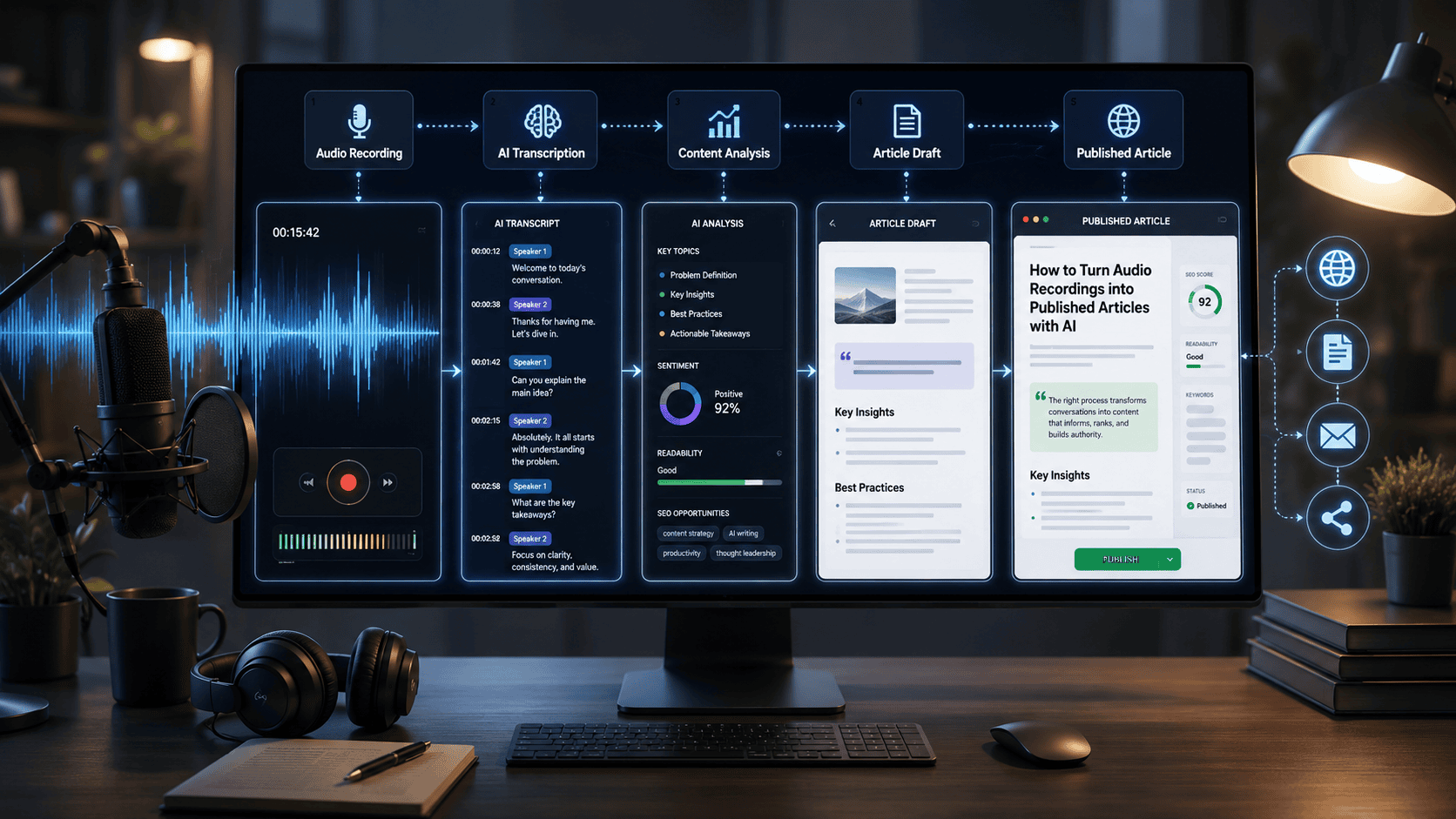
AI can turn an audio recording—such as an interview, podcast, meeting, webinar, lecture, or voice memo—into a publishable article by combining speech-to-text transcription, content extraction, AI-assisted writing, fact-checking, editing, and SEO optimization.
The most reliable workflow is not simply “upload audio and publish the AI output.” Instead, use AI to create a transcript, extract the strongest ideas, organize them into an article structure, draft the content, and then perform human review for accuracy, context, names, quotations, and factual claims.
A practical workflow is:
Audio recording → AI transcription → Transcript cleanup → Key insights → Article outline → AI draft → Human fact-check → SEO/AEO optimization → Final editing → Publication
Key Takeaways
- AI can convert interviews, podcasts, meetings, webinars, lectures, and voice recordings into article drafts.
- The best workflow separates transcription from article generation.
- Speaker identification is particularly useful for interviews and multi-person recordings.
- AI-generated transcripts should always be reviewed for names, numbers, technical terms, and unclear speech.
- A transcript should not be published as-is; spoken language needs to be transformed into readable editorial content.
- AI can help generate headings, summaries, FAQs, meta descriptions, social posts, and other content from the same recording.
- Human review remains important because AI can misinterpret speech or introduce unsupported claims.
- Tools such as Otter.ai and Descript provide transcription and speaker-related features, while Notta supports transcription, speaker identification, and AI summaries.
- The most efficient strategy is to create one authoritative article from the recording and then repurpose the source material into additional content.
How Do You Turn an Audio Recording Into an Article With AI?
To turn an audio recording into an article with AI, first transcribe the recording using an AI transcription tool. Next, clean the transcript, identify the main ideas and useful quotes, create an article outline, and use an AI writing assistant to transform the spoken information into a structured draft. Finally, fact-check the draft, verify names and quotations, optimize it for SEO and answer engines, add relevant internal links, and complete a human editorial review before publishing.
Can AI Turn Audio Recordings Into Blog Posts?
Yes. AI can transform an audio recording into a blog post by combining automatic transcription with content summarization, information extraction, outlining, drafting, and SEO optimization.
A typical AI workflow looks like this:
Recording → Transcription → Cleanup → Content extraction → Outline → Article draft → Fact-checking → SEO optimization → Human editing → Publication
The important distinction is that transcription and article writing are two different tasks.
A transcription attempts to represent what was spoken. An article reorganizes that information into a useful reading experience.
Introduction
Valuable information is often trapped inside audio recordings.
An expert interview may contain enough information for a detailed article. A 45-minute podcast conversation can contain multiple topics, examples, opinions, and quotes. A webinar may answer dozens of customer questions. Even a simple voice memo can contain the beginning of a useful blog post.
Traditionally, turning that audio into an article required several manual steps:
- Listen to the recording.
- Type the transcript.
- Clean the transcript.
- Identify important information.
- Create an outline.
- Write the article.
- Edit and fact-check it.
- Optimize it for search.
- Publish it.
AI can significantly reduce the amount of manual work involved.
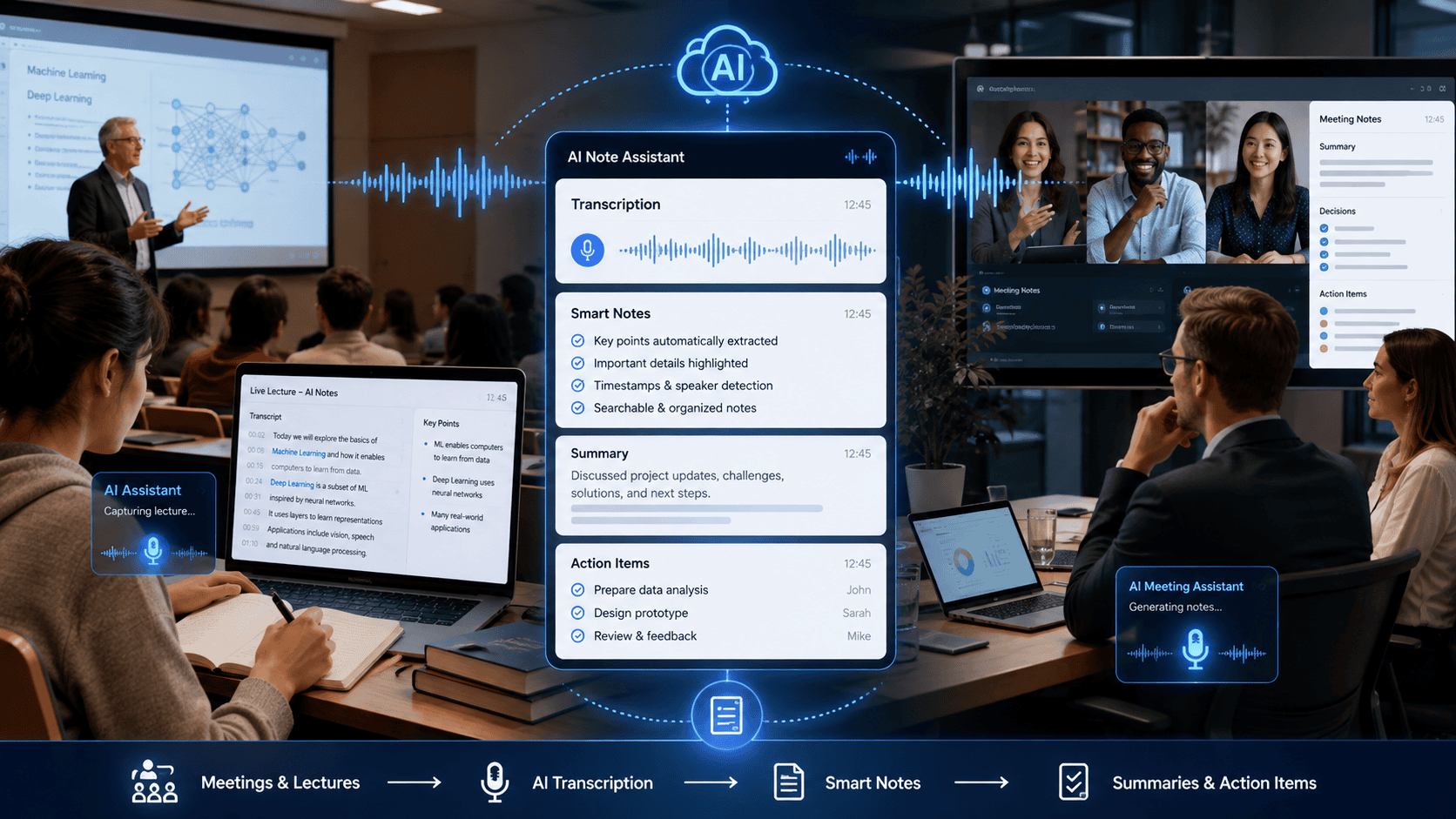
Modern transcription platforms can automatically convert speech into text, identify speakers, provide timestamps, and generate summaries. For example, Otter.ai provides transcription, speaker identification, searchable notes, and AI-generated summaries.
Descript can transcribe audio, identify speakers, remove filler words, and export transcripts in formats including Word, Markdown, HTML, and plain text.
Notta provides AI transcription, speaker identification, summaries, and translation capabilities.
The result is a new content production model:
Record once → extract the information with AI → create multiple content assets.
This guide explains how to build that workflow while maintaining editorial quality and credibility.
What Is AI Audio-to-Article Conversion?
AI audio-to-article conversion is the process of using artificial intelligence to transform spoken content into a structured written article.
The process generally involves three AI capabilities:
1. Speech recognition
The recording is converted into text.
For example:
Audio:
An expert discusses how businesses can automate repetitive customer support tasks.
Transcript:
The AI converts the speech into written text.
2. Content understanding
AI identifies:
- Main topics
- Subtopics
- Important statements
- Questions
- Examples
- Quotes
- Key recommendations
- Frequently mentioned concepts
3. Generative writing
An AI writing model can then transform those insights into:
- Blog posts
- Interviews
- Tutorials
- Case studies
- News-style articles
- Thought-leadership pieces
- FAQs
- LinkedIn posts
- Email newsletters
- Social media posts
The key is to treat the AI output as an editorial draft, rather than automatically publishing it.
Benefits of Turning Audio Into Articles With AI
1. Repurpose Existing Content
A single recording can become multiple pieces of content.
For example:
60-minute interview
→ Full article
→ 5 short articles
→ FAQ section
→ LinkedIn posts
→ Newsletter
→ Social media posts
→ Video descriptions
→ YouTube chapters
→ Quote graphics
This makes audio an excellent source for content repurposing.
2. Save Transcription Time
Manually transcribing a long interview can be tedious.
AI transcription allows you to start with searchable text instead of repeatedly listening to the recording.
Tools such as Descript automatically generate transcripts when audio is imported, while Otter.ai provides synchronized audio and transcript functionality.
3. Preserve Expert Knowledge
Interviews and conversations often contain valuable information that may never appear in written documentation.
Turning recordings into articles creates a searchable, reusable knowledge asset.
This can be particularly useful for:
- Consultants
- Researchers
- Agencies
- Coaches
- Podcasters
- SaaS companies
- Subject-matter experts
- Journalists
- Educators
- Business owners
4. Improve Content Production Efficiency
Instead of starting every article from a blank document, writers can begin with source material.
The recording provides:
- Ideas
- Examples
- Experiences
- Questions
- Explanations
- Quotes
- Supporting context
AI then helps organize that information into an article.
5. Create Firsthand Content
Audio interviews can provide original information that is not simply copied from existing web pages.
This can strengthen an article’s E-E-A-T signals when the content genuinely reflects original interviews, observations, experiments, or expert commentary.
However, the article should accurately distinguish between:
- What the speaker actually said
- What the publisher independently verified
- What the AI inferred
- What is editorial interpretation
How the AI Audio-to-Article Workflow Works
The complete workflow can be divided into eight stages.
Stage 1: Record
Create a clear audio recording.
Stage 2: Transcribe
Convert the audio into text using an AI transcription service.
Stage 3: Clean
Correct obvious transcription errors and identify speakers.
Stage 4: Extract
Ask AI to identify the most important ideas, examples, quotes, statistics, and questions.
Stage 5: Structure
Turn those insights into an article outline.
Stage 6: Draft
Use AI to create the article while preserving the original meaning.
Stage 7: Verify
Fact-check names, dates, statistics, quotations, product claims, and technical information.
Stage 8: Optimize and Publish
Improve readability, SEO, AEO, internal linking, metadata, and formatting before publication.
Step-by-Step Guide: Turn an Audio Recording Into a Published Article
Step 1: Start With a Good Recording
The quality of your final article depends partly on the quality of your source audio.
For best results:
- Use a good microphone.
- Record in a quiet environment.
- Avoid loud background noise.
- Keep speakers reasonably close to the microphone.
- Avoid people talking over each other.
- Ask interview participants to state unfamiliar names clearly.
- Record separate audio tracks when possible.
Good audio makes transcription easier and reduces the number of corrections required later.
Step 2: Upload the Audio to an AI Transcription Tool
Choose a transcription platform based on your needs.
For example:
- Otter.ai — useful for meetings, interviews, speaker identification, searchable transcripts, and summaries.
- Descript.com — useful when transcription and audio/video editing need to happen in the same workflow.
- Notta.ai — useful for transcription, speaker identification, summaries, and multilingual workflows.
Otter supports importing prerecorded audio/video files and editing speakers and time codes.
Descript supports speaker labels and exports transcripts into several document formats.
Notta supports speaker identification for uploaded files and can distinguish up to 10 speakers in that workflow.
Step 3: Select the Correct Language
Always select the language or dialect that most closely matches the recording.
A wrong language setting can create significant transcription errors.
If the recording contains:
- Technical terminology
- Brand names
- Personal names
- Industry jargon
- Acronyms
- Regional pronunciation
review those terms carefully.
Some tools also allow custom vocabulary or speaker training. Otter, for example, provides custom vocabulary capabilities for jargon and names.
Step 4: Review the Transcript
Do not immediately send the raw transcript to an AI writing model.
First check:
- Names
- Companies
- Product names
- Numbers
- Dates
- Technical terminology
- Quotations
- Speaker labels
- Important statements
- Acronyms
Pay special attention to sections where speakers talk quickly, overlap, whisper, or use industry-specific terminology.
Step 5: Extract the Important Information
Once the transcript is reasonably clean, ask AI to analyze it.
A useful prompt is:
Analyze the following transcript.

Identify:

1. The main topic
2. Five to ten important insights
3. Supporting examples
4. Practical recommendations
5. Important statistics
6. Quotable statements
7. Questions answered in the conversation
8. Claims that require external verification
9. Technical terms that may have been transcribed incorrectly
10. Potential article topics

Do not invent information that is not contained in the transcript.

Transcript:
[PASTE TRANSCRIPT]
This creates an intermediate research layer between the transcript and final article.
Step 6: Create the Article Outline
Instead of asking AI to immediately write a 2,000-word article, create the structure first.
For example:
Article Structure
H1: How to Turn Audio Recordings into Published Articles with AI
Introduction
H2: What Is AI Audio-to-Article Conversion?
H2: Benefits of Turning Audio Into Articles
H2: How the Workflow Works
H2: Step-by-Step Guide
H3: Record the Audio
H3: Transcribe the Recording
H3: Clean the Transcript
H3: Extract Key Insights
H3: Create the Article Outline
H3: Generate the First Draft
H3: Fact-Check the Content
H3: Optimize for SEO and AI Search
H2: Examples
H2: Common Mistakes
H2: Expert Tips
H2: FAQs
H2: Conclusion
This gives the AI a logical framework before writing begins.
Step 7: Generate the Article Draft
Use a prompt that explicitly prevents the AI from inventing information.
Recommended AI Writing Prompt
Turn the transcript below into a professionally written article.

Requirements:

- Preserve the original meaning.
- Do not invent facts, statistics, quotes, experiences, or examples.
- Do not attribute statements to a speaker unless the transcript supports the attribution.
- Remove conversational filler.
- Remove unnecessary repetition.
- Convert spoken language into natural written language.
- Organize the information using clear H2 and H3 headings.
- Explain technical concepts in simple language.
- Keep useful examples from the transcript.
- Clearly identify claims that require external verification.
- Add an FAQ section based only on questions supported by the source material.

Target audience:
[DESCRIBE AUDIENCE]

Article topic:
[TOPIC]

Transcript:
[PASTE TRANSCRIPT]
Step 8: Turn Spoken Language Into Written Language
This is one of the most important stages.
People speak differently from how they write.
A transcript might say:
“So, basically, what we found was, you know, when companies start using automation, they can kind of save a lot of time.”
An article could transform that into:
“Companies can reduce repetitive administrative work by introducing targeted automation workflows.”
The meaning is preserved while unnecessary conversational language is removed.
Remove:
- Um
- Uh
- You know
- Basically
- Like
- Sort of
- Repeated sentences
- False starts
- Unnecessary greetings
But don’t remove meaningful personality, opinions, or distinctive statements simply to make the article sound generic.
Step 9: Preserve Important Quotes
Not every spoken statement should be paraphrased.
Strong quotes can add originality and personality.
However, quotations must be accurate.
If you use quotation marks, verify the wording against the actual recording or transcript.
Never allow AI to create a quotation that sounds plausible but was never actually spoken.
Step 10: Fact-Check the Article
This is where human editorial review becomes essential.
Create a verification checklist:
| Content Type | Verification Required? |
|---|---|
| Speaker names | Yes |
| Company names | Yes |
| Product names | Yes |
| Statistics | Yes |
| Dates | Yes |
| Prices | Yes |
| Technical claims | Yes |
| Direct quotes | Yes |
| Medical/legal/financial claims | Yes |
| Personal opinions | Verify attribution |
| General explanations | Review for accuracy |
AI should not be treated as the source of truth merely because it generated the article.
Step 11: Optimize the Article for SEO
After the article is factually sound, optimize it for search.
Include:
- Primary keyword
- Related keywords
- Descriptive H2/H3 headings
- Short paragraphs
- Relevant internal links
- Helpful tables
- FAQs
- Clear definitions
- Natural keyword variations
- Image alt text
- Descriptive URL slug
- Meta title
- Meta description
Avoid keyword stuffing.
The goal is to make the article genuinely useful rather than repeating the same keyword unnaturally.
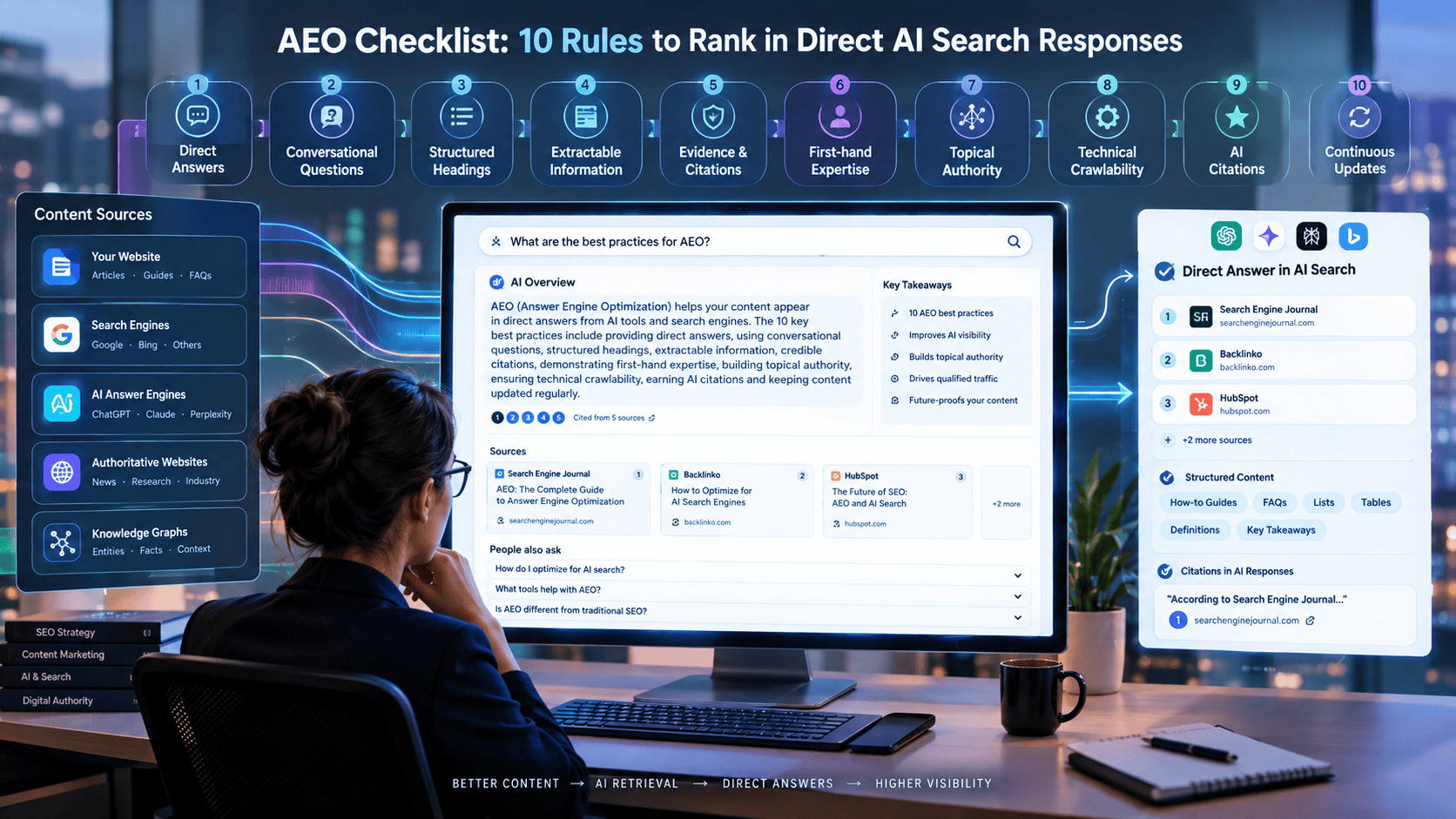
Step 12: Optimize for AEO and GEO
Answer engines need information that can be easily extracted and understood.
For AEO and GEO optimization:
Give direct answers
Start important sections with concise answers.
Define concepts clearly
For example:
AI audio-to-article conversion is the process of using AI transcription and generative AI to transform spoken recordings into structured written content.
Use question-based headings
Examples:
- What is AI audio-to-article conversion?
- How accurate is AI transcription?
- Can AI turn a podcast into a blog post?
- How do you convert an interview into an article?
Use structured information
Tables, numbered steps, bullet lists, and concise explanations are easier to scan.
Distinguish facts from opinions
This is especially important for expert interviews.
Examples of Audio-to-Article Workflows
Example 1: Podcast Episode
Input: 45-minute podcast interview
AI workflow:
Podcast recording
↓
Transcript
↓
Key insights
↓
Article outline
↓
2,000-word article
↓
FAQ
↓
Newsletter
↓
Social posts
One podcast can therefore become an entire content cluster.
Example 2: Expert Interview
Input: 30-minute interview with an industry expert
AI can produce:
- Expert interview article
- Quote highlights
- FAQ
- Key takeaways
- LinkedIn posts
- Newsletter
- Case-study material
The original recording can serve as the source material for the written article.
Example 3: Webinar
Input: 60-minute webinar
Possible outputs:
- Complete webinar summary
- Educational article
- Step-by-step tutorial
- FAQ
- Chapter summaries
- Social media content
- Email newsletter
Example 4: Voice Memo
A business owner records a 10-minute explanation about a new business idea.
AI can transform the voice memo into:
Voice memo → structured notes → article outline → draft article → SEO optimization
This is useful for people who think faster by speaking than typing.
Pros
| Advantage | Explanation |
|---|---|
| Faster content creation | AI handles much of the transcription and drafting |
| Content repurposing | One recording can produce multiple assets |
| Easier interviews | Writers don’t have to manually transcribe every conversation |
| Searchable knowledge | Audio becomes searchable text |
| Better idea capture | Spoken ideas can be preserved before they are forgotten |
| Consistent workflow | Teams can standardize the process |
| Multichannel publishing | Articles, newsletters and social posts can be generated from one source |
Cons
| Limitation | Explanation |
|---|---|
| Transcription errors | Names and technical terms can be misheard |
| Hallucinations | Generative AI can introduce unsupported information |
| Editing required | Spoken language usually needs substantial cleanup |
| Speaker confusion | Multiple speakers can sometimes be incorrectly labeled |
| Context loss | Shortening a conversation can remove important nuance |
| Privacy concerns | Sensitive recordings may contain confidential information |
| Publication risk | Unverified AI-generated claims can damage credibility |
AI Audio Transcription Tool Comparison
| Tool | Transcription | Speaker Identification | Summaries/AI | Editing | Best For |
|---|---|---|---|---|---|
| Otter.ai | Yes | Yes | Yes | Yes | Meetings and interviews |
| Descript | Yes | Yes | Yes | Yes | Podcasts and content production |
| Notta | Yes | Yes | Yes | Yes | Meetings and multilingual workflows |
| General AI writing tool | Usually requires transcript | Depends on workflow | Yes | Yes | Article generation |
Otter.ai provides transcription, speaker identification, searchable notes and AI-powered summaries.
Descript combines transcription with document-style audio/video editing and provides AI features for turning transcripts into other forms of content.
Notta offers transcription, speaker identification, summaries and translation features.
Performance Ratings
The following ratings are workflow-oriented editorial ratings, not laboratory benchmark scores. Actual results vary depending on audio quality, language, accents, background noise, speaker overlap, and terminology.
| Capability | Otter.ai | Descript | Notta |
|---|---|---|---|
| Transcription workflow | 4.5/5 | 4.5/5 | 4.5/5 |
| Speaker handling | 4.5/5 | 4.5/5 | 4.5/5 |
| Content repurposing | 4/5 | 5/5 | 4.5/5 |
| Editing workflow | 4/5 | 5/5 | 4/5 |
| Meeting use | 5/5 | 4/5 | 4.5/5 |
| Podcast/content workflow | 4/5 | 5/5 | 4/5 |
These ratings should be treated as a practical comparison rather than a universal accuracy ranking.
Statistics: How Accurate Is AI Transcription?
Transcription accuracy is highly dependent on the recording.
Factors include:
- Microphone quality
- Background noise
- Speaker accents
- Speech speed
- Number of speakers
- Overlapping speech
- Audio compression
- Language
- Technical vocabulary
For context, Descript currently describes its initial transcription as around 95% accurate, while Notta advertises transcription accuracy of up to 98.86% for its service. These are provider-reported figures rather than independent head-to-head benchmark results, so they should not be interpreted as guaranteed accuracy for every recording.
This distinction matters because a 95% accuracy rate can still mean dozens of errors in a long transcript.
For example, a 10,000-word transcript with a hypothetical 5% error rate could contain roughly 500 incorrect words.
Therefore, high transcription accuracy does not eliminate the need for editorial review.
Practical Testing Framework
How to Test an Audio-to-Article Workflow Yourself
Because transcription performance changes substantially based on recording quality and language, a standardized test is more useful than relying only on marketing claims.
Use the same 10–15 minute recording with each tool.
Test Recording
Create a recording containing:
- One speaker
- Two speakers
- A few proper names
- Several numbers
- Industry-specific terminology
- Normal conversational speech
- One section with background noise
Measure
Record:
- Transcription completion time
- Number of obvious transcription errors
- Speaker-label accuracy
- Number accuracy
- Proper-name accuracy
- Technical-term accuracy
- Summary quality
- Article-outline quality
- Amount of manual editing required
Suggested Scoring Formula
You can calculate:
Overall Workflow Score = Accuracy + Editing Efficiency + Speaker Handling + Content Extraction + Publishing Readiness
This gives you a repeatable methodology for comparing tools rather than simply accepting vendor accuracy claims.
Important: The ratings in this article should not be represented as personal hands-on testing unless you actually perform this controlled test. If you publish this section as a “Firsthand Testing” section on your website, run the same audio sample through the tools and document your results.
Best Use Cases
AI audio-to-article workflows work particularly well for:
Podcasts
Convert long conversations into detailed written articles.
Expert Interviews
Preserve expert knowledge in searchable editorial content.
Webinars
Transform educational presentations into tutorials.
Customer Interviews
Turn customer conversations into case-study material.
Meetings
Convert important discussions into structured internal documentation.
Research Interviews
Organize qualitative research into themes and summaries.
Lectures
Create study notes and educational resources.
Voice Notes
Transform spoken ideas into structured drafts.
Decision Flowchart
Use this simple decision process:
Do you have a useful audio recording?
↓ Yes
Is the audio clear enough to understand?
↓ Yes
Does the recording contain original or useful information?
↓ Yes
Transcribe the recording
↓
Review the transcript
↓
Extract key insights
↓
Create article outline
↓
Generate AI draft
↓
Fact-check and edit
↓
Optimize SEO + AEO + GEO
↓
Publish
If the recording contains little original information, it may be better to use it as research material rather than turn it into a standalone article.
Common Mistakes
1. Publishing the Raw Transcript
A transcript is not automatically a good article.
Spoken conversations contain:
- Repetition
- Fillers
- False starts
- Informal language
- Incomplete sentences
Transform the transcript into an editorial structure.
2. Asking AI to Invent Missing Information
Never ask AI to “fill in” information that wasn’t present.
Instead, instruct it to flag missing information.
Bad instruction:
“Add statistics where appropriate.”
Better instruction:
“Identify claims that require statistics and mark them for external verification. Do not invent statistics.”
3. Trusting Speaker Identification Completely
Speaker identification is useful but should be reviewed.
Otter and other tools can automatically identify and group speakers, while Notta supports speaker identification for uploaded files.
Still, verify important quotes and attributions against the source recording.
4. Ignoring Names and Numbers
A transcription error in a casual sentence may be harmless.
A transcription error in:
- A price
- A percentage
- A product name
- A person’s name
- A company name
- A technical specification
can materially change the meaning.
5. Removing Too Much Personality
Over-editing can make an expert interview sound generic.
Preserve useful:
- Opinions
- Experiences
- Examples
- Analogies
- Unique observations
- Strong quotations
6. Publishing AI Claims Without Verification
AI can transform a transcript into a polished-looking article while still introducing inaccurate information.
Always verify externally sourced claims.
7. Forgetting Copyright and Consent
Before publishing an interview or recording, make sure you have the necessary permission to use:
- The recording
- The transcript
- Speaker quotations
- Personal information
- Third-party copyrighted material
This is especially important when publishing recordings involving customers, employees, or external experts.
Expert Tips
Tip 1: Create a Source-of-Truth Transcript
Keep the original transcript separate from the AI-edited article.
The transcript should remain the reference document for checking quotations and disputed information.
Tip 2: Use Timestamps
Keep timestamps for important statements.
For example:
[14:32] Expert explains how AI automation reduced repetitive work.
This makes later verification much easier.
Descript and Otter both provide workflows involving synchronized transcript/audio information and timestamps.
Tip 3: Separate Facts From Opinions
An interview might contain:
Fact: “The company launched the product in 2025.”
Opinion: “I believe AI will completely change customer service.”
These should not be presented in the same way.
Tip 4: Build a Content Brief Before Drafting
Give the AI:
- Target audience
- Search intent
- Primary keyword
- Article objective
- Desired length
- Required sections
- Source transcript
- Editorial tone
This generally produces a more focused article.
Tip 5: Use AI for Transformation, Not Fabrication
The strongest use of AI in this workflow is:
Source material → organization → transformation → editing
rather than:
Source material → AI invents everything → publish
Tip 6: Create Multiple Content Assets From One Recording
Don’t stop with the article.
After publishing the article, use the transcript to create:
- FAQ content
- Newsletter
- LinkedIn post
- X post
- Short video scripts
- YouTube description
- Social media quotes
- Infographic ideas
This turns one recording into a content ecosystem.
What We Learned
The most important lesson is that AI does not replace the editorial process; it compresses it.
The recording provides the source material.
The transcription system creates searchable text.
The AI writing system organizes and transforms the information.
The human editor ensures that the final article is:
- Accurate
- Useful
- Original
- Readable
- Properly attributed
- Fact-checked
- Search-friendly
The strongest workflow therefore looks like this:
Human expertise + authentic recording + AI transcription + AI organization + AI drafting + human verification
rather than AI-generated content without source verification.
Frequently Asked Questions
Can AI turn an audio recording into a blog post?
Yes. AI can transcribe an audio recording, identify important information, create an outline, and transform the transcript into a structured blog post. Human review is recommended before publication.
What is the best way to convert an interview into an article?
The best workflow is to transcribe the interview first, clean and verify the transcript, extract important insights and quotes, create an outline, generate an article draft, and then fact-check and edit the final article.
Can AI identify different speakers in an interview?
Yes. Several modern transcription platforms provide speaker identification. Otter can automatically tag speakers, while Notta supports speaker identification for uploaded files.
Should I publish the AI transcript directly?
No. A transcript is different from an article. It normally contains filler words, repetitions, incomplete sentences, conversational language, and other characteristics of spoken communication.
How accurate is AI transcription?
Accuracy varies by tool and recording conditions. Provider-reported figures can be high—for example, Descript describes its transcription as around 95% accurate, while Notta advertises up to 98.86% accuracy—but these numbers are not guarantees for every recording.
Can I turn a podcast into multiple articles?
Yes. A long podcast can often contain several distinct topics. You can identify individual themes and create separate articles, provided each article offers enough original value and isn’t simply a thin rewrite of the same material.
Can AI remove filler words?
Yes. Some transcription and editing tools provide AI-assisted filler-word removal. Descript, for example, supports workflows for removing filler words from transcripts.
Can I turn a webinar into an SEO article?
Yes. A webinar can be transcribed and transformed into a structured article containing the main lessons, examples, questions, answers, and actionable steps.
Should I include direct quotes from the recording?
Yes, when the quotes provide meaningful insight or personality. However, verify the exact wording against the recording or transcript before using quotation marks.
Can AI generate an SEO-optimized article from an audio transcript?
Yes. AI can help structure headings, identify search questions, generate FAQs, write metadata, and improve readability. However, SEO optimization should happen after the source material has been verified.
Is an AI-generated article from a recording considered original content?
It can contain original source material when it is based on an original interview, presentation, discussion, or firsthand recording. However, originality depends on the substance and editorial value of the final article—not simply on the fact that AI generated the text.
Conclusion
Audio recordings contain a large amount of information that often remains unused.
AI makes it possible to turn those recordings into structured written content without manually transcribing every word and starting an article from a blank page.
The most effective workflow is:
Record → Transcribe → Clean → Extract → Outline → Draft → Verify → Optimize → Publish
The biggest mistake is treating AI transcription as the finished product.
A high-quality article requires an additional editorial layer that checks the source material, removes unnecessary conversational language, preserves useful insights, verifies factual claims, and improves the information architecture.
When used correctly, AI can turn a single interview, podcast, webinar, lecture, or voice memo into a valuable source for long-form articles and an entire content repurposing system.
Our Verdict
AI is an excellent tool for turning audio recordings into article drafts, but the best results come from a human-in-the-loop workflow.
For meetings and interviews, Otter.ai is a strong option for transcription, speaker identification, searchable conversations, and summaries.
For creators who want transcription closely integrated with audio/video editing and content repurposing, Descript is particularly useful.
For transcription, speaker identification, summaries, and multilingual workflows, Notta is another practical option.
Ultimately, the best tool depends less on a single advertised accuracy percentage and more on your recording quality, number of speakers, language, editing requirements, privacy needs, and publishing workflow.
Turn Your Existing Audio Into More Content
Have interviews, podcasts, webinars, meetings, or voice recordings sitting unused?
Start with one recording and follow the workflow in this guide:
Transcribe it → Extract the best ideas → Create an article → Fact-check it → Optimize it → Publish it → Repurpose it into additional content.
Your next article may already be sitting inside your audio library.
Also Read
- Make vs n8n for AI Automation
- How to Extract Structured Data from PDFs Using Local LLMs
- How to Build an AI Assistant Without Code
- How to Set Up Open WebUI for a Private Local AI Chat Experience
- Local AI vs Cloud AI: Cost, Speed, and Privacy Comparison
- How to Create a Private Document QA Bot Using AnythingLLM
- How Students and Researchers Can Use AI for Literature Reviews Ethically
- Best Free AI Note-Taking Apps for Meetings and Lectures
- How to Use AI for E-commerce Product Description Generation at Scale
- How to Use AI in Excel and Google Sheets to Automate Formulas
- How to Build an Interactive AI Resume That Stands Out to Recruiter AI
- How Freelancers Can Package AI Automation Services as High-Ticket Offers
- Best AI Browser Extensions for Writing, Research & Productivity
- Best AI Voice Generator Tools for Video Editing (Free vs Paid)







Leave a Reply