

Introduction
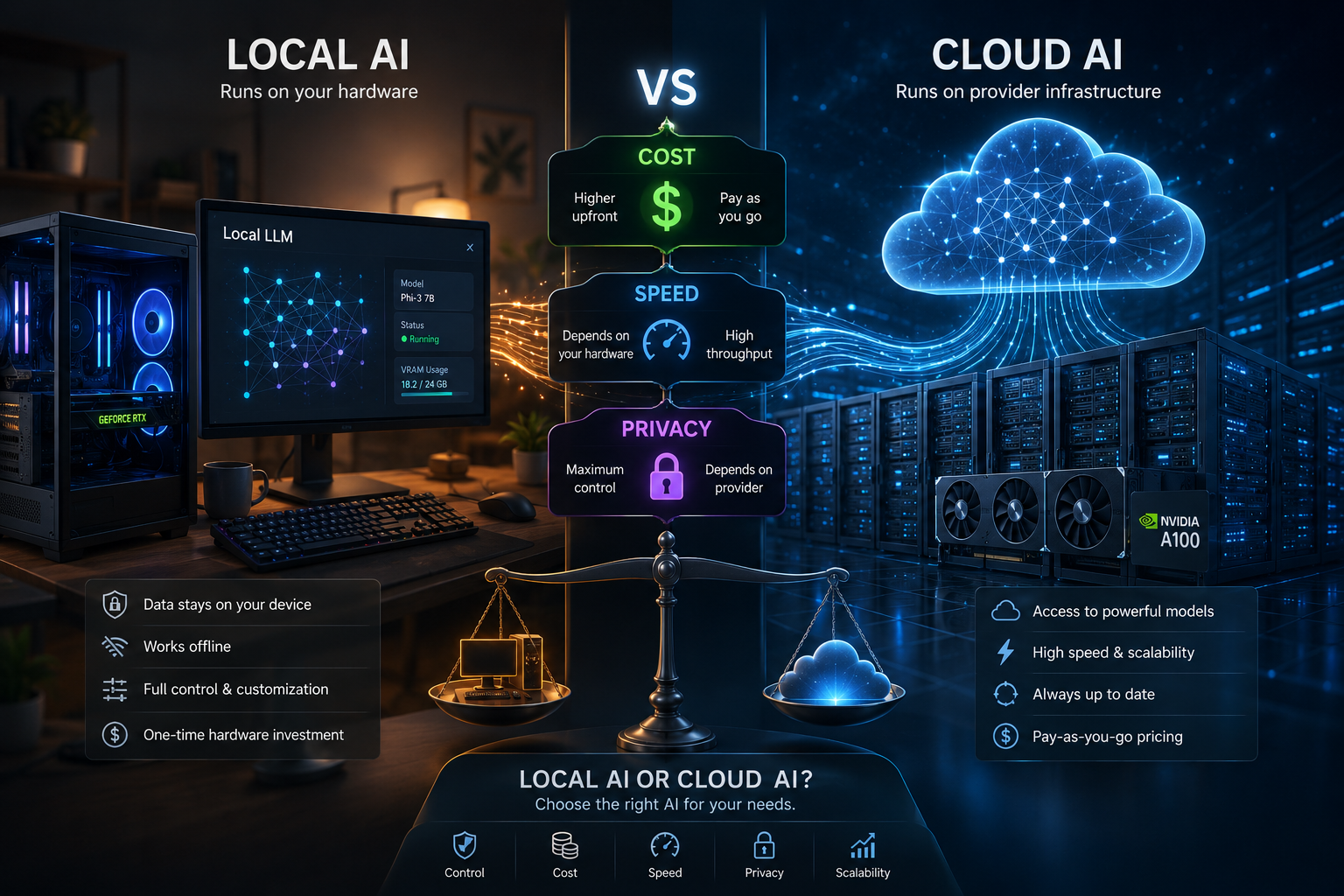
The choice between local AI and cloud AI is no longer simply about where an AI model runs. It affects how much you spend, how quickly you receive responses, how much control you have over your data, and which AI capabilities you can access.
Local AI runs models directly on hardware you control, such as a laptop, desktop, workstation, or private server. Cloud AI processes your prompts on remote infrastructure operated by an AI provider. Neither approach is universally better—the right choice depends on your workload, privacy requirements, budget, hardware, and performance expectations.
Local AI has become increasingly practical because modern open models can handle many everyday workloads without requiring cloud access. It can be particularly attractive for privacy-sensitive tasks, offline workflows, and users who already have suitable hardware. Cloud AI, meanwhile, remains compelling when you need powerful hosted models, minimal setup, advanced capabilities, or easy scalability.
The decision is therefore less about choosing a permanent winner and more about matching each AI workload to the right environment. In some cases, local AI is the better option; in others, cloud AI makes more sense. For many users and businesses, a hybrid AI approach—keeping sensitive or repetitive workloads local while using cloud models for demanding tasks—can provide the best balance of cost, speed, privacy, and capability.
In this guide, we’ll compare local AI vs cloud AI across cost, speed, privacy, hardware requirements, model capabilities, scalability, security, and real-world use cases so you can decide which approach fits your needs.
Key Takeaways
- Local AI runs on your own hardware, giving you greater control over models, infrastructure, and potentially sensitive data.
- Cloud AI runs on remote provider infrastructure, making it easier to access powerful models without purchasing or maintaining specialized hardware.
- Local AI can offer stronger privacy because properly configured local workflows can keep prompts, documents, and model interactions on your own infrastructure.
- Cloud AI is usually easier to get started with because the provider manages the underlying GPUs, model deployment, scaling, and infrastructure.
- Local AI is not automatically cheaper. You need to consider hardware, electricity, storage, maintenance, and upgrades alongside cloud subscription or API costs.
- Local AI is not automatically faster either. Local inference can eliminate network latency, but cloud providers can use powerful AI infrastructure that may outperform consumer hardware.
- Cloud AI generally has an advantage for frontier-level capabilities and large-scale workloads, while local models can be more than sufficient for many everyday tasks such as summarization, coding assistance, classification, and private document workflows.
- Offline access is a major local AI advantage. A properly configured local model can continue working without an internet connection.
- Cloud AI is usually better for scalability and minimal maintenance, particularly when many users or unpredictable workloads are involved.
- Hybrid AI can be the most practical strategy. Use local AI for privacy-sensitive, repetitive, or offline tasks and cloud AI when you need advanced models, additional computing power, or specialized capabilities.
Bottom line: Choose local AI for privacy, control, offline access, and sustained workloads; cloud AI for convenience, scalability, and advanced capabilities; or combine both with a hybrid AI strategy.
Local AI vs Cloud AI: Which One Should You Choose?
Local AI and cloud AI offer two fundamentally different ways to run artificial intelligence.
Local AI runs models on your own computer, workstation, server, or private infrastructure. Cloud AI sends requests to remote servers operated by an AI provider.
So which is better?
There is no universal winner.
Choose local AI when privacy, offline access, control, and predictable infrastructure costs matter most. Choose cloud AI when you want easy access to powerful models, minimal hardware requirements, scalability, and the latest capabilities.
For many users and businesses, however, the best answer is a hybrid AI strategy: use local models for private or repetitive workloads and cloud models when you need larger models, specialized capabilities, or additional computing power.
At a Glance
| Factor | Local AI | Cloud AI | Winner |
|---|---|---|---|
| Privacy | Excellent potential | Depends on provider and configuration | Local AI |
| Upfront cost | Higher | Low | Cloud AI |
| Hardware requirement | High | Minimal | Cloud AI |
| Offline access | Yes | Usually no | Local AI |
| Setup simplicity | Moderate | Excellent | Cloud AI |
| Model selection | Large and growing | Usually very large | Cloud AI |
| Customization | Excellent | Varies | Local AI |
| Scalability | Limited by infrastructure | Excellent | Cloud AI |
| Predictable high-volume cost | Can be favorable | Usage-based | Local AI |
| Access to frontier models | Limited by hardware/model availability | Excellent | Cloud AI |
| Data control | Maximum | Provider-dependent | Local AI |
| Maintenance | You manage it | Provider manages it | Cloud AI |
Quick answer: Local AI wins for control and privacy. Cloud AI wins for convenience, scalability, and access to powerful hosted models. Hybrid AI is often the most practical option.
What Is Local AI?
Local AI refers to artificial intelligence models that run on hardware you control.
Instead of sending a prompt to a remote API, the model performs inference locally on your:
- Desktop PC
- Laptop
- Workstation
- NAS
- Private server
- On-premises infrastructure
Popular local AI ecosystems include tools such as Ollama, LM Studio, llama.cpp, and other local inference platforms.
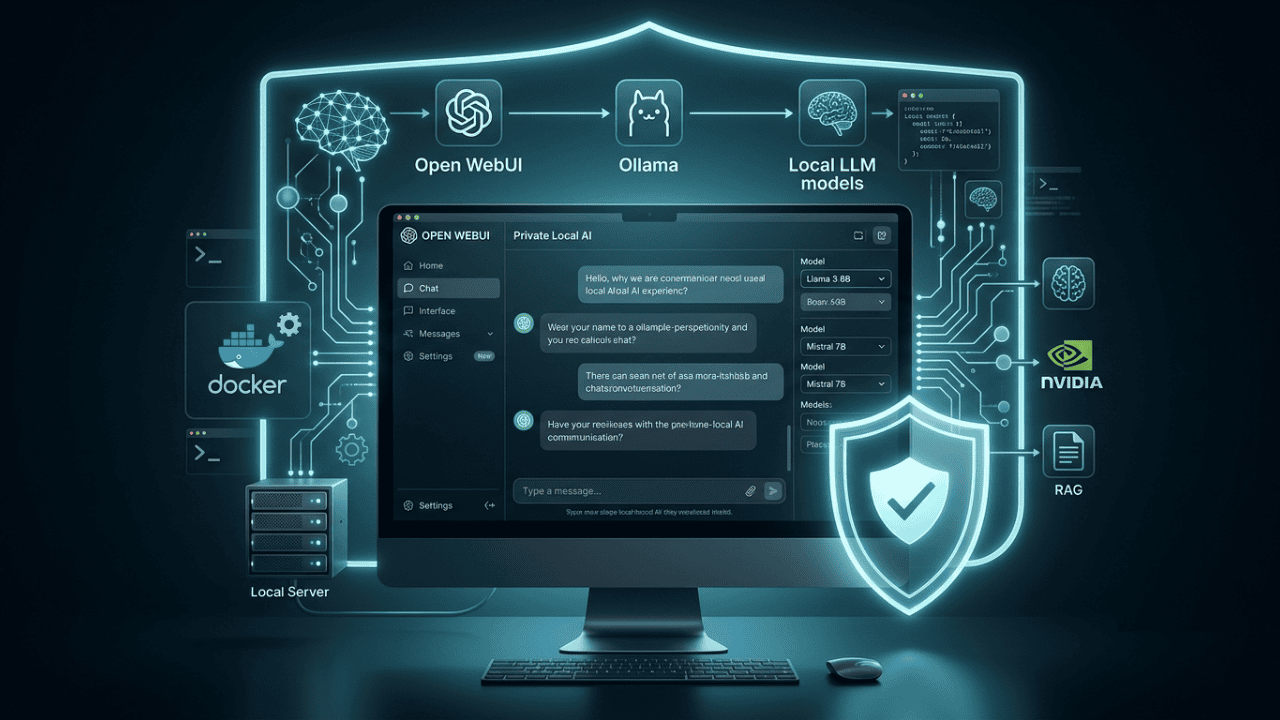
For example, Ollama allows users to run open models locally, while Open WebUI can provide a browser-based interface for managing and chatting with those models. Open WebUI describes itself as a self-hosted AI platform capable of running entirely offline and supporting both local and cloud-based providers.
A typical local AI architecture looks like:
User → Local AI Interface → Local Model → Local Hardware
No external AI API is required for the inference itself.
Advantages of Local AI
- Greater control over data
- Potentially better privacy
- Offline operation
- No per-request API fee
- Greater control over models
- Custom deployment options
- Easier integration with private files and internal systems
Disadvantages of Local AI
- Requires suitable hardware
- Initial hardware cost can be significant
- Larger models require more RAM/VRAM
- You manage updates and maintenance
- Performance depends on your hardware
- Running multiple users simultaneously may require a server
What Is Cloud AI?
Cloud AI runs AI models on remote infrastructure operated by a provider.
The basic architecture is:
User → Internet → Cloud AI API/Service → Remote GPU Infrastructure → Response
Examples include hosted AI services and APIs from companies such as OpenAI, Google, Anthropic, and other AI providers.
The major advantage is that you don’t need to purchase or maintain expensive GPUs yourself.
You can access powerful models through a web application or API and pay according to the provider’s pricing model.
For example, Google currently publishes token-based pricing for its Gemini API, with different rates depending on model and service tier.
Advantages of Cloud AI
- Minimal hardware requirements
- Simple setup
- Access to powerful models
- Easy scaling
- Provider-managed infrastructure
- Frequent model updates
- Advanced hosted tools and capabilities
Disadvantages of Cloud AI
- Requires internet access for most services
- Usage can create recurring costs
- Data leaves your local device
- Privacy depends on provider policies and configuration
- Service availability depends on the provider
- API limits and rate limits may apply
Local AI vs Cloud AI: Quick Comparison
The fundamental difference is where inference happens.
| Category | Local AI | Cloud AI |
| Where the model runs | Your hardware | Provider’s infrastructure |
| Internet required | Not necessarily | Usually |
| Data path | Can remain local | Usually transmitted to provider |
| Hardware | User-owned | Provider-owned |
| Cost model | Hardware + electricity + maintenance | Subscription/API/usage |
| Scaling | Hardware-dependent | Provider-dependent |
| Maintenance | User | Provider |
| Model updates | User-controlled | Provider-controlled |
| Privacy control | Very high potential | Depends on provider |
| Offline operation | Possible | Usually unavailable |
| Large-model access | Hardware-limited | Generally easier |
Local AI vs Cloud AI: Cost
Cost is one of the biggest reasons people consider local AI.
But saying “local AI is cheaper” is too simplistic.
The real comparison is:
Local AI total cost = Hardware + electricity + storage + maintenance + upgrades
versus:
Cloud AI total cost = Subscription/API usage + infrastructure/service costs
Local AI Costs
With local AI, you may need:
- CPU
- GPU
- RAM
- SSD storage
- Power
- Cooling
- Networking
- Backup infrastructure
If you already own a capable computer, your additional cost may be relatively small.
If you need to purchase a high-end GPU specifically for AI workloads, however, the economics can change significantly.
Local AI becomes more attractive when:
- You use AI heavily every day
- You process large volumes of data
- You want predictable infrastructure costs
- You already own suitable hardware
- You need to avoid recurring API charges
- You need continuous offline operation
Cloud AI Costs
Cloud AI usually has a lower barrier to entry.
You don’t need to purchase a GPU. Instead, you pay through a subscription, API usage, or another pricing model.
This is particularly attractive for:
- Occasional users
- Small projects
- Businesses testing AI
- Developers building prototypes
- Users who need powerful models without buying hardware
The important distinction
Cloud AI is usually cheaper to start. Local AI can become more attractive at sustained, high usage.
There is no universal break-even point because hardware prices, electricity costs, model size, token usage, and provider pricing vary.
Local AI vs Cloud AI: Speed
Speed is more complicated than simply asking whether local or cloud AI is faster.
There are at least four factors:
- Network latency
- Model size
- Hardware performance
- Provider infrastructure
Local AI Latency
Local AI removes the internet round trip.
Your prompt can go directly from the application to the model running on your machine.
That can be particularly useful for:
- Short prompts
- Interactive applications
- Private assistants
- Coding tools
- Document processing
- Offline workflows
However, a weak laptop running a large model may still be much slower than a cloud provider with high-end GPU infrastructure.
Cloud AI Speed
Cloud providers can operate large GPU clusters specifically designed for AI inference.
That means a cloud model may generate responses much faster than a local model running on ordinary consumer hardware.
Cloud AI can therefore win when:
- The model is very large
- Your local GPU is weak
- Multiple users need access
- High throughput is required
- The provider has optimized inference infrastructure
Speed Verdict
Local AI can have lower network latency, but cloud AI can deliver higher overall throughput and faster inference when backed by powerful infrastructure.
So don’t assume:
Local = faster
or:
Cloud = faster
The correct answer depends on the model and hardware.
Local AI vs Cloud AI: Privacy
Privacy is where local AI has its strongest structural advantage.
When a model runs locally, prompts and files can remain on your machine.
For example, Ollama’s current privacy policy states that when it runs locally, it does not collect, store, transmit, or have access to the prompts, responses, or model interactions processed locally.
That makes local AI particularly attractive for sensitive information.
Examples include:
- Confidential documents
- Internal company data
- Source code
- Customer information
- Private research
- Financial documents
- Proprietary business information
However, local AI is not automatically private.
Privacy can still be affected by:
- Cloud-connected extensions
- External APIs
- Telemetry
- Web search tools
- Plugins
- Remote logging
- Poor server configuration
If your local AI application connects to cloud services, some data may still leave the machine.
Cloud AI Privacy
Cloud AI requires you to understand the provider’s policies.
Different providers can have different rules regarding:
- Data retention
- Training usage
- Logging
- Enterprise data
- API data
- Account information
- Regional processing
- Security controls
Therefore, don’t make blanket statements such as:
Cloud AI stores everything you send.
That is not universally true.
Instead, evaluate the specific service and its current privacy documentation.
Privacy Verdict
Local AI provides the strongest architectural control because inference can happen without sending prompts to a third-party AI provider.
Local AI vs Cloud AI: Model Quality
This is another area where cloud AI currently has an important advantage.
Cloud providers can operate extremely large models that may be impractical for ordinary computers.
Local AI models have improved dramatically, but your hardware determines what you can realistically run.
Cloud AI is usually better when you need:
- Large frontier models
- Advanced reasoning
- Specialized multimodal capabilities
- Large context windows
- High-end agentic workflows
- Hosted search or grounding
- Large-scale inference
Local AI is attractive when you need:
- Fast private assistance
- Smaller language models
- Coding assistance
- Summarization
- Classification
- Extraction
- Offline workflows
- Custom models
The gap also isn’t static. Smaller models are becoming increasingly capable, while local inference hardware continues to improve.
Hardware Requirements for Local AI
Hardware is one of the biggest barriers to local AI.
The most important components are:
GPU / VRAM
For many local LLM workloads, GPU memory is particularly important.
Larger models generally require more memory.
System RAM
RAM becomes important when:
- Running CPU inference
- Loading larger models
- Using quantized models
- Running multiple applications
Storage
Models can consume significant disk space, particularly when you keep multiple model variants.
Cooling and Power
Long-running AI workloads can place sustained loads on your hardware.
For serious deployments, power consumption and cooling should therefore be part of the total cost calculation.
Is Local AI More Private?
Potentially, yes — but architecture matters.
The strongest privacy configuration is:
Local model + local interface + local files + no external APIs
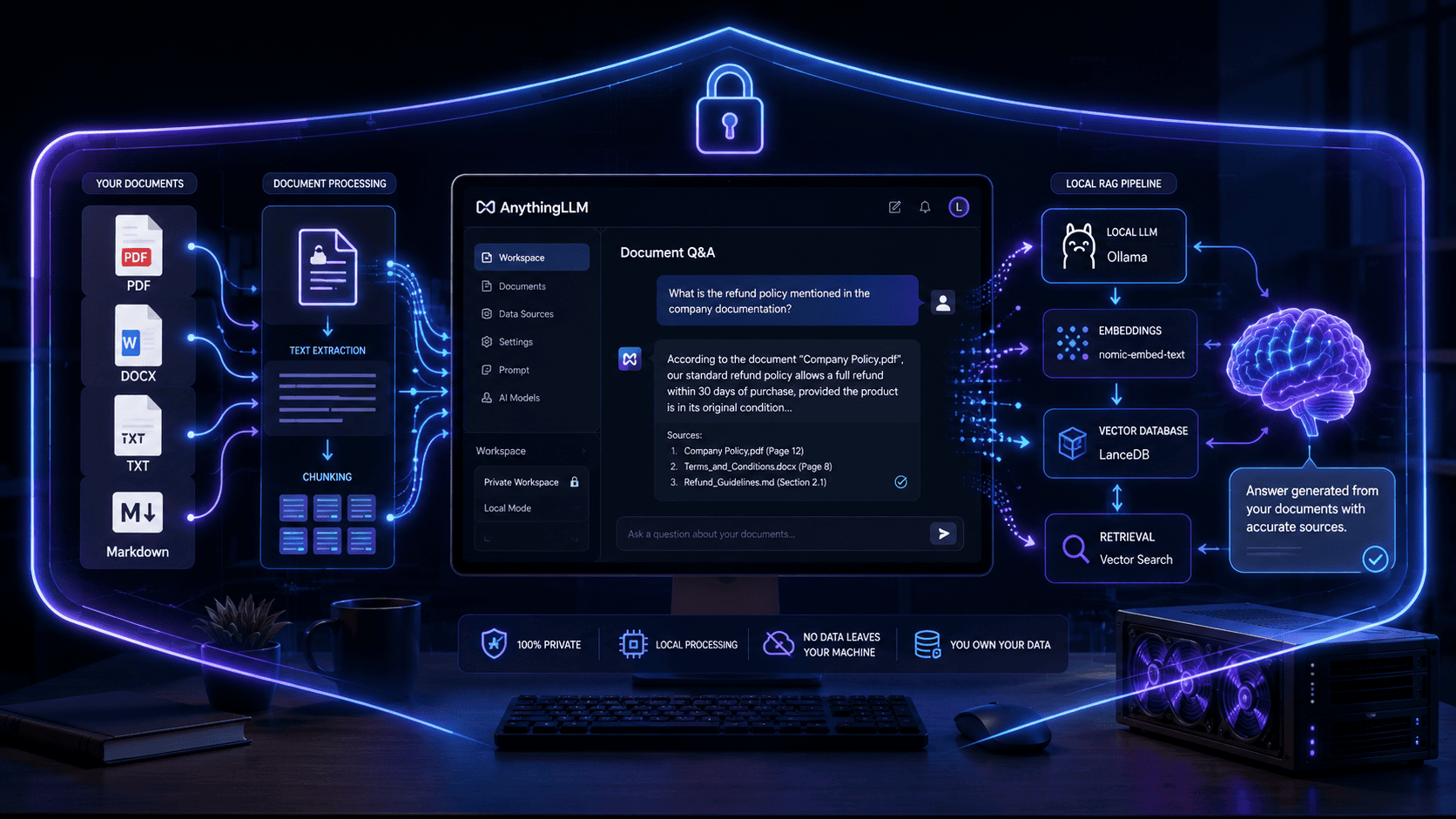
For example:
Documents → Local application → Local embedding/model → Local database
No third-party AI provider needs to process the document.
This is one reason self-hosted AI platforms are attractive for sensitive workflows.
Open WebUI, for example, documents that its default setup stores data locally and that models are private by default unless explicitly shared.
But once you connect a cloud provider, your privacy model changes.
For example:
Open WebUI → Cloud API → Cloud Model
The inference request now leaves your local environment.
Offline AI: A Major Local AI Advantage
One of the most overlooked benefits of local AI is offline operation.
If your model and application are installed locally, you can continue using them without an internet connection.
This can be valuable for:
- Travel
- Remote locations
- Air-gapped environments
- Sensitive workplaces
- Network outages
- Field operations
Cloud AI generally requires connectivity to the provider.
This makes local AI particularly useful when internet availability cannot be guaranteed.
Customization and Control
Local AI gives you more control over the AI stack.
You can decide:
- Which model to run
- Which model version to use
- Where data is stored
- Which documents are indexed
- Which tools are connected
- How the model is configured
- When the model is updated
You can also create specialized workflows around your own infrastructure.
Cloud AI gives you less infrastructure-level control, but the trade-off is convenience.
The provider handles:
- GPUs
- Scaling
- Infrastructure
- Model deployment
- Updates
- Availability
- Much of the operational complexity
Local AI vs Cloud AI for Businesses
Businesses should evaluate AI deployment differently from individual users.
A company should consider:
- Data sensitivity
- Number of users
- AI workload volume
- Existing hardware
- Compliance requirements
- Integration requirements
- IT resources
- Model requirements
- Budget
Local AI may be better for:
- Confidential internal documents
- Proprietary source code
- Private knowledge bases
- Offline operations
- High-volume repetitive workloads
- Organizations requiring infrastructure control
Cloud AI may be better for:
- Rapid deployment
- Large teams
- Advanced models
- Variable workloads
- Large-scale AI applications
- Teams without AI infrastructure expertise
Local AI vs Cloud AI for Developers
Developers often benefit from using both.
Use local AI for:
- Code completion
- Private repositories
- Local documentation
- Small coding tasks
- Offline development
- Experimentation
Use cloud AI for:
- Complex reasoning
- Large codebases
- Advanced debugging
- Large-context tasks
- Multimodal development
- AI agents requiring hosted tools
A hybrid development workflow can therefore be more productive than choosing one side exclusively.
Local AI vs Cloud AI for Content Creators
For content creators, the choice depends on workflow.
Local AI works well for:
- Drafting
- Summarization
- Content transformation
- Private notes
- Local document analysis
- Offline brainstorming
Cloud AI works well for:
- Advanced research
- Complex reasoning
- Web-connected workflows
- Image understanding
- Large context windows
- Advanced content workflows
For many creators, using a local model for basic tasks and cloud AI for more demanding tasks can reduce costs without sacrificing capability.
Local AI vs Cloud AI for Privacy-Sensitive Documents
If you regularly process confidential files, local AI deserves serious consideration.
For example:
Private PDF → Local OCR → Local embeddings → Local LLM → Local answer
This architecture can keep the entire workflow under your control.
By contrast:
Private PDF → Cloud service → Cloud OCR/embedding/LLM
requires careful evaluation of the provider’s data handling policies.
The important question isn’t simply:
“Is this AI private?”
Instead ask:
“Where does my data go at every stage of the workflow?”
That is a much better privacy question.
Local AI vs Cloud AI: Scalability
Cloud AI has a major advantage when the number of users or requests increases.
Suppose you have:
- 1 user
- 10 users
- 100 users
- 1,000 users
A cloud platform can generally scale infrastructure more easily than a single local workstation.
Local infrastructure can scale too, but you must purchase, configure, maintain, and monitor additional hardware.
Therefore:
Cloud AI → easier horizontal scaling
Local AI → greater infrastructure control
For enterprise deployments, the decision often becomes a trade-off between control, operational complexity, cost, and workload requirements.
Local AI vs Cloud AI: Security
Privacy and security are related but not identical.
Local AI reduces the need to send data externally, but you become responsible for securing the infrastructure.
That means protecting:
- The computer
- The model server
- User accounts
- Network access
- Stored conversations
- Databases
- Backups
- APIs
- Authentication
A poorly secured local AI server can create its own risks.
Cloud providers, meanwhile, invest heavily in infrastructure security, but your organization still needs to configure accounts, permissions, API keys, and data policies correctly.
Important rule
Local does not automatically mean secure.
Cloud does not automatically mean insecure.
Security depends on the complete architecture.
Local AI vs Cloud AI: Maintenance
This is an area where cloud AI is usually the clear winner.
With cloud AI, the provider generally handles:
- Infrastructure
- GPU availability
- Model deployment
- Scaling
- Hardware failures
- Software updates
With local AI, you are responsible for much more.
You may need to manage:
- Model downloads
- Drivers
- GPU compatibility
- Storage
- Updates
- Backups
- Server availability
- Network access
For technically comfortable users, this may be acceptable.
For users who simply want AI to work, cloud services are usually easier.
Local AI vs Cloud AI: Which Is Better for Beginners?
Cloud AI wins for beginners.
You can usually create an account, open an application, and start using an AI model without configuring GPUs, models, runtimes, or servers.
Local AI requires more technical knowledge.
However, modern tools have made local AI considerably easier.
For example, Ollama focuses on making open models easy to run locally, while Open WebUI provides a user-friendly interface for interacting with local and cloud models.
If you want to experiment with private local AI, you can also connect Ollama to Open WebUI and use a browser-based interface. Open WebUI documents native support for Ollama and automatic model detection in common setups.
Also Read “How to Set Up Open WebUI for a Private Local AI Chat Experience.”
Local AI vs Cloud AI: Who Should Choose Which?
Choose Local AI If You:
- Prioritize privacy
- Work with sensitive documents
- Want offline access
- Already have capable hardware
- Want infrastructure control
- Run frequent repetitive workloads
- Want to experiment with open models
- Prefer self-hosted software
Choose Cloud AI If You:
- Want the simplest setup
- Don’t own powerful hardware
- Need frontier models
- Need easy scalability
- Use AI occasionally
- Want provider-managed infrastructure
- Need advanced hosted capabilities
- Don’t want to maintain AI infrastructure
Choose Hybrid AI If You:
- Need both privacy and advanced models
- Want to control sensitive workloads locally
- Need cloud AI for complex tasks
- Want to reduce API usage
- Have different AI requirements across teams
- Want flexibility instead of a single deployment model
Local AI vs Cloud AI: Decision Matrix
| Your priority | Recommended approach |
| Maximum privacy | Local AI |
| Offline AI | Local AI |
| Existing powerful GPU | Local AI |
| Simple setup | Cloud AI |
| Frontier models | Cloud AI |
| Large-scale workloads | Cloud AI |
| Sensitive company data | Local AI / Hybrid |
| Occasional AI use | Cloud AI |
| Heavy repetitive AI usage | Local AI / Hybrid |
| Advanced AI + private data | Hybrid AI |
| Minimal maintenance | Cloud AI |
| Maximum infrastructure control | Local AI |
A Practical Hybrid AI Strategy
For many users, hybrid AI is the most sensible long-term approach.
Instead of asking:
Local AI or cloud AI?
Ask:
Which workloads should run locally, and which should run in the cloud?
For example:
Local AI
Use a local model for:
- Private documents
- Internal notes
- Personal knowledge bases
- Sensitive code
- Routine summarization
- Classification
- Offline work
Cloud AI
Use cloud models for:
- Complex reasoning
- Large models
- Advanced research
- Web-connected tasks
- Large-scale processing
- Specialized capabilities
This approach gives you flexibility.
Current AI infrastructure trends are also increasingly pointing toward hybrid approaches that balance cost, performance, and security rather than treating local and cloud AI as mutually exclusive choices.
Example: A Hybrid AI Workflow
Imagine a small business with confidential internal documents.
A practical architecture could look like:
Step 1: Store sensitive documents locally.
Step 2: Use a local model to summarize and classify them.
Step 3: Keep private company information inside the local environment.
Step 4: Send only non-sensitive tasks to a cloud model.
Step 5: Use the cloud model when advanced reasoning is required.
This gives the organization a better balance between:
Privacy + Cost + Performance + Capability
How to Calculate Whether Local AI Is Worth It
Don’t compare only the price of a GPU with the price of an API.
Calculate your approximate total cost.
Local AI
Total Cost of Ownership = Hardware + Electricity + Storage + Maintenance + Upgrades
Cloud AI
Total Cost = Subscription + API Usage + Storage + Additional Services
Then compare the cost over:
- 1 month
- 1 year
- 3 years
Also consider your time.
If managing a local server takes several hours every month, that maintenance has an economic cost.
Common Local AI vs Cloud AI Mistakes
Mistake 1: Assuming Local AI Is Always Cheaper
It isn’t.
If you use AI occasionally, cloud AI may be much more economical because you don’t need to buy hardware.
Mistake 2: Assuming Local AI Is Always Faster
A powerful cloud GPU can outperform a consumer laptop by a huge margin.
Mistake 3: Assuming Cloud AI Is Automatically Unsafe
Cloud providers have different security and privacy policies.
Evaluate the specific service instead.
Mistake 4: Assuming Local AI Is Automatically Private
Your local application may still connect to external APIs, plugins, search engines, or telemetry services.
Mistake 5: Ignoring Hardware Costs
A high-end local AI system can require a significant upfront investment.
Mistake 6: Comparing Models Instead of Workloads
The better question is not:
“Which AI is better?”
Ask:
“Which deployment model is better for my workload?”
Frequently Asked Questions
Is local AI better than cloud AI?
Not universally. Local AI is generally better for privacy, control, and offline use, while cloud AI is generally better for convenience, scalability, and access to powerful hosted models.
Is local AI cheaper than cloud AI?
It can be for heavy, sustained usage, especially when you already own suitable hardware. Cloud AI can be cheaper for occasional or low-volume users because there is little or no hardware investment.
Is local AI faster?
It can have lower latency because inference does not require an internet round trip. However, cloud infrastructure can be much faster than consumer hardware for large models and high-throughput workloads.
Is local AI more private?
Local AI can provide stronger privacy because data can remain on your own hardware. However, privacy depends on the entire system architecture and whether external services are connected.
Can local AI work without internet?
Yes. If the model, runtime, and required data are stored locally, many local AI workflows can operate completely offline.
Does cloud AI require a powerful computer?
Usually not. The AI inference runs on the provider’s infrastructure, so your device mainly needs to run the client application and maintain an internet connection.
Which is better for businesses: local AI or cloud AI?
It depends on the workload. Businesses handling highly sensitive data may prefer local AI, while businesses needing rapid deployment and large-scale AI capabilities may prefer cloud AI. Hybrid deployments can combine both.
Can I use local and cloud AI together?
Yes. Tools such as Open WebUI can connect to local providers such as Ollama as well as cloud and OpenAI-compatible providers, allowing different models to be used within the same interface.
Does local AI require a GPU?
Not always. Some models can run on CPUs, but a capable GPU can significantly improve inference performance for many workloads.
What is the best local AI setup for beginners?
A simple starting point is a local model runtime such as Ollama combined with a user-friendly interface such as Open WebUI. Open WebUI specifically documents Ollama as a supported local provider.
Final Verdict: Local AI vs Cloud AI
The local AI vs cloud AI debate isn’t really about finding one universal winner.
It’s about choosing the right architecture for the workload.
Local AI wins when you prioritize:
Privacy + Control + Offline Access + Predictable Infrastructure
Cloud AI wins when you prioritize:
Convenience + Scalability + Frontier Models + Minimal Maintenance
Hybrid AI wins when you need:
Privacy + Advanced Models + Flexibility
For individuals, local AI is becoming increasingly practical as smaller and more capable models become easier to run on consumer hardware.
For businesses, the best solution may be a combination of local and cloud AI rather than an all-or-nothing decision.
The smartest question isn’t “Local AI or Cloud AI?”
It’s:
“Which AI workloads should stay local, and which ones benefit from the cloud?”
That shift in thinking can help you build an AI setup that balances cost, speed, privacy, capability, and long-term scalability.
Expert Takeaway
If you’re just starting with AI, cloud AI is the easiest entry point.
If you work with sensitive information or want maximum control, local AI is worth learning.
If you run serious workloads, don’t automatically choose one.
A well-designed hybrid AI architecture can use local models for privacy-sensitive and repetitive workloads while reserving cloud models for tasks that genuinely benefit from larger models or additional computing resources.
That is likely to be the most practical strategy for many AI users as local inference and cloud AI continue to evolve.
Also Read
- How to Optimize Your Website for ChatGPT, Perplexity & AI Search (GEO Guide)
- How to Rank Local Indian Businesses on Google Maps Using AI
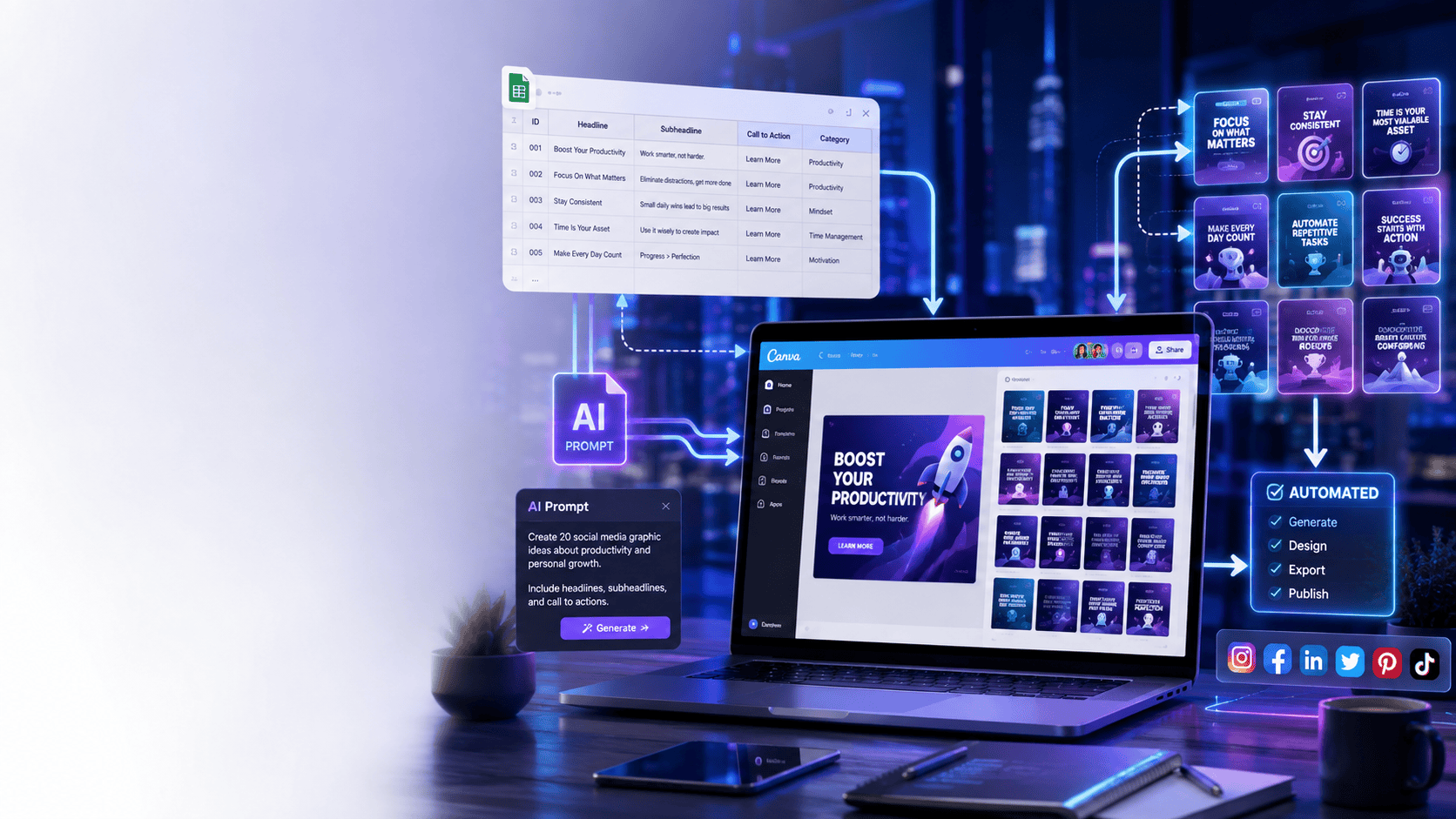
- How to Create Bulk Social Media Graphics with Canva and AI Prompts
- Copy-Paste AI Prompt Frameworks That Write High-Converting Email Sequences
- 5 Simple AI Workflows to Automate Daily Admin Tasks
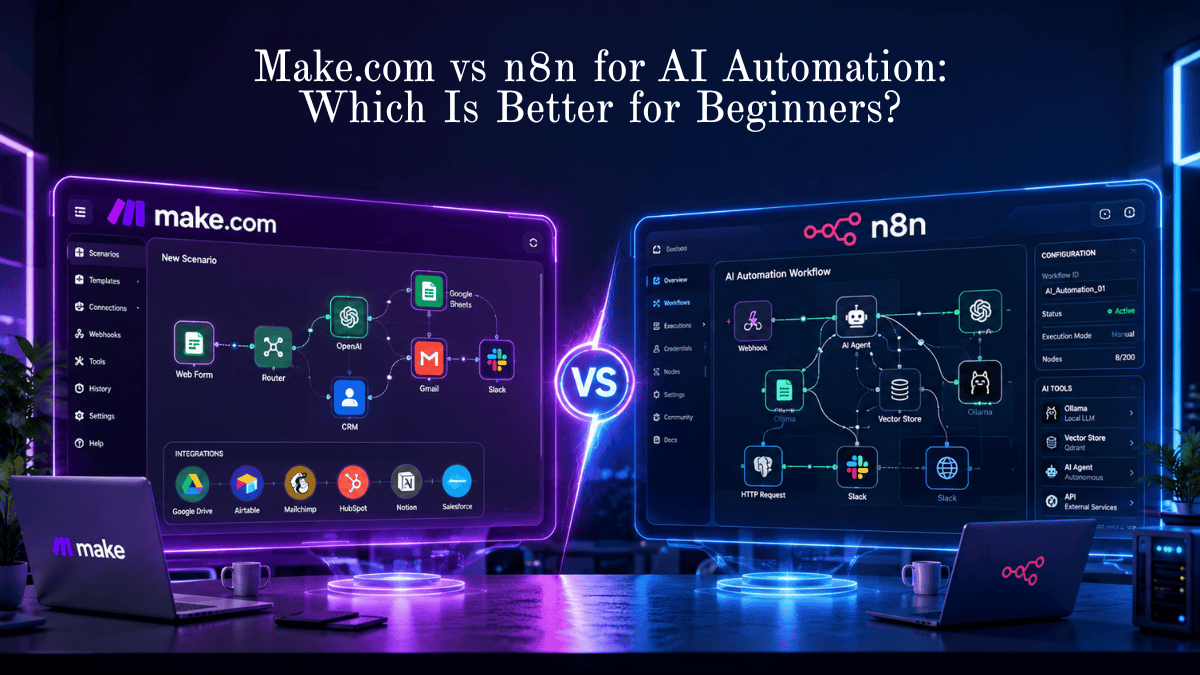
- Make vs n8n for AI Automation
- 25 Real-World AI Workflows That Save 10+ Hours Every Week
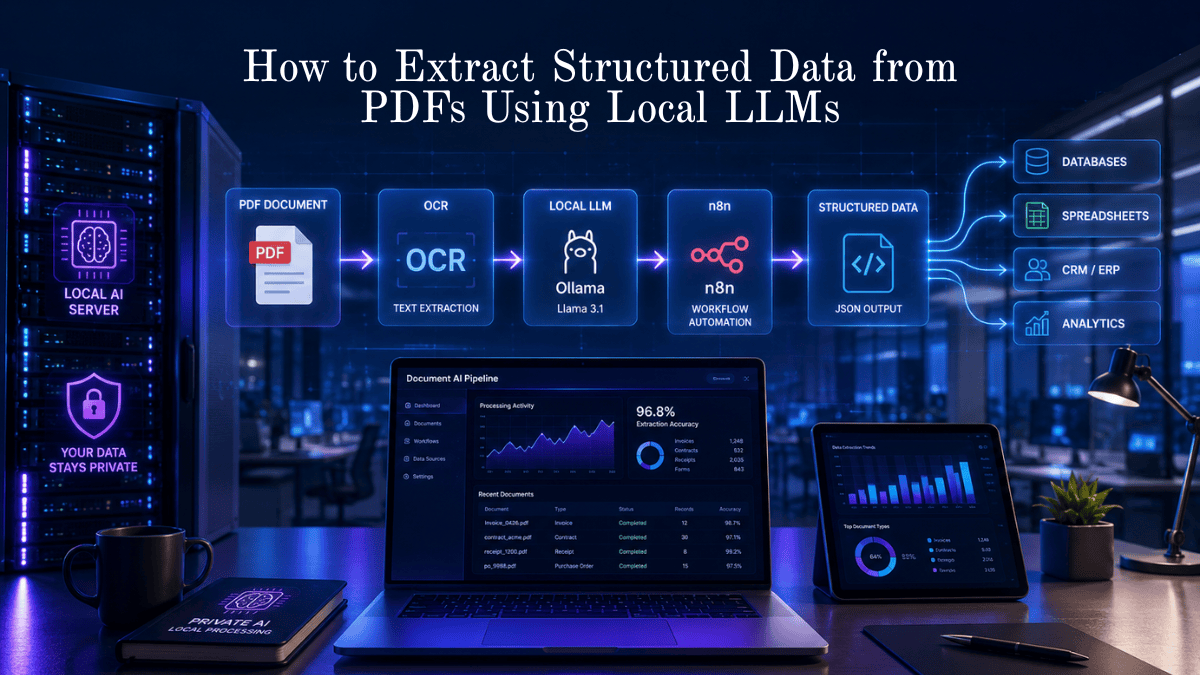
- How to Extract Structured Data from PDFs Using Local LLMs
- Best AI Productivity Tools for Daily Tasks
- How to Build an AI Assistant Without Code
- Best Free Open-Source AI Automation Tools
- Best AI Voice Generator Tools
- Weekly Content Creation Workflow Deep Dive & AI Templates
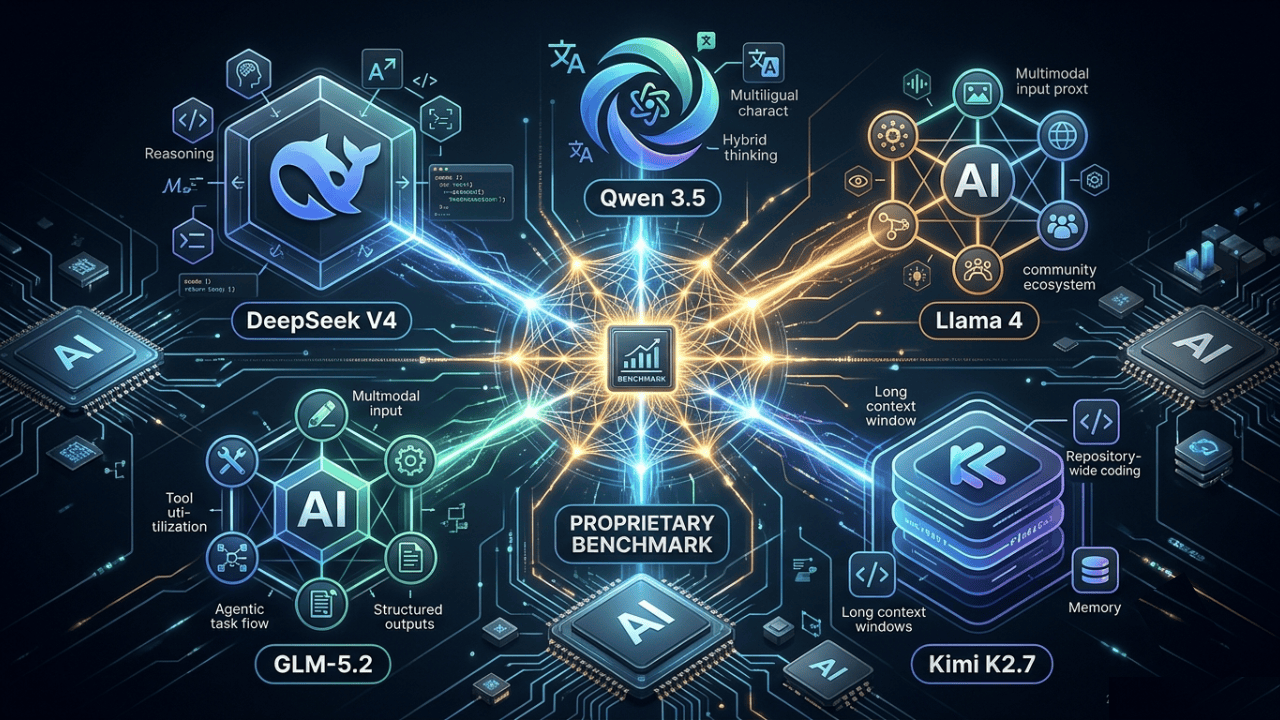
- Top 5 Open-Source AI Models Outperforming GPT-4 and Rivaling GPT-5 on Select Tasks
- How to Set Up Open WebUI





Leave a Reply