

Introduction
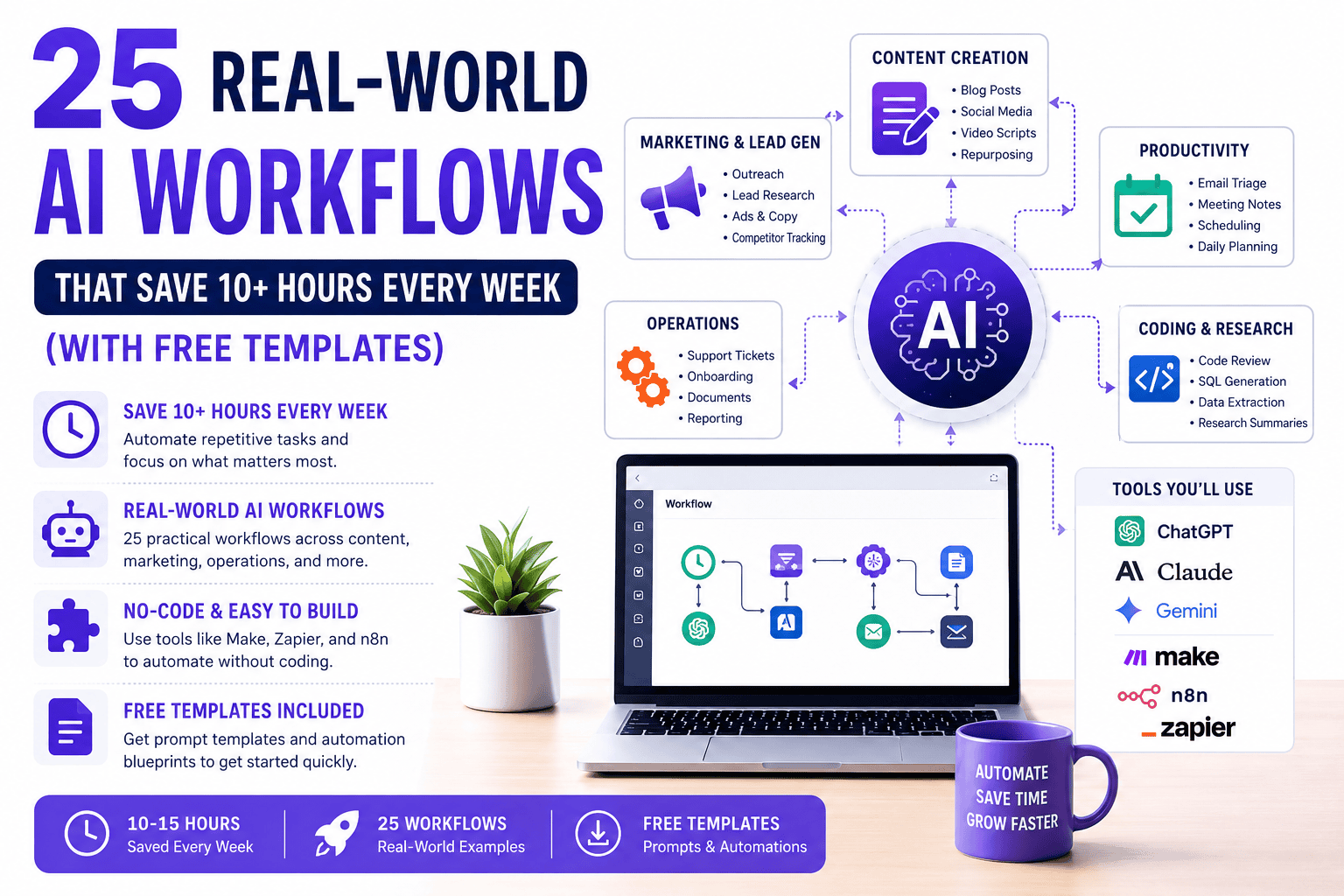
If you’re only using AI to generate text or answer questions, you’re barely scratching the surface of what’s possible.
The real productivity gains come from AI workflows—systems that connect large language models (LLMs), automation platforms, and your everyday apps into repeatable processes that handle repetitive work with minimal manual effort.
In this guide, you’ll discover 25 practical AI workflows used by content creators, marketers, agencies, and business professionals to automate tasks such as:
- Writing blog posts
- Repurposing videos
- Researching competitors
- Managing emails
- Taking meeting notes
- Creating social media content
- Organizing documents
- Automating customer support
- Streamlining development workflows
Throughout this guide, we’ll use popular AI tools including:
- ChatGPT
- Claude 3.5 Sonnet
- Google Gemini
- Perplexity AI
- Make
- n8n
- Zapier
- Midjourney
- Ideogram
- Whisper AI
💡 Key Takeaway
Real AI automation isn’t about running a single prompt. It’s about connecting AI models, APIs, webhooks, and no-code automation tools into reliable systems that work for you—even when you’re away from your computer.
Why AI Workflows Matter More Than AI Prompts
Many people believe they’re “using AI” because they occasionally ask ChatGPT to write an email or summarize a document.
While that’s useful, it doesn’t eliminate repetitive work.
Consider these two scenarios.
Scenario A: Single AI Prompt
You upload a podcast transcript to ChatGPT and ask it to create a blog post.
The AI generates the article.
You’re done.
Time saved: 15 minutes
Scenario B: AI Workflow
Your podcast is automatically:
- Transcribed
- Cleaned
- Summarized
- Converted into a blog
- Turned into LinkedIn posts
- Converted into X (Twitter) threads
- Turned into an email newsletter
- Saved in Notion
- Scheduled for publishing
- Archived for future use
All with minimal manual input.
Time saved:
3–5 hours every week.
That’s the difference between using AI and building an AI workflow.
What Is an AI Workflow?
An AI workflow is a series of connected tasks where AI models and automation platforms work together to complete a business process.
Instead of using AI once, multiple tools collaborate to perform an entire sequence of actions.
For example:
YouTube Video
        ↓
Whisper AI
        ↓
Claude
        ↓
ChatGPT
        ↓
Canva
        ↓
WordPress
        ↓
LinkedIn
        ↓
Newsletter
Rather than opening six different applications and repeating the same steps manually, the workflow handles most of the heavy lifting for you.
AI Prompt vs AI Workflow
| AI Prompt | AI Workflow |
|---|---|
| One-time interaction | Multi-step automation |
| Manual process | Mostly automated |
| Requires constant user input | Runs with little intervention |
| Saves minutes | Saves hours |
| Good for quick tasks | Best for recurring work |
| Limited scalability | Highly scalable |
Rule of thumb:
If you perform the same task every week, it’s a great candidate for an AI workflow.
The Three Layers of Every AI Workflow
Nearly every workflow in this guide is built from three core layers.
Layer 1: AI Reasoning Engines
These models generate text, summarize information, analyze documents, and solve problems.
Popular options include:
- ChatGPT
- Claude 3.5 Sonnet
- Google Gemini
- Perplexity AI
Use them for:
- Writing
- Brainstorming
- Coding
- Summaries
- Data analysis
- Research
- Customer support
Layer 2: Content & Media Generation
These tools create visual and multimedia assets.
Examples include:
Use them for:
- Images
- Videos
- Voiceovers
- Thumbnails
- Animations
- Social media creatives
Layer 3: Automation Platforms
These platforms connect your apps and move information automatically.
Popular choices include:
- Make
- n8n
- Zapier
- Pipedream
Typical automation flow:
Google Form
        ↓
ChatGPT
        ↓
Google Docs
        ↓
Slack
        ↓
Email
No coding required for most workflows.
Recommended AI Tech Stack
| Purpose | Recommended Tool |
|---|---|
| AI Writing | Claude 3.5 Sonnet |
| General AI Assistant | ChatGPT |
| Research | Perplexity AI |
| Long Document Analysis | Gemini |
| Automation | Make |
| Open-Source Automation | n8n |
| Integrations | Zapier |
| Image Generation | Midjourney |
| Graphic Design | Canva AI |
| Speech-to-Text | Whisper AI |
You don’t need every tool. Most beginners can start with ChatGPT + Make + Canva AI and expand their toolkit over time.
Category 1: Content Creation & Media Workflows
Content production often involves repetitive tasks like research, drafting, editing, repurposing, and publishing. These workflows automate much of that process while keeping you in control of the final review.
Workflow #1 — Turn One Podcast or Video Into 10+ Content Assets
Best For
- YouTubers
- Podcasters
- Coaches
- Agencies
- Course creators
- Bloggers
Estimated Time Saved
≈3 hours per week
The Problem
Many creators publish a 30-minute video, but only a small fraction of its value reaches their audience.
Repurposing that content into articles, social posts, newsletters, and short videos is time-consuming.
AI Workflow
Video
   ↓
Whisper AI
   ↓
Claude
   ↓
ChatGPT
   ↓
Canva AI
   ↓
WordPress
   ↓
LinkedIn
   ↓
Email Newsletter
Tools Used
- Whisper AI
- Claude 3.5 Sonnet
- ChatGPT
- Canva AI
- WordPress
- Buffer or another scheduling tool
Step-by-Step Process
Step 1
Upload your video to Whisper AI to generate an accurate transcript.
Step 2
Send the transcript to Claude with instructions to:
- remove filler words
- organize ideas
- identify key takeaways
- preserve your tone
Step 3
Use ChatGPT to create:
- a long-form blog post
- a LinkedIn article
- an X thread
- five social captions
- an email newsletter
- a YouTube description
- SEO-friendly FAQs
Step 4
Generate a featured image prompt and social graphics with Canva AI or your preferred image generation tool.
Step 5
Schedule everything across your publishing channels.
By the end of the workflow, a single video can become more than 10 reusable content assets.
Copy-and-Paste Prompt
You are a senior content strategist.

Using the transcript below:

1. Write a 2,000-word SEO article.
2. Create a LinkedIn post.
3. Generate a 12-post X thread.
4. Write a newsletter.
5. Produce five Instagram captions.
6. Suggest FAQ questions.
7. Recommend internal linking opportunities.
8. Create a compelling meta title and description.

Maintain my writing style and avoid generic AI phrases.
💡 LearnInnovative Tip
Keep a reusable prompt library. Standardizing prompts ensures consistent quality and reduces editing time across every piece of content.
Internal Reading
If you want to explore how Claude excels at long-form writing, read our Claude 3.5 Sonnet Review: Is It Better Than GPT-4o for Writing?
Workflow #2 — Automated SEO Blog Brief Generation
Best For
- SEO professionals
- Bloggers
- Agencies
- Content marketers
Estimated Time Saved
≈1–2 hours per article
The Problem
Building a high-quality content brief often means switching between search results, competitor pages, keyword tools, and notes. That research can easily take over an hour before writing even begins.
AI Workflow
Keyword
    ↓
Perplexity AI
    ↓
Claude
    ↓
Google Docs
    ↓
Notion
Tools Used
- Perplexity AI
- Claude 3.5 Sonnet
- Google Docs
- Notion
Step-by-Step Process
- Enter your target keyword into Perplexity AI to gather current information and identify common questions.
- Export the research into Claude.
- Ask Claude to create:
- Search intent analysis
- Competitor content gaps
- Recommended H2 and H3 headings
- FAQ suggestions
- Internal linking ideas
- Suggested statistics to verify
- Save the completed brief to Google Docs or Notion so your team can begin drafting immediately.
Copy-and-Paste Prompt
You are an experienced SEO strategist.

Analyze the keyword: {{TARGET KEYWORD}}

Create a complete SEO content brief that includes:

- Primary search intent
- Audience pain points
- Competitor gaps
- Recommended heading structure
- Questions to answer
- Internal linking suggestions
- Entities to mention
- Call-to-action ideas

Organize the output into a clear, writer-friendly format.
💡 LearnInnovative Tip
Use the same brief template for every article to maintain consistency across your content library and improve editorial efficiency.
Workflow #3 — AI-Assisted Image Generation for Blog Articles
Best For
- Bloggers
- Publishers
- Content marketers
- Website owners
Estimated Time Saved
≈45–60 minutes per article
The Problem
Creating unique, eye-catching featured images for every article can be one of the most time-consuming parts of publishing. Stock photos often look generic, while writing detailed image prompts from scratch takes extra effort.
AI Workflow
Article Draft
      ↓
ChatGPT (Prompt Enhancer)
      ↓
Midjourney / Ideogram
      ↓
Canva AI
      ↓
WordPress
Tools Used
- ChatGPT
- Midjourney or Ideogram
- Canva AI
- WordPress
Step-by-Step Process
- Finish your article draft.
- Ask ChatGPT to generate a detailed image prompt based on the article’s topic, audience, and style.
- Create several image variations using Midjourney or Ideogram.
- Refine the selected image in Canva AI by adding your brand colors, title, and layout.
- Upload the finished featured image to WordPress along with optimized alt text and file names.
Copy-and-Paste Prompt
You are a professional AI art director.

Based on the article below, create a highly detailed featured image prompt.

Requirements:
- Modern technology aesthetic
- Professional composition
- 16:9 aspect ratio
- Clean background
- Suitable for a technology blog
- No logos or copyrighted elements
- Space for a bold article title overlay

Article topic:
{{ARTICLE TITLE}}
💡 LearnInnovative Tip
Create a consistent visual style guide for your blog (colors, typography, lighting, and composition). A recognizable design language strengthens your brand and improves click-through rates.
Workflow #4 — Social Media Video Scripting with Dynamic Hooks
Best For
- Content creators
- YouTubers
- Reels creators
- TikTok creators
- Marketing agencies
Estimated Time Saved
≈2 Hours Per Week
The Problem
Writing engaging short-form video scripts consistently is difficult. Most creators spend more time brainstorming hooks than actually recording.
Instead of starting from a blank page every day, let AI generate multiple proven hook variations tailored to different audiences.
AI Workflow
Trending Topic
      ↓
Perplexity AI
      ↓
Claude 3.5 Sonnet
      ↓
ChatGPT (Refinement)
      ↓
CapCut AI
      ↓
Instagram / YouTube Shorts / TikTok
Tools Used
- Perplexity AI
- Claude 3.5 Sonnet
- ChatGPT
- CapCut AI
Step-by-Step Process
Step 1
Research trending discussions using Perplexity AI.
Step 2
Ask Claude to generate:
- 10 viral hooks
- Storytelling framework
- Emotional triggers
- CTA ideas
Step 3
Use ChatGPT to:
- shorten the script
- optimize pacing
- improve readability
Step 4
Import the script into CapCut AI.
Generate:
- captions
- transitions
- B-roll suggestions
- subtitles
Copy & Paste Prompt
You are an expert viral content strategist.

Create a 60-second video script.

Include:

• 10 attention-grabbing hooks
• Curiosity loop
• Story
• Three value points
• Strong CTA
• Caption
• Thumbnail title
💡 LearnInnovative Tip
Generate five different hooks before recording. Often, changing only the first three seconds significantly improves watch time.
Workflow #5 — AI Lead Magnet → Email Sequence Automation
Best For
- Coaches
- SaaS companies
- Agencies
- Bloggers
- Course creators
Estimated Time Saved
≈2 Hours Per Week
The Problem
Creating a downloadable guide is only half the job. Writing follow-up emails, onboarding subscribers, and nurturing leads manually consumes additional time.
AI Workflow
Lead Magnet Download
          ↓
ConvertKit / Mailchimp
          ↓
Zapier
          ↓
ChatGPT
          ↓
Email Sequence
          ↓
CRM
Tools Used
- ChatGPT
- Zapier
- ConvertKit
- Mailchimp
Step-by-Step Process
- User downloads your PDF.
- Zapier triggers an automation.
- ChatGPT personalizes the welcome sequence.
- Subscriber receives:
- Welcome email
- Educational email
- Case study
- Product recommendation
- Follow-up reminder
Copy & Paste Prompt
Write a five-email nurture sequence.

Audience:
{{Audience}}

Lead Magnet:
{{Title}}

Goal:
Convert readers into paying customers.

Tone:
Helpful, educational, conversational.
💡 LearnInnovative Tip
Use dynamic fields such as the subscriber’s name, company, or industry to improve open and click-through rates.
Category 2: Marketing & B2B Lead Generation Workflows
Modern AI tools can automate research, personalize outreach, and analyze customer feedback, allowing marketing teams to focus on strategy instead of repetitive tasks.
Workflow #6 — Hyper-Personalized Cold Outreach Research
Best For
- Sales teams
- Agencies
- Freelancers
- B2B founders
Estimated Time Saved
≈2.5 Hours Per Week
AI Workflow
Prospect List
      ↓
Clay
      ↓
Perplexity API
      ↓
ChatGPT
      ↓
Smartlead
      ↓
Personalized Email
What It Does
Automatically gathers:
- company information
- recent news
- hiring trends
- technology stack
- social media activity
AI then creates highly personalized outreach emails instead of generic templates.
Copy & Paste Prompt
Research this company.

Summarize:

• Business overview
• Recent announcements
• Pain points
• AI opportunities

Write a personalized cold email under 150 words.
💡 LearnInnovative Tip
Reference something published within the last 30 days. Timely personalization generally performs better than generic compliments.
Workflow #7 — AI Social Listening & Competitor Monitoring
Best For
- Marketing teams
- Agencies
- Product managers
Estimated Time Saved
≈1.5 Hours Per Week
AI Workflow
Competitor Websites
          ↓
Apify
          ↓
Gemini
          ↓
Slack
Automatically Monitors
- Product launches
- Feature updates
- Pricing changes
- Customer reviews
- Industry news
Receive a concise daily or weekly digest instead of manually checking multiple websites.
AI Prompt
Analyze today's competitor updates.

Provide:

• Major announcements
• Customer sentiment
• Opportunities
• Risks
• Suggested marketing response
Workflow #8 — Customer Feedback Categorization
Best For
- SaaS businesses
- Customer success teams
- Product managers
Estimated Time Saved
≈2 Hours Per Week
AI Workflow
Typeform
     ↓
OpenAI
     ↓
Airtable
     ↓
Dashboard
Automatically Classifies
- Feature requests
- Bugs
- Compliments
- Pricing concerns
- Support requests
- Urgent issues
Benefits
Instead of reading hundreds of comments manually, AI groups similar feedback and highlights recurring themes for your team.
💡 LearnInnovative Tip
Add sentiment labels (Positive, Neutral, Negative) so you can identify emerging issues before they become widespread.
Workflow #9 — AI Meta Description & Tag Generator
Best For
- Bloggers
- SEO specialists
- Publishers
Estimated Time Saved
≈45 Minutes Per Article
AI Workflow
WordPress Draft
        ↓
Make
        ↓
ChatGPT
        ↓
Meta Title
Meta Description
Tags
Schema Suggestions
Generates
- SEO title
- Meta description
- Focus keyword
- Image alt text
- Suggested tags
- FAQ ideas
Prompt
Create:

• SEO title (under 60 characters)
• Meta description (150–160 characters)
• Focus keyword
• Five related keywords
• 10 tags
• Suggested FAQ
💡 LearnInnovative Tip
Always review AI-generated metadata before publishing to ensure it accurately reflects the article and avoids repetitive wording.
Workflow #10 — Multi-Language Ad Copy Generator
Best For
- International businesses
- Agencies
- E-commerce stores
Estimated Time Saved
≈1 Hour Per Campaign
AI Workflow
Original Ad
      ↓
Claude
      ↓
DeepL
      ↓
Localized Ads
Generates
- Facebook ads
- Google Ads
- LinkedIn ads
- Instagram captions
- Localized CTAs
Prompt
Translate and localize this advertisement.

Do not translate word-for-word.

Adapt:

• Culture
• Tone
• Buying behavior
• Local expressions
• Call-to-action
💡 LearnInnovative Tip
Localization usually outperforms literal translation because it reflects regional language and audience expectations.
Category 3: Daily Executive & Administrative Productivity
Administrative work often consumes a significant portion of the workday. These workflows help reduce repetitive tasks so you can focus on higher-value work.
Workflow #11 — “Zero Inbox” AI Email Triage
Best For
- Executives
- Founders
- Consultants
- Busy professionals
Estimated Time Saved
≈2 Hours Per Week
AI Workflow
Gmail
   ↓
Make
   ↓
ChatGPT
   ↓
Priority Labels
   ↓
Draft Replies
Automatically
- Prioritizes emails
- Detects urgency
- Drafts responses
- Flags spam
- Creates follow-up reminders
Email Categories
- Urgent
- Today
- Delegate
- FYI
- Archive
Prompt
Analyze this email.

Determine:

• Priority
• Summary
• Suggested response
• Next action
• Deadline
💡 LearnInnovative Tip
Keep a human approval step before sending AI-generated replies, especially for legal, financial, or customer-facing communications.
Workflow #12 — Executive Meeting Summaries
Best For
- Managers
- Remote teams
- Consultants
Estimated Time Saved
≈2 Hours Per Week
AI Workflow
Zoom
   ↓
Otter.ai
   ↓
Claude
   ↓
Notion
   ↓
Task Assignment
AI Automatically Creates
- Executive summary
- Decisions made
- Key discussion points
- Action items
- Deadlines
- Assigned owners
Prompt
Summarize this meeting.

Create:

• Executive summary
• Decisions
• Risks
• Open questions
• Action items
• Owner
• Due date
💡 LearnInnovative Tip
Store meeting summaries in a searchable knowledge base like Notion. Over time, this becomes a valuable organizational memory that makes finding past decisions much easier.
Workflow #13 — Automated Invoice & Receipt Processing
Best For
- Freelancers
- Agencies
- Small businesses
- Finance teams
Estimated Time Saved
≈1.5 Hours Per Week
AI Workflow
Email Attachment
        ↓
Mindee / ChatGPT Vision
        ↓
Extract Data
        ↓
QuickBooks
Automatically Extracts
- Vendor name
- Invoice number
- Date
- Total amount
- Tax
- Payment due date
Benefits
Instead of manually entering invoice details into accounting software, AI extracts the information and prepares it for review, reducing data-entry work and minimizing errors.
Workflow #14 — Personalized AI Industry News Digest
Best For
- Executives
- Founders
- Product Managers
- Investors
- Marketing Teams
Estimated Time Saved
≈1 Hour Per Day
The Problem
Keeping up with AI, automation, and technology news requires checking dozens of websites every day.
An AI-powered news digest collects, filters, and summarizes only the stories that matter to you.
AI Workflow
RSS Feeds
      ↓
Make / n8n
      ↓
Gemini
      ↓
Personalized Summary
      ↓
Slack / Telegram / Email
Tools Used
- Feedly or RSS Feeds
- Make or n8n
- Gemini
- Slack
- Telegram
Step-by-Step Process
- Collect news from trusted sources.
- Remove duplicate articles.
- AI summarizes each story.
- Rank stories based on relevance.
- Deliver one concise digest every morning.
Copy & Paste Prompt
Summarize today's AI news.

Organize into:

• Breaking News
• Product Launches
• AI Research
• Business Impact
• Why It Matters
💡 LearnInnovative Tip
Limit your digest to the top 10 stories. Too much information creates decision fatigue.
Workflow #15 — AI Meeting Preparation Assistant
Best For
- Sales Teams
- Consultants
- Agency Owners
- Executives
Estimated Time Saved
≈1 Hour Per Week
AI Workflow
Calendly
      ↓
LinkedIn
      ↓
Company Website
      ↓
ChatGPT
      ↓
Meeting Brief
Automatically Creates
- Company overview
- Contact background
- Recent company news
- Discussion topics
- Icebreaker questions
- Meeting objectives
- Follow-up suggestions
Prompt
Research this company and attendee.

Create a meeting brief including:

• Company overview
• Recent updates
• Potential challenges
• Suggested discussion points
• Personalized icebreaker
💡 LearnInnovative Tip
Preparing just 10 minutes before every meeting can significantly improve conversation quality and build stronger relationships.
Category 4: Operations & Business Process Automation
As businesses grow, repetitive operational tasks multiply. AI workflows help reduce manual work while improving consistency across customer support, onboarding, documentation, and internal processes.
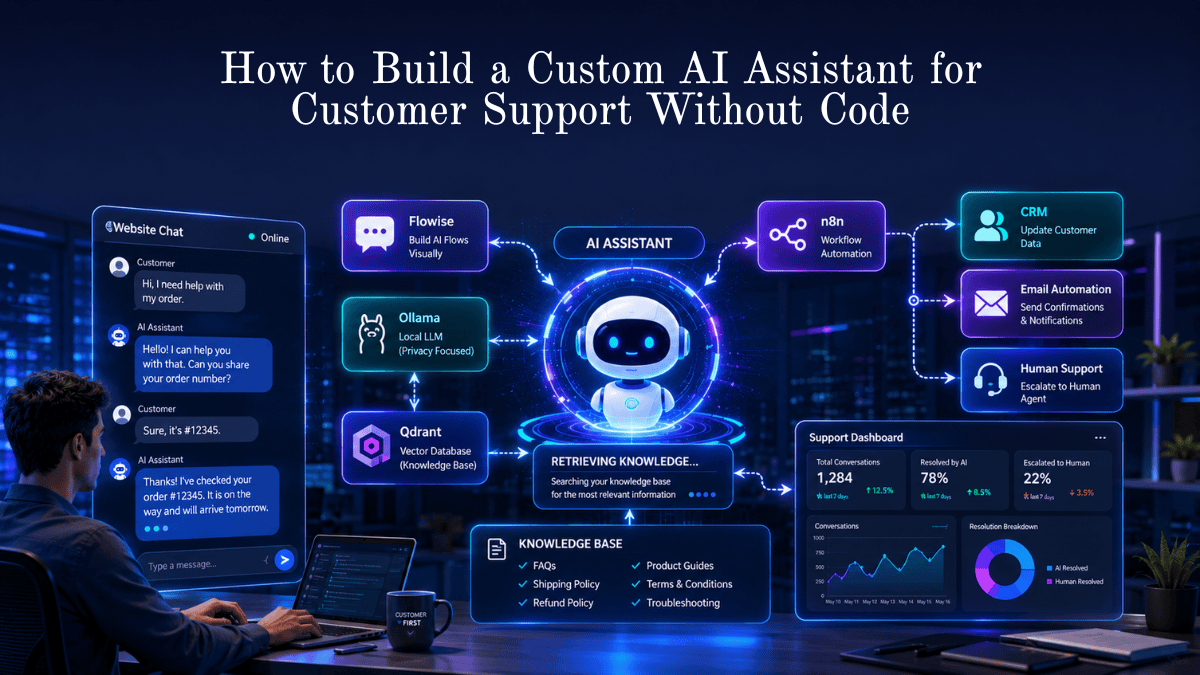
Workflow #16 — AI Customer Support Escalation Assistant
Best For
- SaaS Companies
- E-commerce Stores
- Support Teams
Estimated Time Saved
≈2 Hours Per Week
AI Workflow
Zendesk
      ↓
Claude
      ↓
Priority Detection
      ↓
Slack
      ↓
Support Agent
Automatically
- Categorizes tickets
- Detects urgency
- Drafts responses
- Escalates complex issues
- Suggests knowledge base articles
Prompt
Analyze this customer ticket.

Return:

• Priority
• Category
• Customer sentiment
• Recommended response
• Escalation needed?
💡 LearnInnovative Tip
Never allow AI to close support tickets automatically. A human review should always verify the resolution for complex or sensitive issues.
Workflow #17 — Contract & Legal Document Risk Scanner
Best For
- Startups
- Agencies
- Legal Teams
- Freelancers
Estimated Time Saved
≈1 Hour Per Contract
AI Workflow
PDF Contract
      ↓
Claude
      ↓
Risk Analysis
      ↓
Summary Report
AI Can Highlight
- Renewal clauses
- Payment terms
- Liability clauses
- Termination conditions
- Missing signatures
- Potential risks
Prompt
Review this contract.

Highlight:

• Financial risks
• Legal concerns
• Unusual clauses
• Missing information

Summarize in plain English.
⚠️ Important
AI should assist with document review—not replace legal advice. Always have a qualified legal professional review important contracts.
Workflow #18 — Automated Customer Onboarding
Best For
- SaaS Businesses
- Agencies
- Consultants
Estimated Time Saved
≈1.5 Hours Per Client
AI Workflow
Stripe Payment
      ↓
Webhook
      ↓
Make
      ↓
Google Docs
      ↓
Welcome Email
Automatically Generates
- Welcome email
- Client folder
- Project documents
- Onboarding checklist
- Calendar invitation
- CRM record
Prompt
Create a personalized onboarding package.

Include:

• Welcome message
• Next steps
• Timeline
• Resources
• Contact information
💡 LearnInnovative Tip
A consistent onboarding experience reduces confusion and creates a professional first impression.
Workflow #19 — AI Bug Report Generator
Best For
- Developers
- Product Teams
- QA Engineers
Estimated Time Saved
≈1 Hour Per Week
AI Workflow
User Feedback
      ↓
ChatGPT
      ↓
GitHub
      ↓
Jira
Automatically Creates
- Bug title
- Steps to reproduce
- Expected behavior
- Actual behavior
- Severity level
- Suggested labels
Prompt
Convert this customer feedback into a structured bug report.

Include:

• Summary
• Environment
• Reproduction steps
• Severity
• Priority
💡 LearnInnovative Tip
Consistent bug reports help engineering teams resolve issues faster and improve collaboration between support and development.
Workflow #20 — Competitor Pricing & Feature Tracker
Best For
- SaaS Companies
- Product Managers
- Marketing Teams
Estimated Time Saved
≈2 Hours Per Week
AI Workflow
Browse AI
      ↓
Google Sheets
      ↓
ChatGPT
      ↓
Looker Studio Dashboard
Automatically Tracks
- Pricing changes
- New features
- Product launches
- Customer reviews
- Market positioning
Prompt
Compare competitors.

Highlight:

• New pricing
• Feature additions
• Market opportunities
• Competitive weaknesses
Category 5: Technical, Coding & Research Workflows
Developers, analysts, and researchers can also benefit from AI workflows that streamline coding, documentation, data analysis, and research.
Workflow #21 — Automated Code Review Assistant
Best For
- Developers
- Engineering Teams
- Open Source Contributors
Estimated Time Saved
≈1.5 Hours Per Week
AI Workflow
GitHub Pull Request
        ↓
Claude
        ↓
Code Review
        ↓
Developer
AI Reviews
- Code quality
- Readability
- Performance
- Security concerns
- Documentation
- Refactoring suggestions
Prompt
Review this code.

Identify:

• Bugs
• Security risks
• Performance improvements
• Refactoring opportunities

Explain each recommendation.
Workflow #22 — AI Research Paper Analyzer
Best For
- Students
- Researchers
- Bloggers
- Consultants
Estimated Time Saved
≈2 Hours Per Paper
AI Workflow
PDF
   ↓
NotebookLM
   ↓
Claude
   ↓
Research Notes
AI Creates
- Executive summary
- Key findings
- Important statistics
- Limitations
- Future research ideas
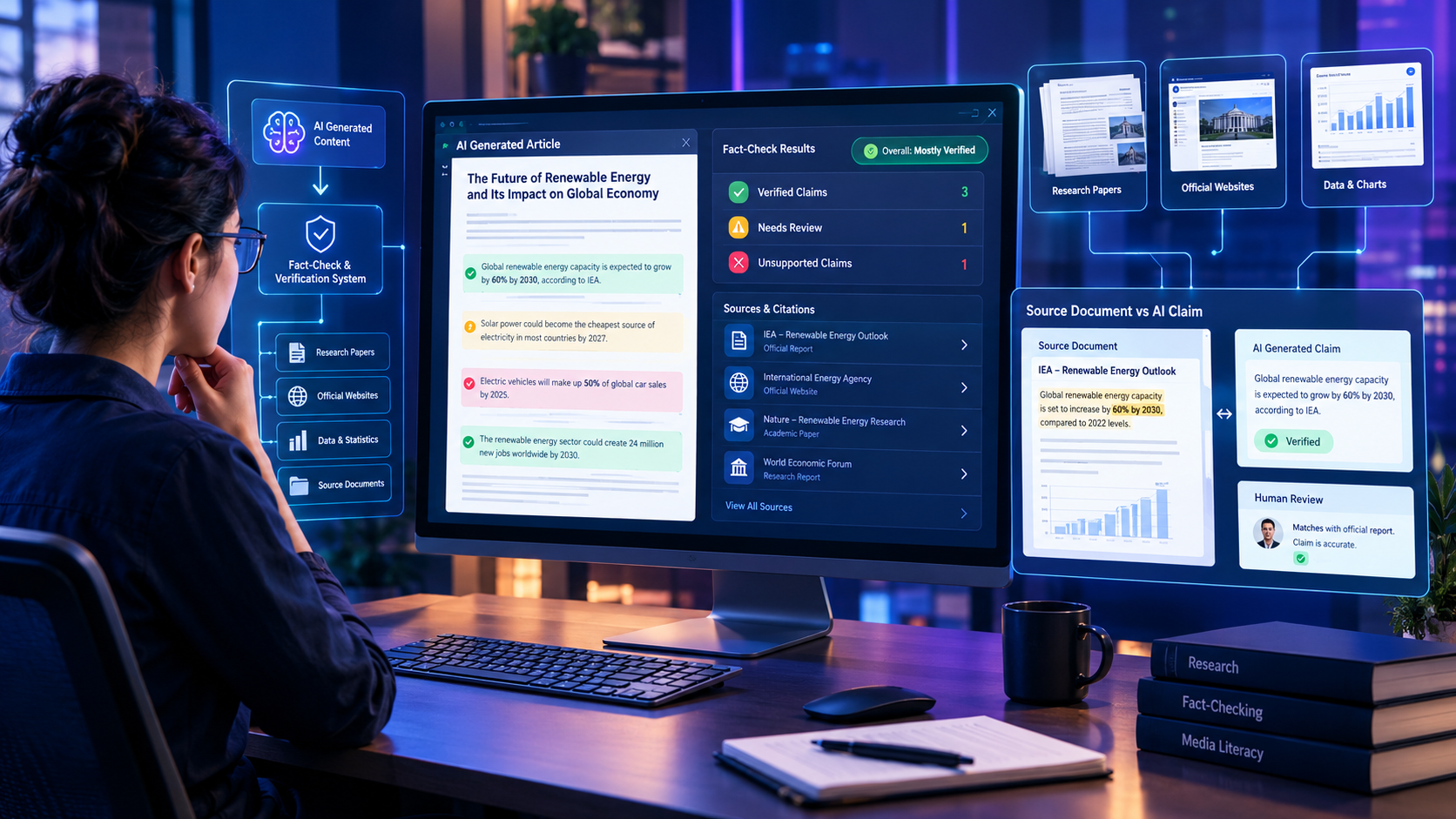
💡 LearnInnovative Tip
Always verify cited facts against the original paper before publishing or presenting them.
Workflow #23 — Natural Language to SQL
Best For
- Analysts
- Business Intelligence Teams
- Developers
Estimated Time Saved
≈30 Minutes Per Query
AI Workflow
Plain English
      ↓
ChatGPT
      ↓
SQL Query
      ↓
Database
Example
Input:
Show monthly sales by region for the last six months.
Output:
A ready-to-use SQL query with filters, grouping, and sorting.
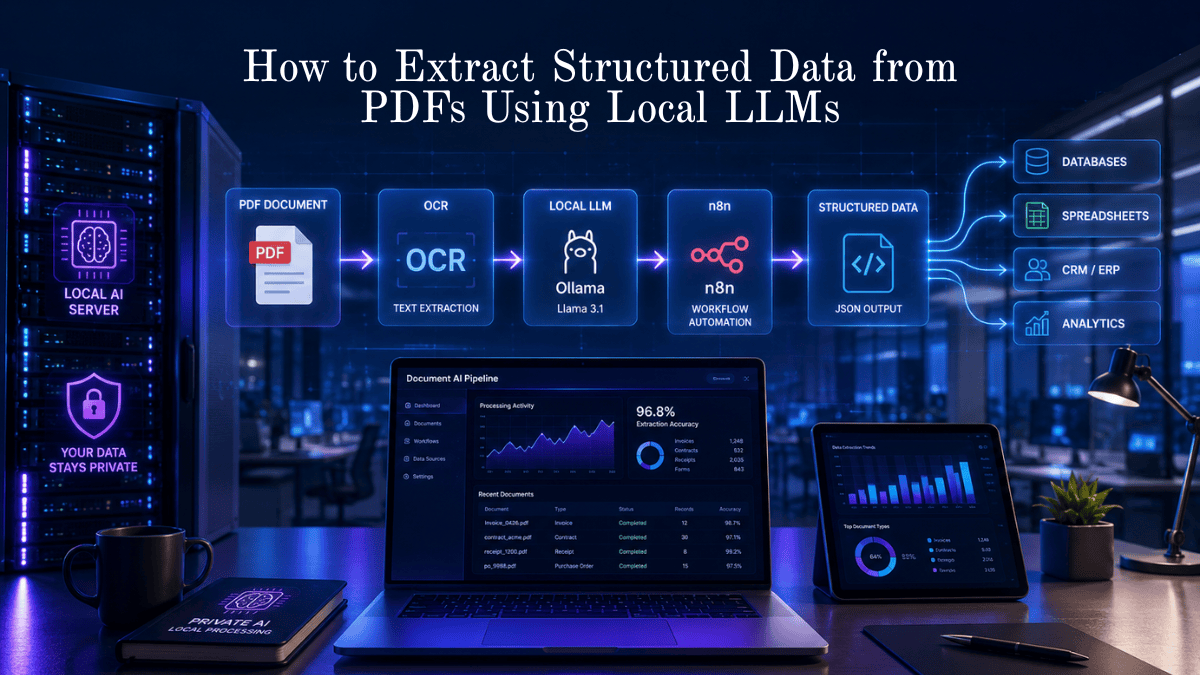
Workflow #24 — Web Scraping to Structured JSON
Best For
- Developers
- AI Engineers
- Researchers
Estimated Time Saved
≈2 Hours Per Project
AI Workflow
Website
    ↓
Firecrawl
    ↓
ChatGPT
    ↓
JSON Output
Automatically
- Extracts webpage content
- Removes unnecessary elements
- Structures information
- Produces clean JSON for APIs or AI applications
Workflow #25 — Multi-Agent AI Verification System
Best For
- Enterprises
- AI Developers
- Research Teams
Estimated Time Saved
≈1 Hour Per Workflow
AI Workflow
Task
 ↓
Agent 1
 ↓
Agent 2
 ↓
Verification Agent
 ↓
Human Approval
Why It Matters
Instead of relying on a single AI model, multiple specialized agents review and validate each other’s work before a human gives final approval. This approach helps reduce errors and improve reliability in complex workflows.
Common AI Workflow Mistakes to Avoid
Even the best automation can fail if it’s not designed carefully. Avoid these common pitfalls.
1. Automating Everything at Once
Start with one repetitive task. Measure the results before expanding.
2. Skipping Human Review
AI can occasionally generate incorrect or misleading information. Always review content before publishing or sending it to customers.
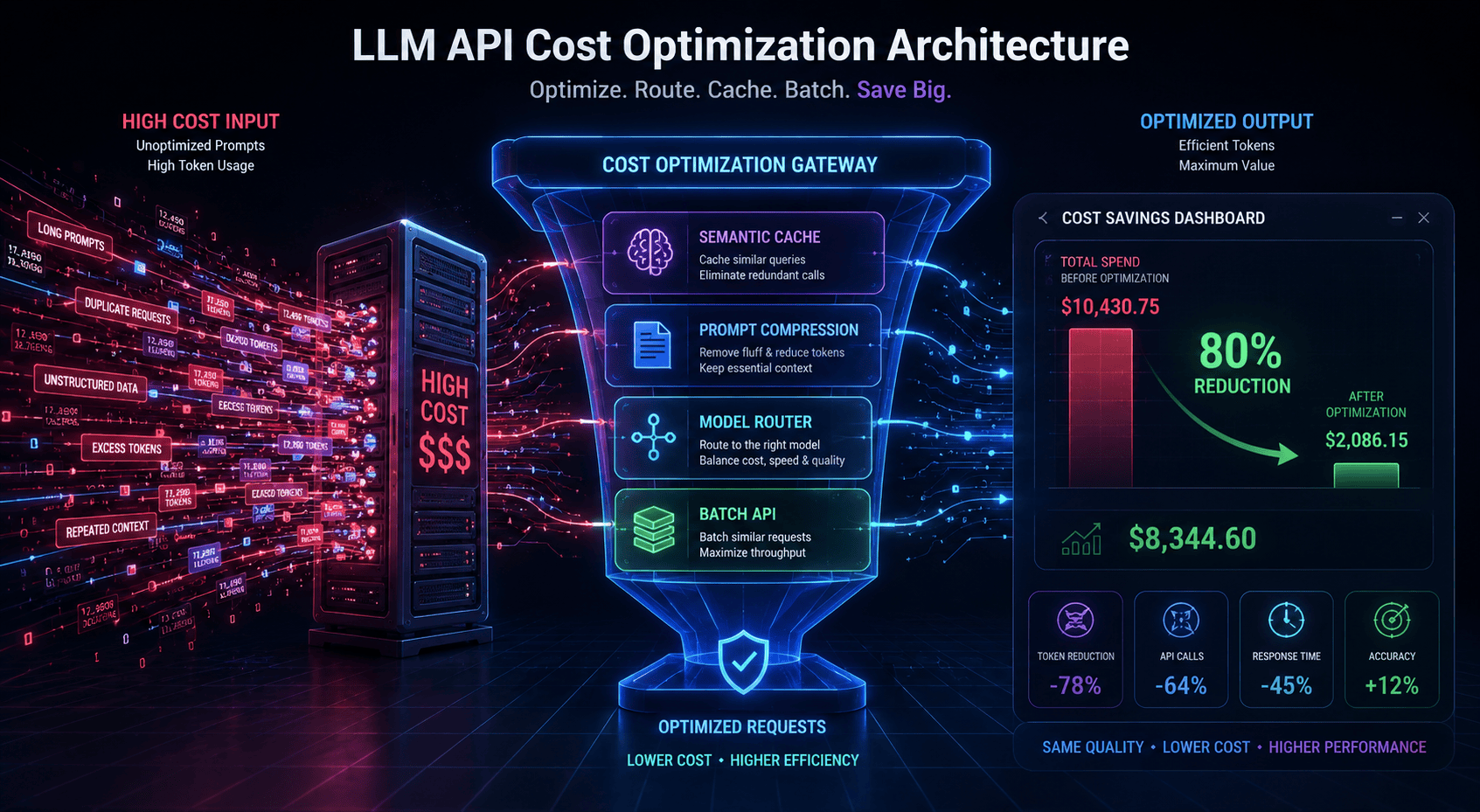
3. Ignoring API Costs
Monitor usage limits and estimated monthly costs for paid AI services. Unexpected spikes in API calls can increase expenses.
4. Forgetting Error Handling
Include fallback actions for failed requests, timeouts, or unavailable services.
5. Poor Prompt Design
Clear prompts produce more consistent outputs. Maintain a shared prompt library and update it as you learn what works best.
6. No Performance Monitoring
Track metrics such as:
- Hours saved
- Error rate
- Automation success rate
- Manual interventions
- Cost per workflow
Continuous monitoring helps you improve workflows over time.
Best Practices for Reliable AI Automation
- Start with low-risk workflows.
- Keep humans involved for sensitive decisions.
- Test workflows with sample data before deployment.
- Document every automation.
- Review prompts regularly.
- Monitor API costs.
- Secure API keys and sensitive information.
- Back up important workflow configurations.
- Update automations as AI tools evolve.
Frequently Asked Questions
What is an AI workflow?
An AI workflow is a series of connected tasks where AI models and automation platforms work together to complete a process with minimal manual effort.
Do I need coding skills?
No. Most workflows in this guide can be built using no-code platforms such as Make, Zapier, or n8n.
Which AI tool is best for beginners?
ChatGPT is an excellent starting point for writing, brainstorming, and general productivity. As your needs grow, you can integrate automation tools like Make or n8n.
How much time can AI workflows save?
Depending on your role and the complexity of your work, well-designed AI workflows can realistically save 10–15 hours per week by automating repetitive tasks.
Are AI workflows secure?
They can be, provided you use trusted services, protect API keys, review access permissions, and avoid sending sensitive data to tools that aren’t approved for your organization.
Which workflow should I build first?
Start with the task you repeat most often—such as email triage, content repurposing, meeting summaries, or SEO research. Early wins make it easier to expand your automation strategy.
Final Thoughts
AI is no longer just a writing assistant—it’s becoming a digital teammate capable of automating repetitive work across marketing, operations, customer support, research, and software development.
The biggest productivity gains don’t come from asking better prompts; they come from designing systems where multiple tools work together seamlessly. Whether you’re a solo creator, agency owner, or enterprise team, even automating a single recurring task can save hours every week.
Start small. Build one workflow. Measure the results. Then improve and expand your automation over time.
Related Guides on LearnInnovative.in
Continue exploring AI productivity with these in-depth resources:
- Claude 3.5 Sonnet Review: Is It Better Than GPT-4o for Writing?
- Best AI Productivity Tools for Daily Tasks
- OpenAI Sora Alternatives: Best AI Video Generators Compared
- How AI Can Save You Hours Every Week
- AI Automation Ideas for Beginners
These guides complement the workflows in this article and will help you build a practical AI-powered productivity system.
Ready to Save Your First 10 Hours?
Choose one workflow from this guide and implement it this week. Track how much time it saves, refine the process, and then move on to the next automation.
Small, consistent improvements compound quickly—and before long, you’ll have an AI-powered workflow system that gives you back hours every week while allowing you to focus on the work that matters most.








Leave a Reply