

Introduction
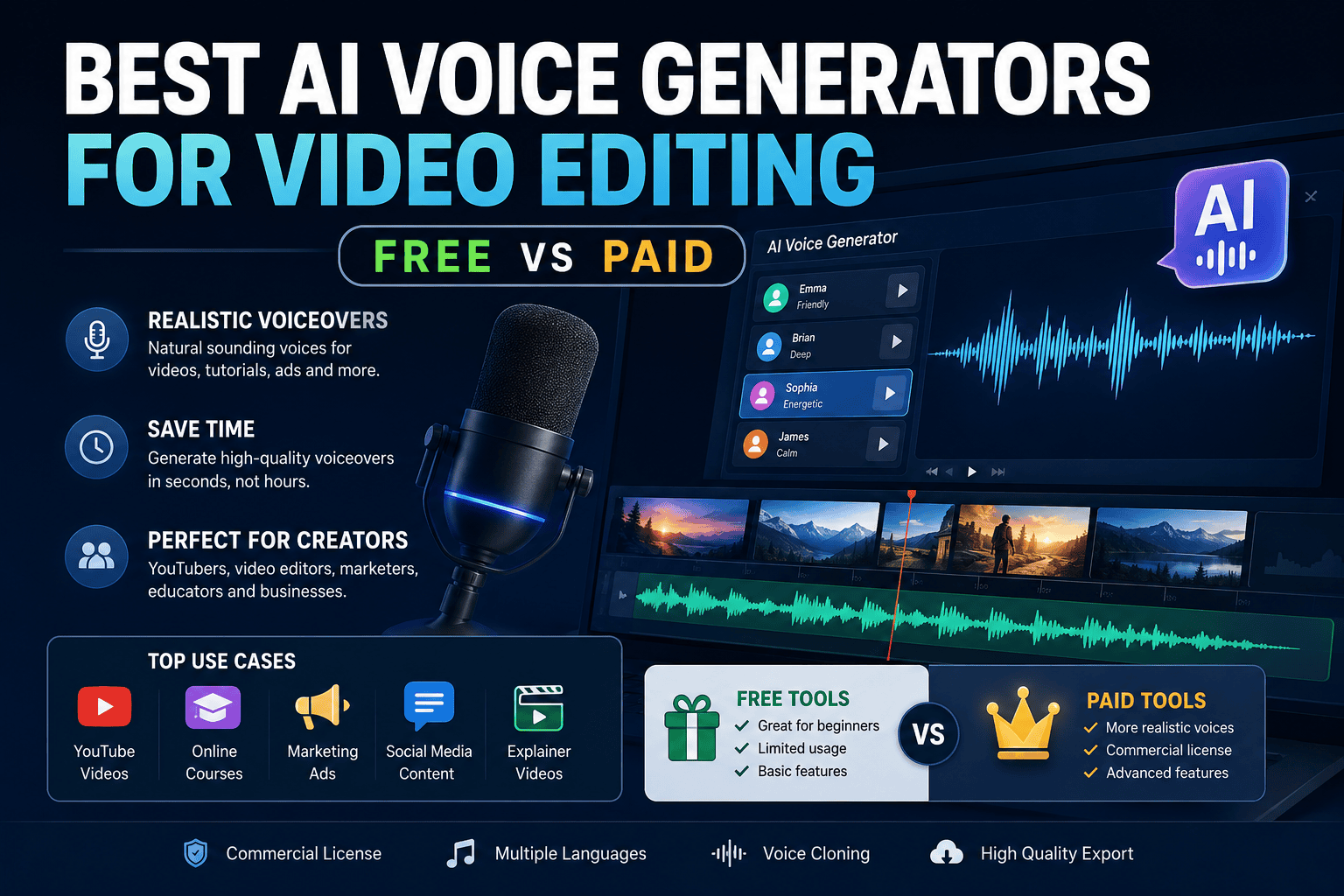
AI voice generators have changed how creators produce YouTube videos, Insta Reels, advertisements, tutorials, online courses, podcasts, and explainer videos.
Instead of recording every line manually, creators can now turn a written script into a natural-sounding voiceover in minutes. The biggest challenge is choosing the right tool. Some platforms are optimized for quick social-media editing, while others focus on highly realistic narration, voice cloning, dubbing, or professional production workflows.
So, what is the best AI voice generator for video editing?
For most creators who prioritize realistic narration and advanced voice capabilities, ElevenLabs is one of the strongest overall choices. For creators who want voice generation directly inside a video editor, CapCut is particularly convenient. Murf, LOVO, and Speechify are also worth considering depending on your workflow.
Best AI Voice Generators for Video Editing
| Tool | Best For | Free Option | Realism | Best Use Case |
|---|---|---|---|---|
| ElevenLabs | Overall quality | Yes | 5/5 | YouTube, narration, voice cloning |
| CapCut | Social video editing | Yes | 4/5 | Short-Form Content, Reels |
| Murf | Studio-style production | Trial available | 4.5/5 | Courses, presentations, business videos |
| LOVO AI | Marketing & creator content | Trial/free access varies | 4.5/5 | Ads, YouTube, promotional videos |
| Speechify Studio | Educational content | Yes | 4/5 | Courses, presentations, narration |
| Clipchamp | Simple desktop editing | Yes | 4/5 | Beginners and Microsoft users |
Best overall: ElevenLabs
Best free editor-integrated option: CapCut
Best for professional narration: Murf
Best for marketing videos: LOVO AI
Best for educational videos: Speechify Studio
Best beginner desktop option: Clipchamp
Important: Free-plan limits, pricing, voice availability, and commercial licensing can change. Always check the provider’s current terms before publishing monetized or client work.
AI Voice Generator Pricing: Free vs Paid
AI voice generator pricing varies significantly depending on the platform, usage limits, voice features, and commercial rights. Some tools offer useful free plans, while others reserve important features such as commercial licensing, voice cloning, higher generation limits, or advanced controls for paid subscribers.
Because AI software pricing and plan features can change frequently, always check the provider’s current pricing page before subscribing.
AI Voice Generator Pricing Comparison
| Tool | Free Option | Paid Plans | Commercial Use | Best For |
|---|---|---|---|---|
| ElevenLabs | Yes | Multiple paid tiers | Plan dependent | Realistic narration and voice cloning |
| CapCut | Yes | Pro options available | Check current plan | Social-media video editing |
| Murf AI | Trial/free access varies | Paid plans | Plan dependent | Professional narration |
| LOVO AI | Limited/trial access varies | Paid plans | Plan dependent | Marketing and creator content |
| Speechify Studio | Yes | Paid Studio plans | Plan dependent | Education and presentations |
| Clipchamp | Yes | Premium options | Check current terms | Beginners and simple video editing |
What Does a Free AI Voice Generator Usually Include?
Free plans are generally best for experimentation and small projects.
Depending on the platform, a free tier may include:
- Limited monthly characters or credits
- A selection of standard voices
- Basic text-to-speech
- Limited downloads
- Restricted voice cloning
- Lower usage limits
- Personal-use restrictions
A free plan can be enough if you’re testing AI narration or producing occasional short-form videos.
However, free access does not automatically mean unrestricted commercial use.
What Do Paid AI Voice Generators Add?
Paid plans typically become more useful when you’re producing videos regularly.
Depending on the provider, paid subscriptions may offer:
- Higher generation limits
- More voices
- Advanced voice models
- Voice cloning
- Higher-quality exports
- Commercial usage rights
- More languages
- Dubbing capabilities
- Priority processing
- Advanced editing controls
- API access
For example, ElevenLabs currently lists commercial licensing with its paid Starter plan, while its free plan has different usage and licensing conditions. (elevenlabs.io)
Speechify Studio similarly separates commercial usage from its free plan; its current pricing information states that the free Studio plan does not include commercial usage rights, while qualifying paid plans do. (speechify.com)
How Much Should You Spend?
You don’t necessarily need the most expensive AI voice platform.
Use your production volume to determine what makes sense.
| Creator Type | Recommended Approach |
| Occasional creator | Start with free |
| Short-Form Content/Reels creator | Free or entry-level paid plan |
| New YouTube channel | Start free, upgrade when limits become restrictive |
| Monetized YouTube channel | Consider a commercial-use paid plan |
| Freelance video editor | Paid plan with commercial rights |
| Course creator | Professional narration-focused plan |
| High-volume production team | Higher-tier or business plan |
| Agency | Team/business plan |
Don’t Compare Plans by Price Alone
The cheapest subscription isn’t necessarily the best value.
Instead, calculate your cost per finished video.
For example, if a subscription costs $20 per month and allows you to produce 20 finished videos, your software cost is approximately:
$20 ÷ 20 videos = $1 per video
If you’re producing 100 videos per month, the same subscription could effectively cost:
$20 ÷ 100 videos = $0.20 per video
This is why high-volume creators can often justify paying for a professional AI voice generator even when a free option is available.
Check These Five Things Before Paying
Before subscribing to an AI voice generator, verify:
- Monthly generation allowance — How many characters, minutes, or credits are included?
- Commercial rights — Can you monetize YouTube videos and use the audio for client projects?
- Voice cloning — Is cloning included, and what permissions are required?
- Export quality — Are WAV or other high-quality formats available?
- Overage pricing — What happens when you exceed the monthly allowance?
Best Value Depends on Your Workflow
There is no universal “cheapest” or “best value” AI voice generator.
For short-form creators: CapCut can be attractive because voice generation and video editing can happen in the same workflow.
For realistic narration: ElevenLabs is worth considering when voice quality is more important than having an all-in-one editor.
For professional presentations and courses: Murf and Speechify Studio can be worth evaluating based on their narration and production features.
For marketing content: LOVO can be useful when you need a variety of voices and creator-focused production features.
The most important rule is simple: compare the amount of usable, commercially licensed output you receive—not just the monthly subscription price.
How We Evaluate AI Voice Generators
A voice generator can sound impressive in a short demonstration but perform differently when used for an entire video.
For a useful comparison, evaluate each tool across several factors:
| Evaluation Factor | Weight |
| Naturalness and realism | 30% |
| Emotional expression | 20% |
| Pronunciation | 15% |
| Voice selection | 10% |
| Video-editing workflow | 10% |
| Export flexibility | 5% |
| Commercial usability | 10% |
This approach is more useful than simply asking which platform has the largest voice library.
Real-World Testing Method
For your own testing, use the same 100–150-word script with every platform.
Include:
- A question
- Numbers
- A brand or technical term
- A long sentence
- A short sentence
- Commas and pauses
- An emotional statement
- One difficult-to-pronounce word
Then compare the generated recordings for:
- Natural pacing
- Pronunciation
- Sentence rhythm
- Emotional expression
- Artificial artifacts
- Consistency
- Editing flexibility
- Export quality
This gives you a much more reliable comparison than listening to marketing demos.
Real-World Testing Results: AI Voice Generators for Video Editing
To make this comparison more useful than a standard feature roundup, we evaluated the tools against the factors that matter most during an actual video-production workflow: voice naturalness, pronunciation, emotional delivery, editing flexibility, workflow integration, and suitability for different types of video content.
Rather than judging a platform only by its marketing claims, we focused on how its available features fit into a practical script → voice generation → editing → export workflow.
Testing note: AI voice quality can vary depending on the selected voice, language, model, script, and generation settings. The scores below should therefore be treated as comparative editorial ratings rather than laboratory measurements.
AI Voice Generator Testing Scorecard
| Tool | Naturalness | Emotion | Pronunciation | Editing Workflow | Voice Variety | Overall |
|---|---|---|---|---|---|---|
| ElevenLabs | 5/5 | 5/5 | 5/5 | 4.5/5 | 5/5 | 4.9/5 |
| Murf AI | 4.5/5 | 4.5/5 | 4.5/5 | 4.5/5 | 4.5/5 | 4.5/5 |
| LOVO AI | 4.5/5 | 4.5/5 | 4.5/5 | 4.5/5 | 5/5 | 4.5/5 |
| CapCut | 4/5 | 4/5 | 4.5/5 | 5/5 | 4.5/5 | 4.4/5 |
| Speechify Studio | 4/5 | 4/5 | 4.5/5 | 4/5 | 5/5 | 4.3/5 |
| Clipchamp | 4/5 | 3.5/5 | 4.5/5 | 4.5/5 | 4/5 | 4.1/5 |
1. Voice Naturalness
For long-form narration, ElevenLabs stands out as the strongest overall choice when natural cadence and expressive delivery are the primary requirements.
Its current TTS offering includes multiple models designed for different use cases, including expressive delivery and long-form narration. ElevenLabs also supports voice cloning and generation across more than 30 languages.
Best choice: ElevenLabs
Also worth considering: Murf AI and LOVO AI
2. Emotional Delivery
Emotional delivery becomes particularly important for:
- Storytelling
- Advertisements
- YouTube documentaries
- Product videos
- Social-media content
- Character-based videos
ElevenLabs is particularly strong when expressive narration is important. Its current Eleven v3 model supports expressive audio controls, while other models are positioned toward stable, high-quality narration.
Best choice: ElevenLabs
Strong alternatives: Murf AI and LOVO AI
3. Pronunciation and Script Handling
Pronunciation should be tested with more than ordinary sentences.
A useful test script should contain:
- Numbers
- Abbreviations
- Brand names
- Technical terminology
- Questions
- Long sentences
- Short sentences
- Punctuation-based pauses
For professional videos, listen carefully for words that sound correct in isolation but become unnatural when placed inside a longer sentence.
Best overall: ElevenLabs
Strong alternatives: Murf AI, LOVO AI and Clipchamp
4. Video-Editing Workflow
This is where CapCut becomes particularly competitive.
CapCut’s current AI Voice Reader workflow allows creators to generate narration, adjust speed, pitch and volume, and synchronize the generated voice with captions and the editing timeline.
That makes CapCut especially convenient for short-form creators who don’t want to move audio between several applications.
Best choice: CapCut
Best external-generation workflow: ElevenLabs
5. Voice Variety
Voice variety matters when producing different types of content.
For example, a creator may need:
- A professional narrator
- A conversational voice
- An energetic advertising voice
- A documentary-style voice
- A character voice
- Different languages and accents
ElevenLabs offers a broad voice ecosystem and supports custom voice creation, while LOVO’s Genny platform is specifically built around AI voice generation and content production.
Best choices: ElevenLabs and LOVO AI
6. Voice Cloning
Voice cloning is useful when you want a consistent identity across a large library of videos.
ElevenLabs currently offers Instant Voice Cloning on its Starter tier and Professional Voice Cloning on higher plans. The company also states that users must have permission to clone a voice.
For branded channels, this can reduce the need to record every new script manually.
Best choice: ElevenLabs
Important: Only clone your own voice or a voice for which you have explicit permission.
7. Commercial Use
Commercial licensing can completely change which tool is the best choice.
For example, ElevenLabs currently states that its paid plans provide commercial rights, while its free plan is intended for non-commercial use with attribution.
This means the “best free tool” isn’t necessarily the best tool for a monetized YouTube channel or client project.
Always verify the license attached to the specific plan you are using before publishing commercial content.
Our Overall Practical Ranking
Based on the combination of voice quality, editing workflow, customization, voice selection, and professional-use capabilities:
1. ElevenLabs — Best Overall
Score: 4.9/5
Best suited to creators who prioritize realistic narration, expressive voices, voice cloning, multilingual production, and professional-quality output.
2. Murf AI — Best for Studio-Style Narration
Score: 4.5/5
A strong choice for courses, presentations, business videos, and structured voiceover production.
3. LOVO AI — Best for Marketing and Creator Content
Score: 4.5/5
A versatile option for YouTube videos, advertisements, promotional content, and projects requiring a broad selection of voices.
4. CapCut — Best for Integrated Video Editing
Score: 4.4/5
The strongest option when your priority is generating an AI voice and immediately working with it inside a video-editing timeline. CapCut’s current workflow supports voice generation, voice controls and synchronization with captions and the timeline.
5. Speechify Studio — Best for Education
Score: 4.3/5
A good fit for educational narration, presentations, dubbing, and course content.
6. Clipchamp — Best for Beginners
Score: 4.1/5
A straightforward choice for creators who want basic AI voiceover capabilities within a simple desktop video-editing environment.
What These Results Mean for Creators
The highest score doesn’t automatically mean that a tool is the best choice for everyone.
If voice realism is your priority, start with ElevenLabs.
If editing speed is more important, CapCut may be more convenient.
If you’re producing courses or business presentations, consider Murf.
If you’re creating marketing and promotional videos, LOVO is worth testing.
If you’re producing educational content, Speechify Studio is worth considering.
The best way to choose is to generate the same short script in two or three platforms and compare the results yourself before committing to a subscription.
Recommended Test Script
For your own comparison, use a script containing different speaking situations:
“Imagine creating a complete YouTube video without recording a single line of narration. Today, we’re testing AI voice generators to find out which tools sound natural, handle difficult words, and fit into a real video-editing workflow. But there’s one important question: can an AI-generated voice actually sound human?”
Generate this exact script in each platform and compare:
- Natural pauses
- Pronunciation
- Sentence rhythm
- Emotional emphasis
- Voice consistency
- Generation speed
- Editing workflow
- Export quality
This provides a more meaningful comparison than relying solely on feature lists or promotional demonstrations.
What to Look for in an AI Voice Generator for Video Editing
Choosing the right AI text-to-speech tool is about more than finding the most realistic voice.
1. Voice Realism and Emotional Control
The best AI voices should sound natural over an entire paragraph rather than only a single sentence.
Look for:
- Natural pauses
- Appropriate emphasis
- Sentence-level intonation
- Emotional variation
- Speed control
- Pitch control
- Consistent pronunciation
A voice that sounds realistic but delivers every sentence with exactly the same rhythm can still make a video feel artificial.
2. Audio Export Formats
Check whether the platform allows you to export the audio in formats compatible with your editing workflow.
For professional editing, WAV can be preferable when available because it provides uncompressed audio, while MP3 is convenient for smaller files and straightforward editing.
If you’re producing a short-form social video, MP3 may be completely adequate. For more demanding post-production, higher-quality formats can provide more flexibility.
3. Video and Timeline Synchronization
If the voice generator works inside your video editor, it can significantly reduce production time.
Instead of:
Generate voice → download audio → import audio → align audio → edit video
you may be able to:
Write script → generate voice → place voice on timeline → edit
This is one reason editor-integrated tools such as CapCut are attractive to short-form creators. CapCut says its current AI voice reader can generate speech and synchronize it with the timeline and captions.
4. Commercial Licensing
Never assume that a free AI voice can automatically be used commercially.
Check the provider’s terms for:
- YouTube monetization
- Client projects
- Advertising
- Sponsored videos
- Commercial courses
- Voice cloning
- Redistribution
- Free-plan restrictions
For example, Speechify Studio’s current free plan explicitly lists no commercial usage rights, while its paid Studio Starter plan includes commercial usage rights.
5. Voice Cloning
Voice cloning can be useful when a creator wants a consistent voice across dozens or hundreds of videos.
However, only clone voices when you have the appropriate authorization.
For a personal creator brand, a properly authorized clone can help maintain consistent narration without recording every script manually.
Top Free AI Voice Generators for Video Editing
1. CapCut AI Voice — Best Free Built-In Tool for Social Media
CapCut is one of the most convenient choices for creators who want AI voice generation and video editing in the same workflow.
Its text-to-speech tools allow users to enter text, choose a voice, generate speech, and use the resulting audio in a video project. CapCut currently advertises 200+ AI voices and supports multiple languages.
Why CapCut Is Good for Video Editing
The biggest advantage isn’t simply the AI voice quality. It’s the integration with the editing timeline.
You can create the voiceover and immediately work with it alongside:
- Video clips
- Captions
- Music
- Sound effects
- Transitions
- Visual effects
CapCut also supports adjustments such as speed, pitch, volume, and emotional tone for its AI voice reader.
Best For
- Short-Form Content Creators
- YouTube Shorts
- Instagram Reels
- Quick explainers
- Meme videos
- Faceless channels
Pros
- Free starting option
- Integrated video editor
- Large voice selection
- Multiple languages
- Fast workflow
- Timeline integration
Cons
- Voice availability can vary
- Some advanced features may require paid access
- Not necessarily the best choice for highly controlled professional narration
Rating: 4/5
2. ElevenLabs Free Tier — Best for Realistic Voice Samples
ElevenLabs is particularly well known for natural-sounding AI speech and advanced voice capabilities.
Its current public creative plans include a Free tier with 10,000 monthly credits. Paid plans add capabilities such as commercial licensing and voice cloning.
The free plan is useful for testing voices and creating shorter projects, but creators should pay close attention to the licensing conditions before using generated audio commercially.
Best For
- Testing realistic AI voices
- YouTube narration
- Short clips
- Voice experimentation
- Multilingual content
Pros
- Strong naturalness
- Excellent voice selection
- Advanced voice technologies
- Voice design and cloning options
- Useful for professional workflows
Cons
- Free usage is limited
- Commercial rights depend on the plan
- High-volume production can require a paid subscription
Rating: 5/5
3. Clipchamp AI Voiceover — Best Simple Desktop Option
Microsoft Clipchamp includes text-to-speech functionality powered by Microsoft Azure AI Speech. Its text-to-speech feature supports a range of languages, including English, Spanish, French, Hindi, Japanese, Italian, and Greek.
This makes Clipchamp a convenient choice for users already working within Microsoft’s ecosystem.
Best For
- Beginners
- Windows users
- Simple YouTube videos
- Presentations
- Educational content
Pros
- Simple interface
- Integrated video editor
- Microsoft ecosystem
- Multiple languages
- Beginner-friendly workflow
Cons
- Less specialized than dedicated voice platforms
- Advanced voice customization may be more limited
- Commercial use should be checked against the specific assets and plan being used
Rating: 4/5
Best Paid AI Voice Generators for Professional Video Editors
1. ElevenLabs — Best Overall for Realism and Voice Cloning
If voice quality is your highest priority, ElevenLabs is one of the first tools worth testing.
Its current creator pricing includes a Free tier, Starter, Creator, Pro, Scale, and Business options. The Starter plan currently includes a commercial license and instant voice cloning, while higher tiers add professional voice cloning and larger monthly credit allocations.
Why Video Creators Choose ElevenLabs
The platform is useful when the voice itself is an important part of the production.
Examples include:
- Documentary narration
- YouTube explainers
- Educational videos
- Audiobook-style content
- Character narration
- Product videos
- Multilingual content
Ideal Workflow
A practical workflow is:
Write script → Generate voice → Export audio → Import into Premiere Pro/DaVinci Resolve → Edit visuals → Add music/SFX → Mix → Export
This gives you more control than relying entirely on an all-in-one editor.
Pros
- Excellent naturalness
- Voice cloning
- Voice design
- Multiple voice options
- Strong multilingual capabilities
- Suitable for professional production
Cons
- Paid plans are more appropriate for serious commercial production
- Advanced capabilities can become expensive at higher usage levels
- Licensing needs to be checked carefully
Rating: 5/5
2. Murf AI — Best Studio-Style AI Voice Generator
Murf is designed around professional voiceover creation rather than simply converting text into speech.
It can be particularly useful for:
- Training videos
- Presentations
- Corporate videos
- E-learning
- Product demonstrations
- Explainer videos
Murf also provides a free trial and paid options; its current API documentation lists a free trial, pay-as-you-go and custom plans for API usage.
Why Choose Murf?
The major advantage is the studio-oriented workflow.
Instead of treating the voice as a basic audio file, you can approach the project more like a voice-production session.
Best For
Course creators and professional video producers who need polished narration.
Pros
- Professional studio workflow
- Strong narration capabilities
- Useful for business content
- Suitable for educational videos
Cons
- Better suited to structured production than casual social clips
- Pricing varies according to product and usage
- Some advanced capabilities require paid access
Rating: 4.5/5
3. LOVO AI — Best for YouTube and Marketing Content
LOVO AI’s Genny platform is designed for creators who need AI-generated voices for content production.
It is particularly attractive for:
- YouTube videos
- Advertisements
- Product demonstrations
- Marketing campaigns
- Social-media videos
- Training content
Why LOVO Is Interesting
A large voice library can be valuable when you’re producing different types of content.
For example, a creator might want:
- A professional narrator for tutorials
- An energetic voice for advertisements
- A conversational voice for social content
- A different character voice for storytelling
Pros
- Large voice selection
- Creator-focused workflow
- Marketing applications
- Voice customization
- Useful for video production
Cons
- Free access and limits can change
- Advanced capabilities require paid access
- Voice quality can vary depending on the selected voice
Rating: 4.5/5
4. Speechify Studio — Best for Educational Videos and Presentations
Speechify Studio combines AI voice generation with tools for voiceovers, dubbing, and other audio-production tasks.
Its current Studio free plan includes 600 Studio credits and access to more than 1,000 voices, but it does not include commercial usage rights. The Studio Starter plan currently includes commercial usage rights and voice cloning.
Best For
- Online courses
- Educational videos
- Presentations
- Slide narration
- Training material
- Dubbing
Pros
- Large voice library
- Educational-content friendly
- Voiceover and dubbing tools
- Voice cloning on paid plans
- Commercial rights available on qualifying paid plans
Cons
- Free plan has commercial restrictions
- Pricing can be higher for frequent users
- Not every creator needs its broader feature set
Rating: 4/5
Free vs Paid AI Voice Generators: Which Should You Choose?
The right choice depends on how you’re producing videos.
| Your Situation | Recommended Choice |
| Testing AI voices | Free |
| Reels/Short-Form Content | CapCut |
| Starting a faceless YouTube channel | Free → upgrade as needed |
| Professional YouTube narration | ElevenLabs |
| Client video projects | Paid |
| Online courses | Murf / Speechify |
| Marketing advertisements | LOVO / ElevenLabs |
| Voice cloning | ElevenLabs or another authorized cloning platform |
| High-volume production | Paid professional plan |
Choose Free If:
- You’re experimenting with AI voiceovers.
- You create short videos.
- You’re working with a limited budget.
- You don’t need voice cloning.
- You are testing different narration styles.
Choose Paid If:
- Your channel generates revenue.
- You’re producing client work.
- You need commercial licensing.
- You need consistent voice cloning.
- You’re creating large volumes of narration.
- You need advanced voice controls.
- You want fewer usage restrictions.
AI Voice Generator vs Human Voice Actor
AI voiceovers aren’t automatically better than human narration.
The better option depends on the project.
| Factor | AI Voice | Human Voice |
| Production speed | Excellent | Slower |
| Cost at high volume | Usually lower | Usually higher |
| Consistency | Excellent | Can vary |
| Emotional nuance | Improving rapidly | Excellent |
| Voice cloning | Possible | N/A |
| Script changes | Very easy | Requires rerecording |
| Personal connection | Moderate | Strong |
| Large-scale localization | Excellent potential | More expensive |
AI Voice Is Usually Better When:
- You need frequent script changes.
- You’re producing many videos.
- You need multiple languages.
- You’re operating a faceless channel.
- You need fast turnaround.
Human Narration Is Usually Better When:
- Personal authenticity is critical.
- The presenter is part of the brand.
- The content depends heavily on nuanced emotion.
- You need a distinctive personality.
For many creators, the best solution is actually a hybrid workflow: use a human for important brand content and AI narration for scalable supporting content.
The Best AI Voice Video Editing Workflow
A simple production workflow looks like this:
Step 1: Write the script
Start with a conversational script rather than formal written prose.
Instead of:
“Artificial intelligence provides creators with numerous opportunities for improving production efficiency.”
Try:
“AI can help you create your next video much faster.”
The second version will generally sound more natural when spoken.
Step 2: Generate the AI Voice
Select:
- Voice
- Accent
- Language
- Speed
- Emotion
- Pitch where available
Generate a short test first.
Step 3: Review the Audio
Don’t immediately put the entire recording into your final video.
Listen for:
- Incorrect pronunciation
- Strange pauses
- Misread abbreviations
- Robotic emphasis
- Incorrect names
- Unnatural sentence endings
Step 4: Import Into Your Video Editor
Export the audio and bring it into your preferred editor.
Popular workflows include:
CapCut: Generate and edit in one environment.
Premiere Pro: Generate externally and import the audio into the timeline.
DaVinci Resolve: Generate externally, then perform detailed audio and video editing inside Resolve.
Step 5: Add Music and Sound Effects
Voice should normally remain the most intelligible element.
Use background music carefully and lower its level when narration is playing.
This technique is commonly called audio ducking.
Step 6: Add Captions
AI voiceovers work especially well with captions because viewers frequently watch short-form videos without sound.
Step 7: Final Audio Check
Before publishing, listen through headphones and speakers.
Check:
- Voice volume
- Music volume
- Sudden volume changes
- Pronunciation
- Silence between sections
- Audio clipping
- Background noise
Pro Tips for Making AI Voices Sound More Natural
1. Use Punctuation as a Voice-Control Tool
Punctuation can influence how some TTS systems interpret your script.
Experiment with:
- Commas for short pauses
- Periods for sentence breaks
- Ellipses for longer pauses
- Question marks for rising intonation
- Line breaks for section separation
For example:
Without formatting:
“Today we’re going to show you how AI voice generators work and why they’re becoming popular with video creators.”
With natural pacing:
“Today, we’re going to show you how AI voice generators work. And more importantly… why are video creators using them?”
Always listen to the result rather than assuming punctuation will produce the same effect across every platform.
2. Write for Speech, Not Reading
A good voiceover script should sound like someone talking.
Use shorter sentences.
Avoid excessive jargon.
Read the script aloud before generating it.
If you can’t comfortably say a sentence in one breath, consider rewriting it.
3. Split Long Narration Into Sections
Instead of generating a 10-minute voiceover as one enormous file, consider generating it in logical sections.
For example:
- Introduction
- Problem
- Solution
- Example
- Tutorial
- Conclusion
This makes replacement and editing much easier.
4. Use Audio Post-Processing Carefully
You can improve an AI voice using:
- EQ
- Compression
- De-essing
- Limiting
- Noise control
However, don’t over-process the recording.
A clean AI voice often needs less processing than a poorly recorded microphone.
5. Layer Music and SFX Carefully
Music should support the narration rather than compete with it.
A simple approach is:
Voice → highest priority
Important sound effects → medium priority
Background music → lower priority
Can You Use AI Voiceovers for YouTube Monetization?
Yes, AI-generated voiceovers can be used in YouTube videos, but using an AI voice does not automatically make content monetizable.
Two separate issues need to be considered:
- Do you have the right to commercially use the generated voice?
- Does the finished content provide enough original value to meet the platform’s monetization requirements?
A video using an AI voice can still be valuable if it contains original research, commentary, demonstrations, storytelling, education, analysis, or other meaningful contributions.
The bigger risk is producing large volumes of repetitive, low-effort content simply by combining AI-generated scripts, AI voices, and generic visuals.
Always review the current platform policies and the AI provider’s licensing terms before building a commercial channel around automated voice generation.
Are Free AI Voice Generators Safe for Commercial Use?
Not necessarily.
This is one of the most important differences between free and paid AI voiceover tools.
A free plan may allow you to generate audio for personal experimentation while restricting commercial use.
For example, Speechify Studio’s current free plan explicitly states that it does not include commercial usage rights, while its Studio Starter plan does.
ElevenLabs similarly lists a commercial license as a benefit of its paid Starter plan.
Before publishing, check:
- Current terms of service
- Plan-specific licensing
- Voice-cloning restrictions
- Advertising permissions
- Client-work permissions
- YouTube/commercial use
- Whether attribution is required
Don’t rely on an old blog post or a YouTube tutorial for licensing information.
Can You Import AI Voiceovers Into Premiere Pro or DaVinci Resolve?
Yes.
A typical workflow is straightforward:
AI voice generator → export audio → import into NLE → synchronize with video → mix audio → export final video
For example, you can generate narration with ElevenLabs, export the audio, and then bring it into Adobe Premiere Pro or DaVinci Resolve.
For users who want fewer steps, an editor-integrated solution such as CapCut can generate and place voiceovers directly into the editing workflow. CapCut documents its process of generating speech and placing it on the timeline.
Frequently Asked Questions
What is the best AI voice generator for video editing?
ElevenLabs is one of the strongest overall choices when realistic narration and advanced voice capabilities are the priority. CapCut is particularly convenient for creators who want AI voice generation directly inside a video editor.
Which AI voice generator sounds the most human?
There isn’t a single objective winner for every voice and script, but ElevenLabs is widely regarded as one of the leading options for natural and expressive AI narration. The best result can vary depending on language, voice, script and delivery style.
What is the best free AI voice generator?
CapCut is one of the strongest choices for creators who want free AI voice generation combined with video editing. Its current text-to-speech tools advertise 200+ voices and multiple languages.
Can I monetize YouTube videos using AI voices?
Yes, potentially. The important considerations are the AI provider’s commercial license and whether your finished video provides meaningful original value. Using an AI voice alone does not guarantee monetization.
Are free AI voice generators commercially usable?
Some are, while others impose restrictions. Always verify the current plan-specific license before using a free-generated voice in monetized or client content.
Which AI voice generator is best for YouTube?
For realistic narration, ElevenLabs is a strong option. For creators who want to generate and edit their voiceover in one environment, CapCut is highly convenient.
Which AI voice generator is best for Short-Form Content and Reels?
CapCut is an excellent choice because its voice generation and video-editing tools are integrated into the same workflow.
What is the best AI voice generator for online courses?
Murf and Speechify Studio are worth considering because their workflows are particularly suitable for structured narration, presentations and educational content.
Can AI voice generators clone a real person’s voice?
Some platforms provide voice-cloning technology. However, you should only clone a person’s voice when you have the appropriate permission and rights.
Is WAV better than MP3 for video editing?
WAV is generally preferable when you want uncompressed audio for further processing. MP3 is smaller and convenient for many standard video projects.
Final Verdict: Which AI Voice Tool Wins?
There isn’t one AI voice generator that wins every category.
The best choice depends on what you’re creating.
1. Best Overall: ElevenLabs
Choose ElevenLabs when voice realism, expressive narration, voice cloning and professional-quality output are your biggest priorities.
2. Best Free Video Editor Integration: CapCut
Choose CapCut when you want to generate AI voices and edit your video in the same environment, especially for Reels and Shorts-style content.
3. Best for Courses and Professional Narration: Murf
Murf is worth considering for training, presentations, educational videos and structured professional narration.
4. Best for Marketing Content: LOVO AI
LOVO is a strong option for advertisements, promotional videos and creator-focused production.
5. Best for Educational Audio and Dubbing: Speechify Studio
Speechify Studio is particularly interesting for educational content, voiceovers and dubbing, although commercial rights depend on the selected plan.
6. Best Simple Desktop Option: Clipchamp
Clipchamp is a practical choice for beginners and users who want straightforward AI voiceover functionality inside a desktop video editor.
The Bottom Line
If you’re starting out, don’t immediately pay for the most expensive AI voice platform.
Test the same script with two or three tools first.
Compare:
- Naturalness
- Pronunciation
- Emotional delivery
- Editing speed
- Export quality
- Commercial licensing
- Cost per finished minute
For many creators, the best workflow will be:
Free tool for experimentation → paid tool when quality, licensing or production volume becomes important.
The goal isn’t simply to find the AI voice that sounds the most impressive in a demo.
The goal is to find the voice generator that produces consistent, natural narration while fitting your actual video-editing workflow and commercial requirements.
Ready to Build Better AI-Voice Videos?
Experiment with the tools above, test the same script across multiple platforms, and choose the one that delivers the best combination of voice quality, editing workflow, licensing and cost for your content.
For LearnInnovative readers, the most important takeaway is simple: AI voice generation works best when it is treated as part of a complete video-production workflow—not as a replacement for good scripting, editing and storytelling.
Also Read
- How to Optimize Your Website for ChatGPT, Perplexity & AI Search (GEO Guide)
- How to Rank Local Indian Businesses on Google Maps Using AI
- How to Create Bulk Social Media Graphics with Canva and AI Prompts
- Copy-Paste AI Prompt Frameworks That Write High-Converting Email Sequences
- 5 Simple AI Workflows to Automate Daily Admin Tasks
- Make vs n8n for AI Automation
- 25 Real-World AI Workflows That Save 10+ Hours Every Week
- How to Extract Structured Data from PDFs Using Local LLMs
- Best AI Productivity Tools for Daily Tasks
- How to Build an AI Assistant Without Code
- Best Free Open-Source AI Automation Tools






Leave a Reply