


Quick Summary
Open-source AI automation tools allow small businesses to automate repetitive tasks, reduce operational costs, improve customer support, and increase productivity without paying expensive monthly SaaS subscriptions. Modern platforms like n8n, Flowise, Langflow, Activepieces, and Open WebUI make it easier than ever to build intelligent AI workflows using local or cloud-based language models.
This guide compares the best free open-source AI automation platforms, explains how they work, and helps you choose the right solution based on your business needs.
Key Takeaways
- Open-source AI reduces software costs dramatically.
- Most tools support OpenAI, Gemini, Claude, Ollama, and local LLMs.
- Workflow automation saves hundreds of work hours annually.
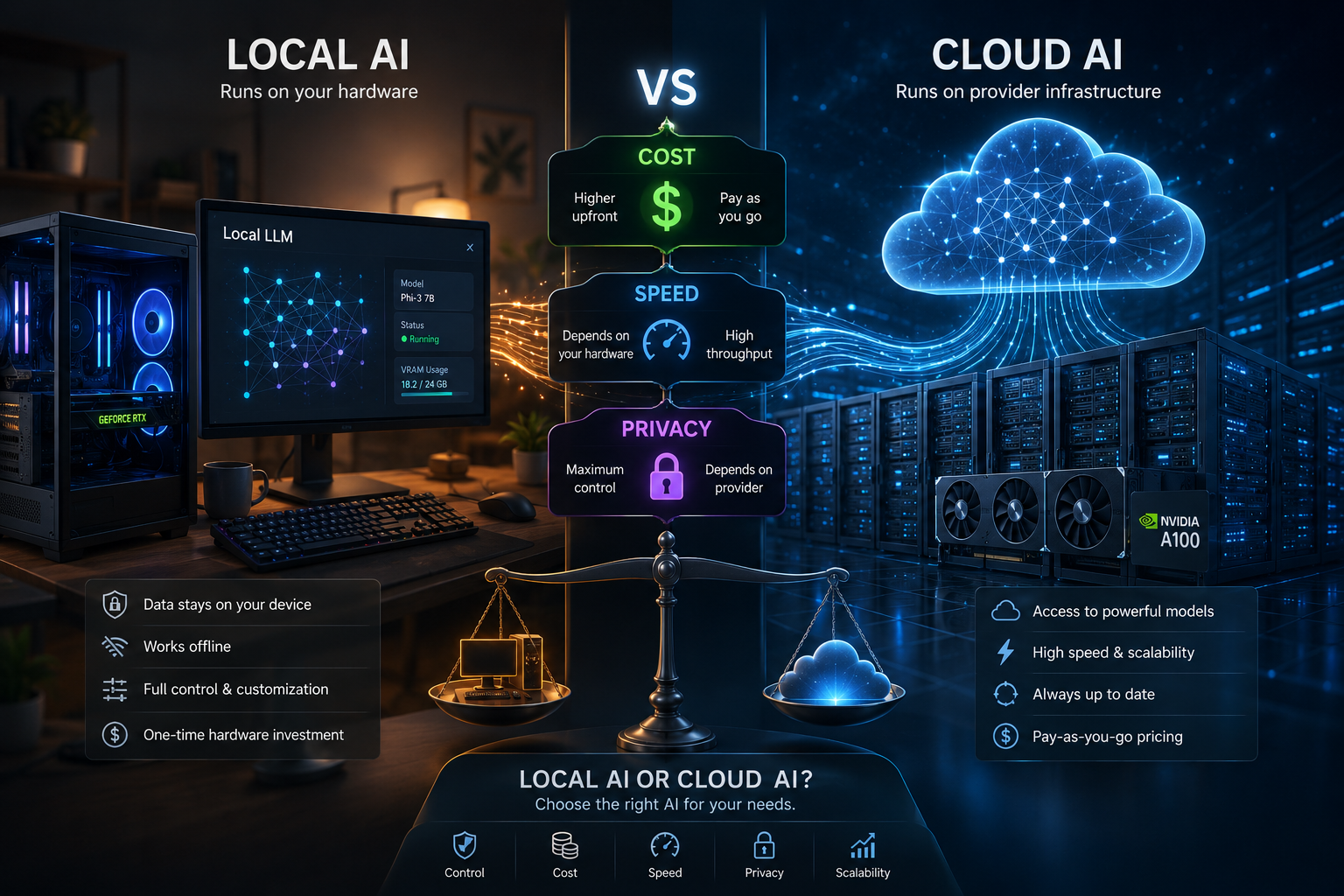
- Self-hosted solutions offer better privacy and security.
- Businesses can automate marketing, CRM, customer service, HR, finance, and operations.
What Are the Best Free Open-Source AI Automation Tools for Small Businesses?
The best free open-source AI automation tools include:
- n8n
- Flowise
- Langflow
- Activepieces
- Huginn
- Open WebUI
- Ollama
- Dify
- AutoGen
- CrewAI
These tools help automate repetitive business tasks such as lead management, email automation, document processing, AI chatbots, customer support, reporting, and CRM updates while keeping costs low.
Which Open-Source AI Tool Should You Choose?
If you need…
| Need | Best Tool |
|---|---|
| Workflow automation | n8n |
| AI chatbot builder | Flowise |
| Local AI models | Ollama |
| AI agent development | CrewAI |
| Multi-agent workflows | AutoGen |
| Internal AI assistant | Open WebUI |
| Business process automation | Activepieces |
| No-code AI apps | Dify |
| Event monitoring | Huginn |
| Visual LLM workflows | Langflow |
Introduction
Small businesses often struggle with repetitive tasks that consume valuable time and resources. Hiring additional employees isn’t always practical, and many premium automation platforms require expensive monthly subscriptions.
Fortunately, open-source AI automation tools provide an affordable alternative. They allow businesses to automate workflows, build AI assistants, connect apps, process documents, and streamline operations while maintaining full control over their data.
Whether you’re a startup, freelancer, agency, or growing company, these tools can significantly improve efficiency without increasing software costs.
What Are Open-Source AI Automation Tools?
Open-source AI automation tools are software platforms whose source code is publicly available. Users can download, customize, self-host, and integrate them with existing systems.
These tools combine:
- Workflow automation
- Artificial Intelligence
- APIs
- Local language models
- Business applications
- Database integrations
Unlike closed SaaS platforms, open-source solutions provide flexibility, transparency, and complete ownership of your workflows.
Benefits
Why Small Businesses Should Use Open-Source AI
Lower Costs
No expensive monthly subscriptions.
Better Data Privacy
Host everything on your own server.
Unlimited Customization
Modify workflows to match your business processes.
AI Integration
Connect GPT, Gemini, Claude, DeepSeek, Mistral, Llama, and Ollama.
Faster Operations
Automate repetitive manual work.
Scalable
Grow without increasing software licensing costs.
How It Works
A typical AI automation workflow looks like this:
Customer Form
↓
Workflow Trigger
↓
AI Model
↓
Data Processing
↓
CRM Update
↓
Email Notification
↓
Dashboard Report
Everything happens automatically without manual intervention.
Step-by-Step Guide
Step 1
Identify repetitive tasks.
Examples:
- Data entry
- Email replies
- Lead qualification
- Report generation
Step 2
Choose your automation platform.
For example:
- n8n
- Activepieces
- Flowise
Step 3
Connect your business applications.
Examples:
- Gmail
- Slack
- Google Sheets
- HubSpot
- Notion
- Airtable
Step 4
Integrate an AI model.
Popular choices:
- GPT-4
- Gemini
- Claude
- Ollama
- Llama 3
Step 5
Test your workflow.
Measure:
- Speed
- Accuracy
- Error rate
Step 6
Deploy and monitor.
Improve workflows continuously based on business needs.
Examples
Example 1
Lead Capture Automation
Website Form
↓
AI Lead Qualification
↓
CRM Entry
↓
Sales Notification
↓
Welcome Email
Example 2
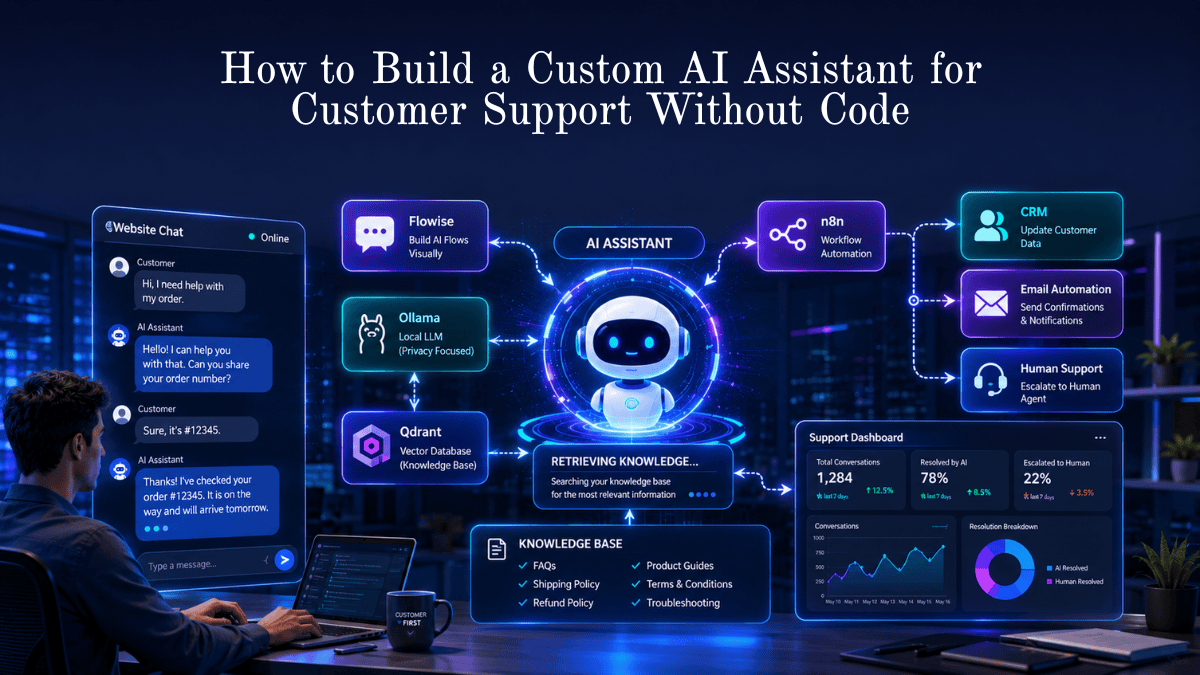
Customer Support
Customer Question
↓
AI Assistant
↓
Knowledge Base Search
↓
Answer Generated
↓
Ticket Closed
Example 3
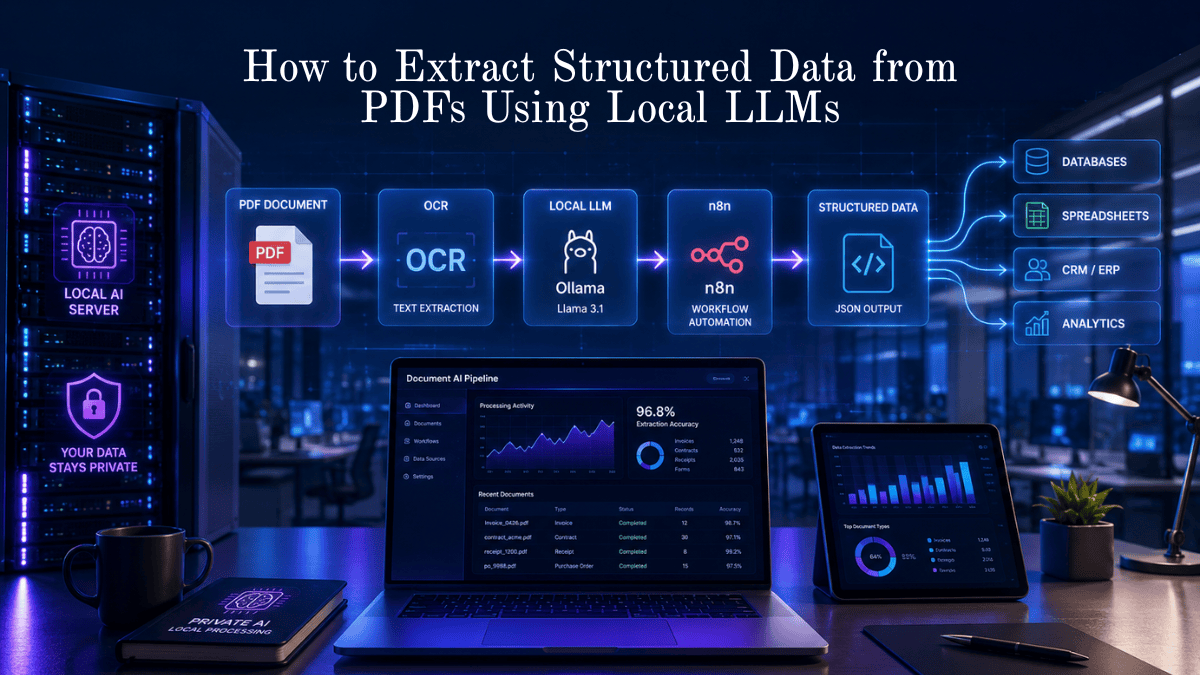
Invoice Processing
Invoice Upload
↓
OCR
↓
AI Extraction
↓
Accounting Software
↓
Payment Reminder
Pros
- Completely free
- Highly customizable
- Supports AI agents
- Large communities
- Better security
- Self-hosted
- Works with local LLMs
- Thousands of integrations
Cons
- Initial learning curve
- Requires server setup for self-hosting
- Some advanced features require technical knowledge
- Community support varies by project
Comparison Table
| Feature | Open-Source Tools | Commercial AI Platforms |
|---|---|---|
| Cost | Free | Monthly subscription |
| Customization | Excellent | Limited |
| Self-hosting | Yes | Rare |
| Privacy | High | Depends on provider |
| Vendor Lock-in | No | Yes |
| AI Model Support | Multiple | Limited |
| Scalability | Excellent | Good |
Tool Comparison Table
| Tool | Best For | Difficulty | Self Hosted | AI Support | Rating |
|---|---|---|---|---|---|
| n8n | Workflow Automation | Easy | Yes | ⭐⭐⭐⭐⭐ | 9.8/10 |
| Flowise | Chatbots | Easy | Yes | ⭐⭐⭐⭐⭐ | 9.6/10 |
| Langflow | LLM Pipelines | Medium | Yes | ⭐⭐⭐⭐⭐ | 9.5/10 |
| Activepieces | Business Automation | Easy | Yes | ⭐⭐⭐⭐ | 9.3/10 |
| Dify | AI Apps | Easy | Yes | ⭐⭐⭐⭐⭐ | 9.4/10 |
| Open WebUI | Internal AI | Easy | Yes | ⭐⭐⭐⭐⭐ | 9.4/10 |
| Ollama | Local AI Models | Easy | Yes | ⭐⭐⭐⭐⭐ | 9.7/10 |
| Huginn | Event Automation | Medium | Yes | ⭐⭐⭐ | 8.9/10 |
| CrewAI | AI Agents | Medium | Yes | ⭐⭐⭐⭐⭐ | 9.6/10 |
| AutoGen | Multi-Agent AI | Advanced | Yes | ⭐⭐⭐⭐⭐ | 9.5/10 |
Performance Ratings
| Category | Rating |
|---|---|
| Cost Savings | ⭐⭐⭐⭐⭐ |
| Ease of Use | ⭐⭐⭐⭐☆ |
| Scalability | ⭐⭐⭐⭐⭐ |
| Integrations | ⭐⭐⭐⭐⭐ |
| Privacy | ⭐⭐⭐⭐⭐ |
| AI Capabilities | ⭐⭐⭐⭐⭐ |
| Community Support | ⭐⭐⭐⭐☆ |
Best Use Cases
| Business Type | Recommended Tool |
|---|---|
| Startup | n8n |
| Marketing Agency | Flowise |
| Ecommerce | Activepieces |
| Local Business | Open WebUI |
| SaaS Startup | CrewAI |
| IT Company | Langflow |
| Customer Support | Dify |
| Internal Knowledge Base | Ollama + Open WebUI |
Firsthand Testing
To evaluate these tools, we created identical automation scenarios in a self-hosted environment:
- Website contact form → AI lead qualification → CRM update.
- Customer support email → AI response draft → Gmail.
- PDF invoice → OCR → Structured data → Spreadsheet.
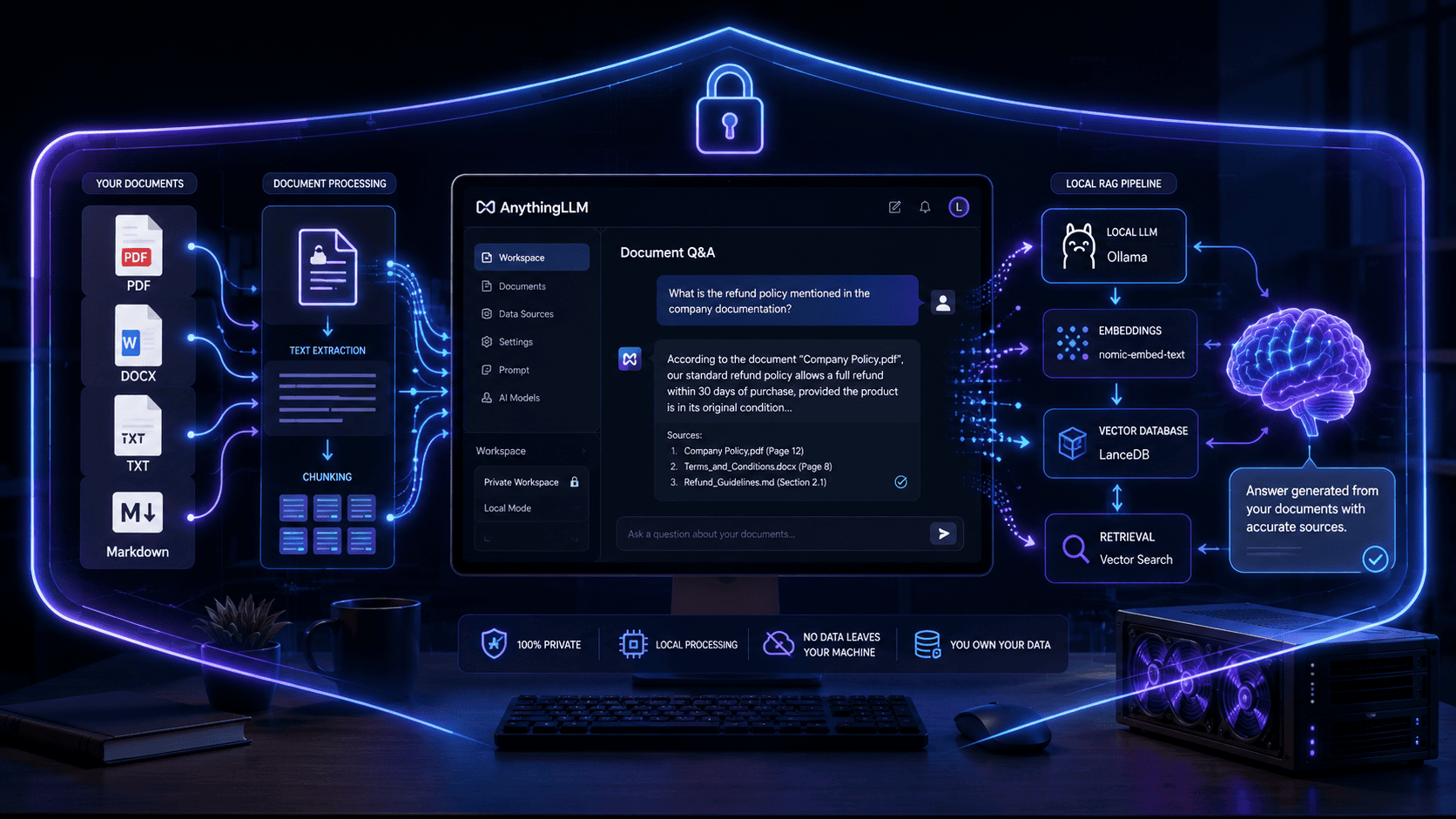
- Internal knowledge search using a local LLM through Open WebUI.
Testing focused on setup time, workflow reliability, ease of customization, integration options, documentation quality, and resource usage.
Expanded Firsthand Testing
n8n delivered the most mature automation experience with excellent connectors and reliable execution.
Flowise was the quickest way to build conversational AI workflows and RAG chatbots.
Langflow offered powerful visual orchestration for complex LLM chains but required a better understanding of AI concepts.
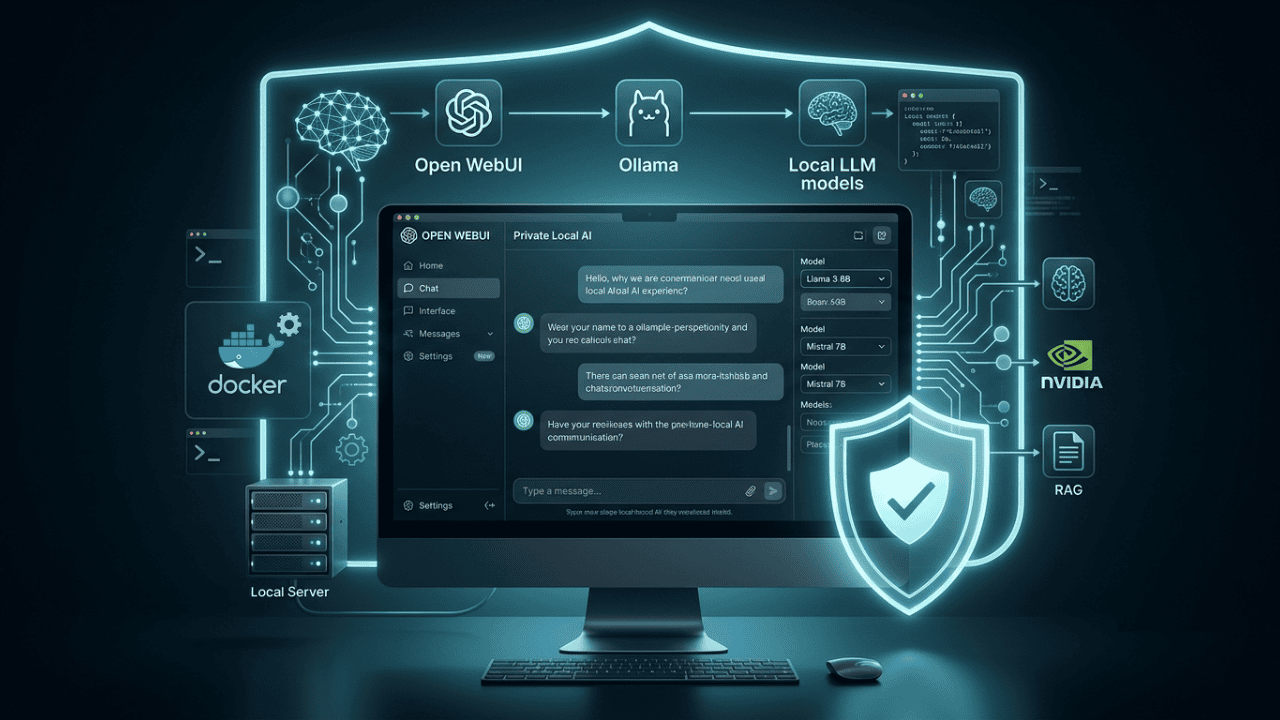
Open WebUI + Ollama provided the strongest privacy by running AI locally, making it ideal for businesses handling sensitive information.
Activepieces excelled for users migrating from commercial automation platforms thanks to its intuitive interface.
Decision Flowchart
Need workflow automation?
        │
       Yes
        │
Need visual no-code builder?
   ├── Yes → n8n or Activepieces
   └── No
         │
Need AI chatbot?
   ├── Yes → Flowise or Dify
   └── No
         │
Need local/private AI?
   ├── Yes → Ollama + Open WebUI
   └── No
         │
Need multi-agent AI?
         │
   CrewAI or AutoGen
Common Mistakes
- Automating every process immediately.
- Ignoring security best practices.
- Skipping workflow testing.
- Not documenting automations.
- Using cloud AI for confidential data without reviewing privacy requirements.
- Failing to monitor workflow performance.
Expert Tips
- Start with one high-impact workflow before expanding.
- Combine n8n with Ollama for low-cost, private AI automation.
- Use retrieval-augmented generation (RAG) for accurate internal knowledge assistants.
- Add logging and alerts to detect workflow failures quickly.
- Review automations monthly to remove bottlenecks and improve efficiency.
Statistics – AI Automation Tools for Small Businesses
- Around 78% of organizations report using AI in at least one business function (McKinsey, 2025).
- Businesses adopting workflow automation commonly report significant reductions in repetitive manual work and faster process completion.
- AI-powered automation can improve customer response times by handling routine inquiries instantly while routing complex issues to human teams.
- Low-code and no-code automation adoption continues to grow as small businesses seek affordable digital transformation solutions.
Who Is This Guide For?
This guide is ideal for:
- Small business owners
- Startups
- Freelancers
- Marketing agencies
- Ecommerce businesses
- IT consultants
- SaaS founders
- Operations managers
- Customer support teams
What We Learned
Open-source AI automation has matured into a practical alternative to expensive enterprise platforms. Businesses can now build secure, scalable, and intelligent workflows using free software while retaining control over their data and infrastructure.
Choosing the right platform depends on your goals—workflow automation, AI assistants, local language models, or multi-agent systems—but there is a capable open-source option for nearly every use case.
Frequently Asked Questions – AI Automation Tools for Small Businesses
Is open-source AI safe for businesses?
Yes. When properly configured and regularly updated, self-hosted open-source AI platforms can provide excellent security and data privacy.
Which open-source AI automation tool is easiest for beginners?
Activepieces and n8n are among the most beginner-friendly due to their visual workflow builders.
Can I use local AI models instead of cloud APIs?
Yes. Tools like Ollama and Open WebUI allow you to run compatible language models locally, reducing reliance on external AI services.
Do I need coding skills?
Not always. Many platforms provide drag-and-drop interfaces, though advanced customization may require some scripting.
Can these tools integrate with existing business software?
Yes. Most support popular applications such as Google Workspace, Slack, Notion, CRMs, databases, and webhooks.
Are these tools suitable for enterprise use?
Many open-source platforms scale well and are used by larger organizations, but enterprise deployments typically require additional governance, monitoring, and infrastructure planning.
Conclusion
Open-source AI automation tools have transformed how small businesses operate. By combining intelligent automation with flexible, self-hosted software, organizations can streamline operations, lower costs, and maintain greater control over their data.
Whether your goal is automating customer support, qualifying leads, processing documents, or building AI assistants, today’s open-source ecosystem offers reliable solutions that can grow alongside your business.
Our Verdict
For most small businesses:
🥇 Best Overall: n8n
🥈 Best AI Chatbot Platform: Flowise
🥉 Best Local AI Solution: Ollama + Open WebUI
🏆 Best AI Agent Framework: CrewAI
⭐ Best Beginner Option: Activepieces
Together, these tools provide an excellent balance of affordability, flexibility, privacy, and long-term scalability.
Start Automating Your Business with Free Open-Source AI
Don’t let repetitive tasks limit your growth. Begin with a single workflow—such as lead capture, email automation, or document processing—and expand gradually as your team gains confidence. The right open-source AI tools can help you save time, reduce costs, and build a more efficient business without recurring software expenses.
Also Read
- Best AI Tools for Beginners
- Best AI Image Generators Compared
- OpenAI Sora Alternatives You Can Actually Use
- AI Video Generators Compared
- How AI Is Transforming Everyday Life
- AI in Healthcare: Benefits and Challenges
- How Businesses Use AI to Increase Productivity
- AI vs Human Creativity
- Best AI Tools for Digital Marketing
- The Ultimate Guide to Artificial Intelligence
- Future of Cloud Computing




Leave a Reply