


Quick Summary
Artificial Intelligence (AI) has become an essential part of modern workplaces. From writing emails and generating presentations to automating repetitive tasks and analyzing data, AI tools help professionals work faster and smarter. This guide explores the top 7 AI tools changing the way we work, explaining their benefits, how they work, real-world examples, and how to choose the right tool for your needs.
Introduction
Artificial Intelligence is transforming nearly every industry. Businesses, freelancers, marketers, developers, educators, and students now rely on AI to improve productivity, reduce manual work, and make better decisions.
Instead of spending hours writing reports, designing graphics, or organizing workflows, professionals can now complete these tasks in minutes using AI-powered applications.
The rapid evolution of AI means new tools appear every month, but only a handful truly stand out for their innovation, reliability, and business value.
In this article, we’ll explore seven of the most impactful AI tools available today and explain how they can improve your daily workflow.
What Are AI Productivity Tools?
AI productivity tools are software applications that use technologies such as:
- Machine Learning
- Natural Language Processing (NLP)
- Computer Vision
- Deep Learning
- Generative AI
These tools analyze information, understand user instructions, and automate tasks that previously required human effort.
Examples include:
- Writing content
- Creating presentations
- Scheduling meetings
- Editing videos
- Data analysis
- Coding assistance
- Customer support
- Graphic design
Rather than replacing employees, AI tools help them accomplish more work in less time.
Top 7 AI Tools Changing the Way We Work
1. ChatGPT
Best For:
- Writing
- Research
- Coding
- Brainstorming
- Customer support
Features
- Content creation
- Email writing
- Programming assistance
- Idea generation
- Data explanation
- Learning support
- Translation
Example
A marketing manager can create an entire campaign draft in under 30 minutes instead of spending several hours.
2. Microsoft Copilot
Best For:
- Microsoft Office users
- Excel automation
- Outlook emails
- PowerPoint presentations
Features
- AI-generated presentations
- Spreadsheet analysis
- Meeting summaries
- Email drafting
- Business insights
Example
Sales teams automatically generate monthly reports without manually formatting Excel spreadsheets.
3. Google Gemini
Best For
- Research
- Writing
- Google Workspace
- Information retrieval
Features
- AI writing
- Document summarization
- Spreadsheet assistance
- Coding help
- Image understanding
Example
Students summarize lengthy research papers into concise study notes within seconds.
4. Notion AI
Best For
- Knowledge management
- Team collaboration
- Documentation
Features
- Meeting notes
- AI summaries
- Project management
- Writing assistance
- Workflow organization
Example
A startup automatically converts meeting discussions into actionable task lists.
5. Canva AI
Best For
- Graphic design
- Marketing
- Social media
Features
- AI image generation
- Magic Design
- Background removal
- Presentation creation
- Video editing
Example
A small business owner creates professional Instagram posts in minutes without hiring a designer.
6. Grammarly AI
Best For
- Professional writing
- Emails
- Reports
Features
- Grammar correction
- Tone adjustment
- AI rewriting
- Clarity improvements
- Plagiarism checking
Example
Business professionals ensure every client email sounds professional and error-free.
7. Zapier AI
Best For
- Workflow automation
- Business automation
- Task integration
Features
- Connects thousands of apps
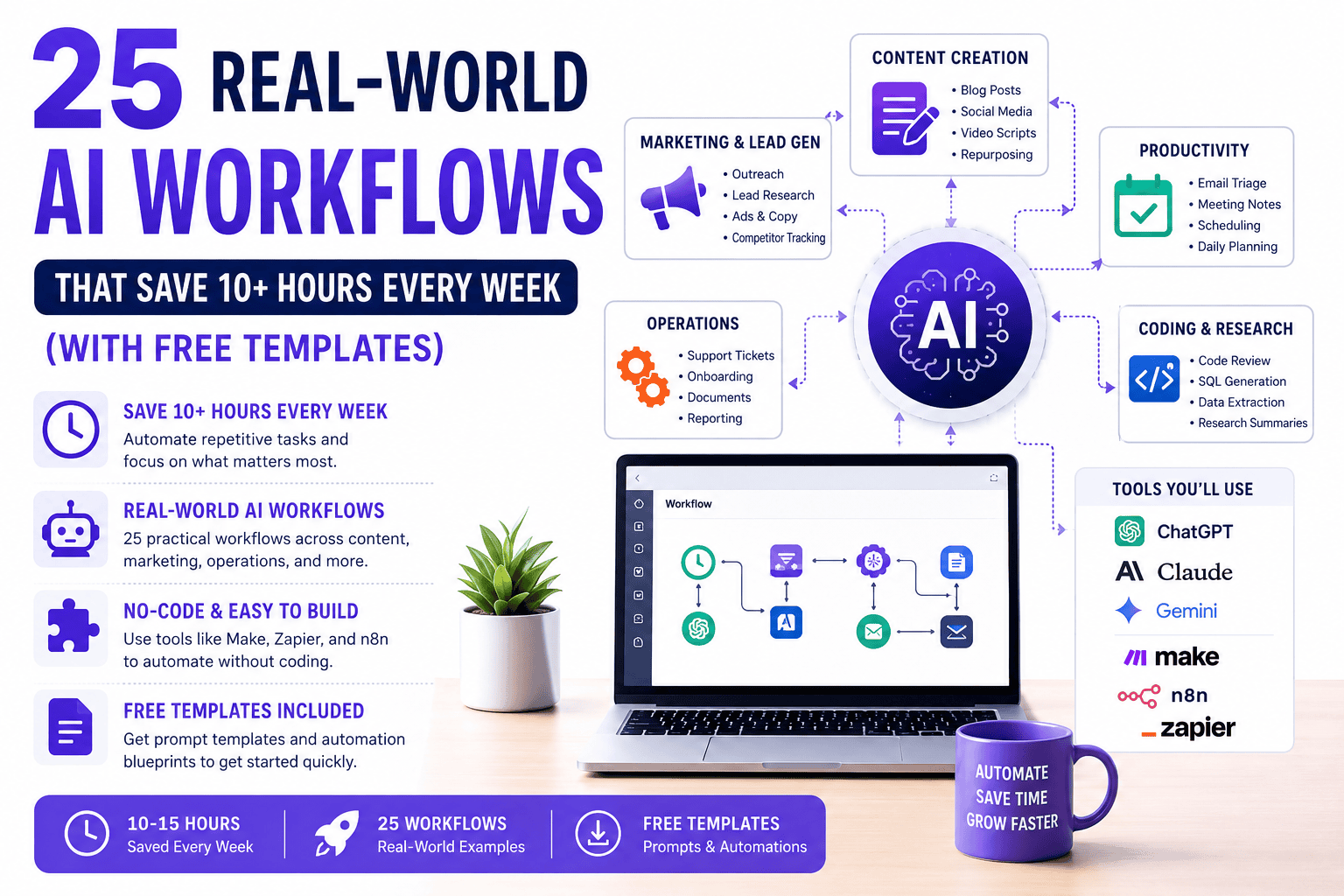
- Automates repetitive tasks
- AI workflow suggestions
- No-code automation
Example
Every new website lead automatically gets added to the CRM, receives an email, and creates a follow-up task.
Benefits of AI Tools
Using AI at work provides numerous advantages.
Increased Productivity
AI automates repetitive work, allowing employees to focus on strategic tasks.
Saves Time
Tasks that once took hours now take minutes.
Better Decision Making
AI analyzes large datasets quickly and provides useful insights.
Higher Accuracy
Automation reduces human errors.
Lower Costs
Businesses spend less on repetitive manual work.
Enhanced Creativity
AI helps generate ideas, designs, and content.
Improved Collaboration
Many AI platforms simplify teamwork with shared workspaces and automated summaries.
How AI Productivity Tools Work
Although each AI tool has unique features, most follow a similar process:
Step 1
The user provides a prompt or uploads information.
↓
Step 2
The AI analyzes the request using machine learning models.
↓
Step 3
The system searches its trained knowledge or connected data.
↓
Step 4
The AI generates an output such as text, images, code, charts, or recommendations.
↓
Step 5
The user reviews, edits, and applies the results.
Step-by-Step Guide to Using AI at Work
Step 1: Identify repetitive tasks
Examples:
- Email writing
- Meeting notes
- Data entry
- Report creation
Step 2: Choose the right AI tool
Select software based on your specific needs.
Step 3: Learn prompt writing
Better prompts produce better results.
Example:
Instead of:
Write an article
Use:
Write a 1,500-word beginner-friendly SEO article about AI in marketing with FAQs and examples.
Step 4: Review AI output
Always verify facts and edit where necessary.
Step 5: Integrate AI into daily workflows
Use AI consistently to maximize productivity gains.
Real-World Examples
Marketing
AI creates blog posts, advertisements, and social media captions.
Human Resources
AI screens resumes and drafts interview questions.
Customer Support
Chatbots answer common customer questions 24/7.
Finance
AI analyzes expenses and predicts financial trends.
Education
Teachers generate lesson plans and quizzes.
Software Development
Developers receive coding suggestions and debugging assistance.
Healthcare Administration
AI summarizes patient documentation and appointment notes, helping reduce administrative workload while keeping professionals in control of clinical decisions.
Pros
- Saves hours every week
- Boosts productivity
- Reduces repetitive work
- Improves writing quality
- Assists decision-making
- Easy to use
- Supports collaboration
- Available across industries
- Scalable for businesses of all sizes
- Encourages innovation
Cons
- Can produce inaccurate information
- Requires fact-checking
- Some advanced features require paid subscriptions
- Privacy concerns when handling sensitive data
- Learning curve for advanced automation
- May create overreliance if used without human review
- Quality depends on prompt clarity
Comparison Table
| AI Tool | Best For | Ease of Use | Pricing | Ideal Users |
|---|---|---|---|---|
| ChatGPT | Writing & Research | Very Easy | Free + Paid | Everyone |
| Microsoft Copilot | Office Productivity | Easy | Paid | Businesses |
| Google Gemini | Research | Easy | Free + Paid | Students & Professionals |
| Notion AI | Documentation | Easy | Paid | Teams |
| Canva AI | Design | Very Easy | Free + Paid | Designers & Marketers |
| Grammarly AI | Writing | Very Easy | Free + Paid | Writers |
| Zapier AI | Automation | Medium | Free + Paid | Businesses |
Common Mistakes
Trusting AI blindly
Always verify important facts.
Using vague prompts
Specific prompts deliver better results.
Ignoring privacy
Avoid sharing confidential company information with public AI tools unless your organization’s policies permit it.
Expecting perfection
AI is an assistant, not a replacement for human judgment.
Using the wrong tool
Different AI tools specialize in different tasks.
Expert Tips
- Learn prompt engineering fundamentals.
- Combine multiple AI tools for better workflows.
- Review all AI-generated content before publishing.
- Stay updated with new AI features and releases.
- Use automation for repetitive tasks, not critical decision-making.
- Train your team on responsible AI usage and data security.
- Measure productivity improvements over time to identify the best return on investment.
Frequently Asked Questions
1. What is the best AI tool for work?
It depends on your needs. ChatGPT is excellent for writing and research, Microsoft Copilot is ideal for Microsoft Office users, and Zapier AI excels at workflow automation.
2. Are AI tools free?
Many AI tools offer free plans with limited features, while advanced capabilities usually require a paid subscription.
3. Can AI replace employees?
AI is designed to assist people by automating repetitive tasks. Human creativity, judgment, communication, and strategic thinking remain essential.
4. Which AI tool is best for students?
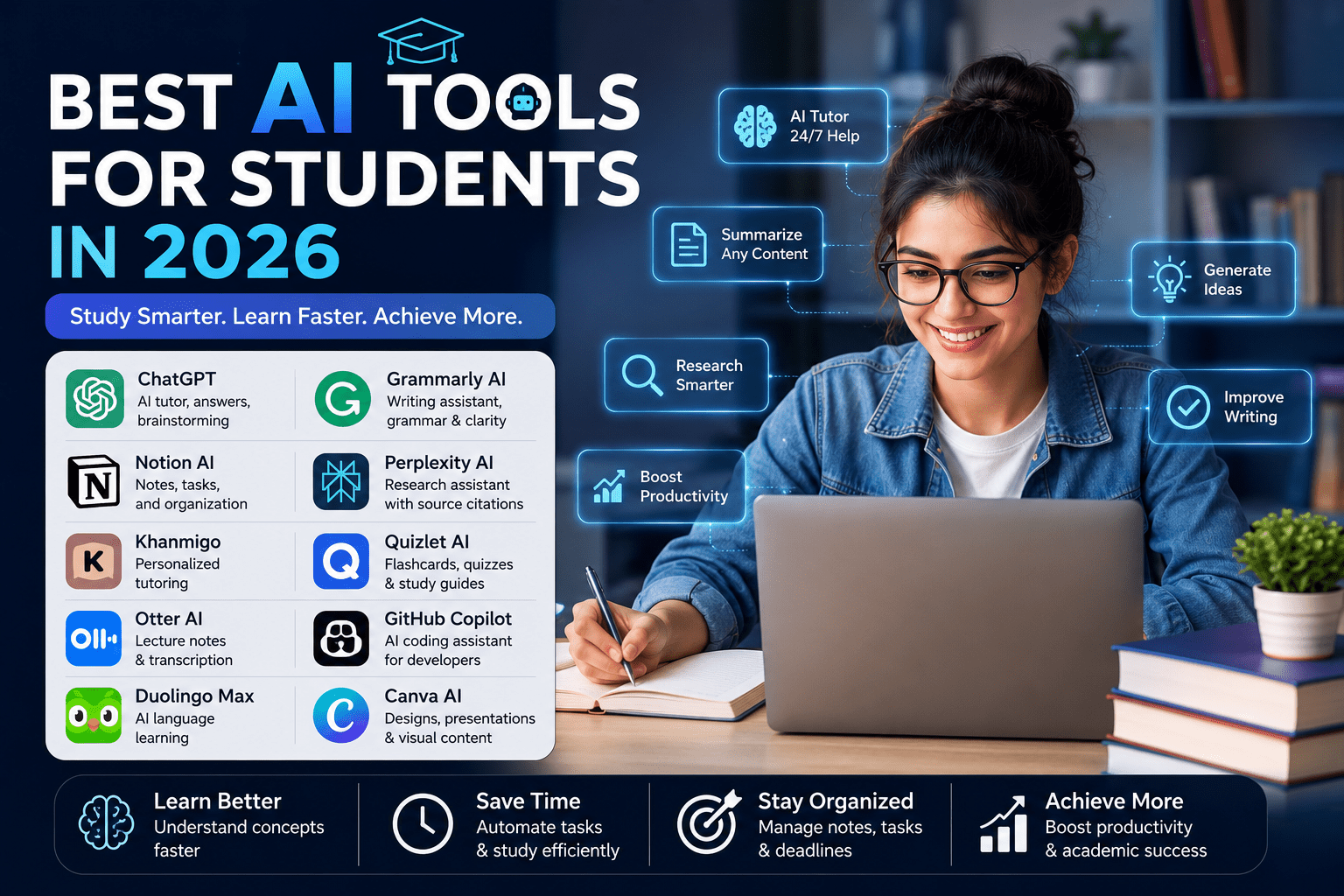
Google Gemini, ChatGPT, Grammarly AI, and Notion AI are popular choices for research, writing, and organization.
5. Is AI safe to use?
AI can be safe when used responsibly. Users should verify outputs, protect sensitive information, and follow organizational privacy policies.
6. Which AI tool is best for small businesses?
ChatGPT, Canva AI, Grammarly AI, and Zapier AI offer affordable solutions that can improve marketing, communication, and automation.
7. Do I need technical skills to use AI tools?
Most modern AI tools are designed for beginners and require little to no coding knowledge. More advanced automation features may involve a learning curve.
Conclusion
AI tools are reshaping the way people work by reducing repetitive tasks, improving productivity, and enabling faster decision-making. Whether you’re a student, freelancer, entrepreneur, or part of a large organization, the right AI tool can help you save time and focus on higher-value work.
The key to success is selecting tools that match your goals, writing clear prompts, and treating AI as a collaborative assistant rather than a replacement for human expertise. By combining AI with critical thinking and domain knowledge, you can build more efficient workflows and stay competitive in an increasingly AI-driven workplace.










Leave a Reply