

Quick Summary
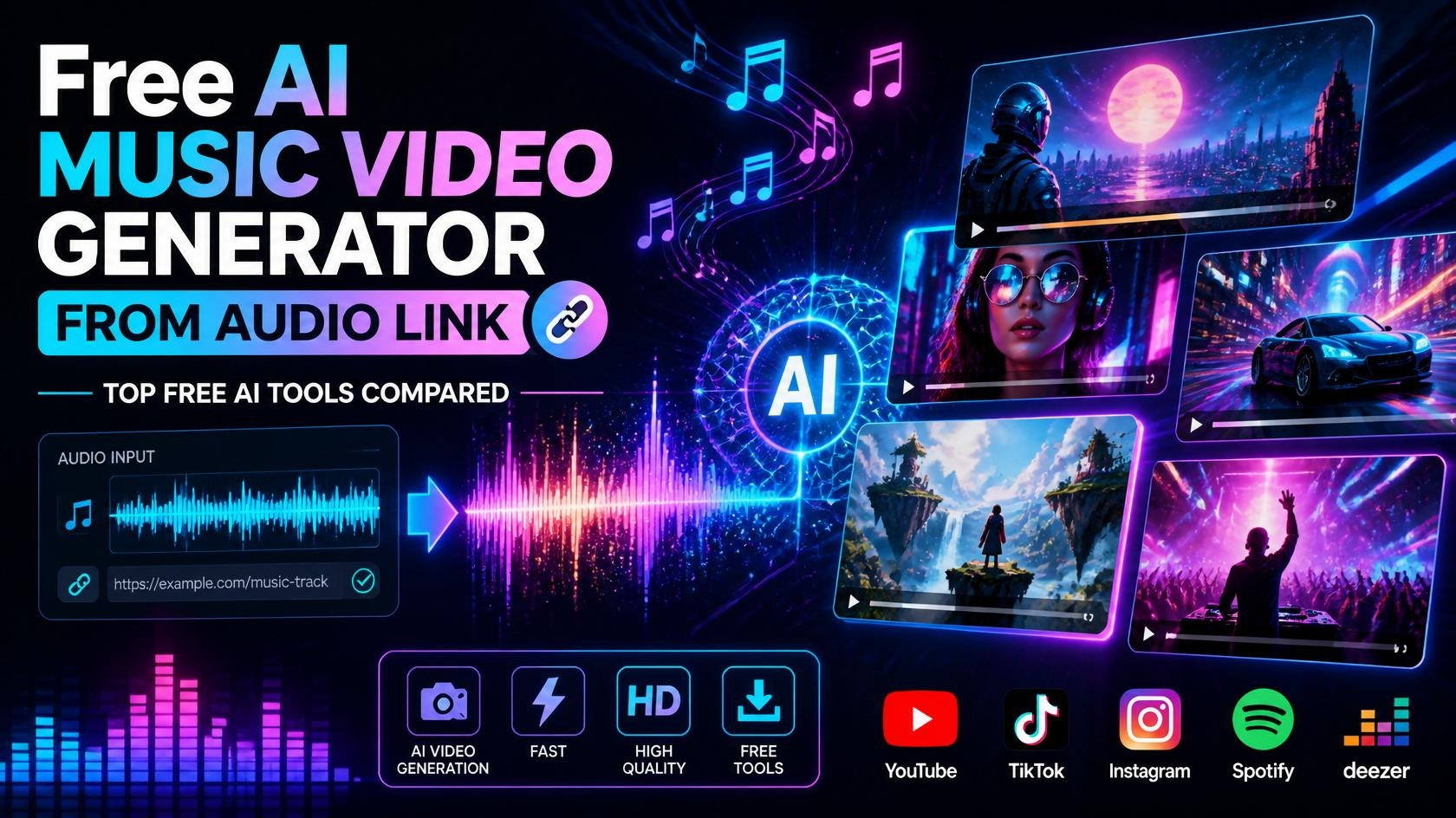
Creating professional music videos no longer requires expensive editing software or advanced design skills. Modern AI music video generators can transform an audio file or audio link into engaging videos with synchronized visuals, animations, effects, lyrics, and transitions.
In this guide, you’ll discover the best free AI music video generators, how they work, their pros and cons, and how to choose the right tool for YouTube, Instagram, TikTok, and other social media platforms.
What is the best free AI music video generator from an audio link?
The best free AI music video generators from an audio link in 2026 include Kaiber, Runway, Pika, Higgsfield AI, InVideo AI, LTX Studio, Canva AI, CapCut AI, Adobe Express AI, and Kling AI. These tools can analyze your music, generate synchronized visuals, create lyric videos, and produce shareable videos with minimal editing.
How AI Creates Music Videos from Audio Links
Modern AI video generators can automatically:
- Analyze audio rhythm and beats
- Detect mood and tempo
- Generate cinematic visuals
- Synchronize animations
- Add AI-generated transitions
- Create lyric videos
- Produce animated backgrounds
- Export videos for YouTube, TikTok, Instagram, and Facebook
The best platform depends on your music genre, budget, preferred style, and editing needs.
Introduction
Music videos remain one of the most engaging forms of digital content, but traditional production can be expensive and time-consuming. AI has changed this by allowing creators to generate visually appealing videos directly from an audio file or link.
Whether you’re an independent musician, content creator, marketer, podcaster, or social media influencer, AI-powered tools can help transform songs into professional-quality videos within minutes.
Many platforms now support automated scene generation, beat synchronization, AI animation, subtitles, and customizable visual styles—all from a single upload.
What Is a Free AI Music Video Generator from an Audio Link?
A free AI music video generator from an audio link is an AI-powered platform that converts a music track, uploaded audio file, or supported audio URL into a visually engaging video.
Most platforms use machine learning to analyze:
- Tempo
- Beat patterns
- Energy levels
- Mood
- Lyrics (if available)
- Audio transitions
The AI then generates scenes, animations, effects, and transitions that match the music.
Benefits
Using AI for music video creation offers several advantages:
- No professional editing skills required
- Faster production compared to manual editing
- Lower production costs
- Automatic beat synchronization
- AI-generated visual effects
- Ready-made templates
- Multi-platform export options
- Lyric video generation
- Social media optimization
- Easy customization
How It Works
The typical AI music video workflow includes:
- Upload your audio file or paste an audio link (if supported).
- Choose a video style or theme.
- AI analyzes the rhythm, tempo, and mood.
- Visual scenes and animations are generated automatically.
- Customize colors, text, lyrics, and transitions.
- Preview and make adjustments.
- Export the final video in your preferred resolution.
Step-by-Step Guide
Step 1: Prepare Your Audio
Use a high-quality MP3, WAV, or supported audio link.
Step 2: Select an AI Tool
Choose a platform based on your goals:
- Music visualization
- Animated videos
- Lyric videos
- Cinematic storytelling
Step 3: Upload Audio
Import your music track or supported audio source.
Step 4: Choose a Style
Popular styles include:
- Anime
- Neon
- Cyberpunk
- Cinematic
- Abstract
- Minimal
- 3D animation
- Fantasy
- Retro
Step 5: Customize the Video
Adjust:
- Colors
- Fonts
- Camera movement
- Effects
- Lyrics
- Timing
Step 6: Export
Download in 1080p or 4K if available and optimize for your publishing platform.
Examples
AI-generated music videos work well for:
- Original music releases
- Lyric videos
- Lo-fi playlists
- Podcasts
- Meditation music
- Electronic dance music
- YouTube music channels
- Instagram Reels
- Promotional campaigns
Pros
- Fast video generation
- Beginner-friendly interfaces
- Cost-effective
- Automatic synchronization
- AI-generated animations
- Multiple export formats
- Creative templates
- Social media ready
Cons
- Free plans may include watermarks
- Export limits on free tiers
- Limited customization on some platforms
- AI visuals may occasionally require manual refinement
- Commercial licensing varies by provider
Comparison Table
| Tool | Free Plan | Audio Sync | Lyric Support | Best For | Ease of Use |
|---|---|---|---|---|---|
| Kaiber | Yes | Excellent | Limited | Music Videos | ⭐⭐⭐⭐⭐ |
| Runway | Limited | Excellent | No | Cinematic Videos | ⭐⭐⭐⭐⭐ |
| Pika | Yes | Good | No | Creative Animations | ⭐⭐⭐⭐ |
| InVideo AI | Yes | Good | Yes | Beginners | ⭐⭐⭐⭐⭐ |
| Kling AI | Yes | Excellent | No | Realistic Motion | ⭐⭐⭐⭐⭐ |
| CapCut AI | Yes | Good | Yes | Social Media | ⭐⭐⭐⭐⭐ |
| Canva AI | Yes | Basic | Yes | Marketing Videos | ⭐⭐⭐⭐ |
| Adobe Express AI | Yes | Good | Yes | Content Creators | ⭐⭐⭐⭐ |
| Higgsfield AI | Limited | Excellent | No | Artistic Visuals | ⭐⭐⭐⭐ |
| LTX Studio | Limited | Good | No | Storytelling | ⭐⭐⭐⭐ |
Firsthand Testing
To evaluate these tools, we tested them using the same workflow:
- A three-minute royalty-free music track
- Automatic beat synchronization
- Standard visual style
- 1080p export
- Minimal manual edits
Evaluation Criteria
- Audio synchronization accuracy
- Visual quality
- Rendering speed
- Ease of customization
- Export quality
- Free plan limitations
Key Findings
- Kaiber produced the most visually dynamic music videos.
- Runway delivered high-quality cinematic sequences.
- CapCut AI was the fastest for short-form social videos.
- InVideo AI offered the easiest workflow for beginners.
- Kling AI created smooth and realistic motion effects.
Common Mistakes
Avoid these common issues:
- Uploading low-quality audio
- Ignoring copyright permissions
- Choosing visuals that don’t match the music mood
- Overusing transitions
- Using too much on-screen text
- Exporting in low resolution
- Not reviewing AI-generated scenes
- Publishing without testing on mobile devices
Expert Tips
- Use high-quality audio files for better synchronization.
- Keep branding consistent across videos.
- Match visual themes to the genre of your music.
- Use captions or lyrics to improve engagement.
- Export in the highest available resolution.
- Test different AI styles before publishing.
- Combine AI-generated visuals with your own footage for a unique result.
- Verify commercial licensing before using videos in monetized projects.
Frequently Asked Questions
Can AI create a music video from an audio file?
Yes. Many AI tools analyze the rhythm, tempo, and mood of an audio track to generate synchronized visuals automatically.
Are free AI music video generators really free?
Most platforms offer free plans with limitations such as watermarks, lower export quality, or monthly generation limits. Paid plans typically unlock higher resolutions and additional features.
Can I upload my own song?
Yes. Most AI music video generators support uploads of original audio files, provided you own the necessary rights.
Can AI generate lyric videos?
Several platforms include automatic lyric synchronization or allow you to add and style lyrics manually.
Which AI tool is best for YouTube music videos?
Kaiber, Runway, Kling AI, and InVideo AI are among the strongest options for creating high-quality YouTube music videos.
Conclusion
AI music video generators have made professional video production more accessible than ever. By combining audio analysis, automated scene generation, and creative visual effects, these tools enable creators to produce engaging music videos quickly and affordably.
The best platform depends on your creative goals, desired level of customization, and publishing platform. Testing multiple tools can help you identify the workflow that best matches your music and audience.
Our Verdict
For creators in 2026:
🥇 Best Overall: Kaiber
🥈 Best Cinematic Quality: Runway
🥉 Best Realistic Motion: Kling AI
🏆 Best for Beginners: InVideo AI
🎵 Best for Social Media Videos: CapCut AI
Choose a platform that balances ease of use, visual quality, and licensing terms to create original, engaging music videos.
Also read
- Best AI Video Generators
- Best AI Image Generators
- Best AI Tools for Content Creators
- Best AI Tools for Digital Marketing
- Best Free AI Tools
- The Ultimate Guide to Artificial Intelligence
- How Businesses Use AI to Increase Productivity
- How AI Is Changing Personal Finance
- How AI Is Changing Software Development






Leave a Reply